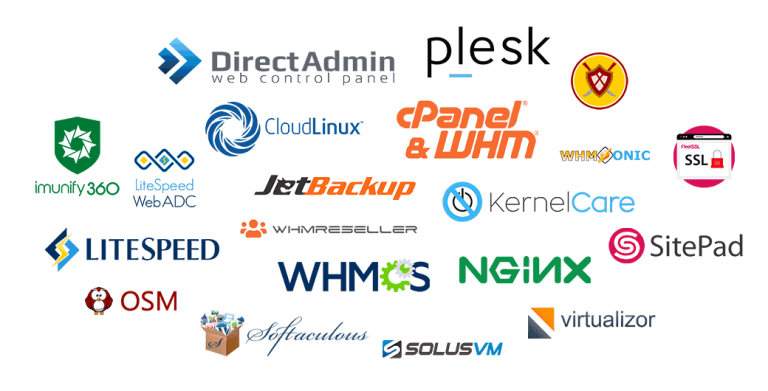
A VPS license bundle combines a control panel licence with the server tools most hosting setups need, at one monthly price. At Tremhost, the cPanel VPS bundle costs $12 a month and adds CloudLinux, Imunify360, JetBackup and LiteSpeed to cPanel and WHM with unlimited accounts, while the Plesk VPS bundle costs $15 a month and adds CloudLinux, Imunify360 and LiteSpeed to Plesk. Both are shared licences supplied by Tremhost that receive official vendor updates, and they suit anyone running their own VPS for client or business sites.
What is in each bundle
cPanel VPS license bundle
According to the Tremhost cPanel licence page, checked in November 2026, every cPanel VPS bundle includes:
- cPanel and WHM with unlimited cPanel accounts.
- Softaculous, a one-click installer for WordPress and hundreds of other applications.
- SitePad, a drag-and-drop website builder.
- FleetSSL for free SSL certificates on hosted domains.
- CloudLinux with unlimited accounts, isolating each account so one busy site cannot starve the others.
- Imunify360 with unlimited accounts, for firewall, malware scanning and cleanup.
- JetBackup with unlimited accounts, for flexible backups and self-service restores.
- LiteSpeed with unlimited accounts, a web server that replaces Apache and is efficient with PHP and WordPress.
Plesk VPS license bundle
The Plesk VPS bundle includes Plesk with unlimited accounts, plus CloudLinux, Imunify360 and LiteSpeed licences, with free installation and instant activation.
Prices
cPanel bundles
- VPS: $12 a month, $33 for 3 months, $65 for 6 months or $125 for 12 months.
- Dedicated server: $13 a month, $35 for 3 months, $70 for 6 months or $138 for 12 months.
Plesk bundles
- VPS: $15 a month.
- Dedicated server: $16 a month.
If you only need the control panel, a cPanel licence alone is $5 a month for a VPS or $6 for a dedicated server, with lifetime options at $190 (VPS) and $250 (dedicated). A Plesk licence alone is $5 a month for a VPS or $6 for a dedicated server. Prices are in US dollars and payable by EcoCash, InnBucks, ZimSwitch, Omari, Visa, Mastercard or cryptocurrency.
Is a bundle worth it?
A bundle makes sense when you would install most of the tools anyway. Ask yourself:
- Are you hosting several accounts or clients? CloudLinux isolation and Imunify360 matter much more on a server with many accounts than on a server running one site.
- Do you run PHP or WordPress sites? LiteSpeed and its caching are designed for that workload.
- Do you need off-server backups and client self-restores? JetBackup, included in the cPanel bundle, handles both.
- Is this a single-purpose server? If you run one application without a control panel, you may not need any of these licences.
Licensed separately at Tremhost, cPanel ($5), CloudLinux ($6), Imunify360 ($5) and LiteSpeed for 2 cores ($5) alone come to $21 a month before JetBackup, so the $12 cPanel VPS bundle costs less if you need them all.
cPanel or Plesk?
- cPanel and WHM are widespread in shared and reseller hosting. WHM manages the server and creates accounts; each account gets its own cPanel. It runs on Linux only and is a natural fit if you sell hosting to clients who already know cPanel.
- Plesk runs on both Linux and Windows Server, has a single interface for administrators and site owners, and is popular with agencies and developers managing many sites, including Windows-based applications.
Choose the panel your team and clients are comfortable with. Migrating between panels later takes effort.
Getting set up
- Start with a clean server. Control panels expect a fresh operating system install that the panel supports, such as AlmaLinux for cPanel. Check the panel’s current supported list before you install.
- Order the bundle for the matching server type, VPS or dedicated.
- Install the control panel first, then the other tools. Tremhost lists free installation on its Plesk bundles; ask support if you want help with either panel.
- Harden and configure: set firewall rules, enable two-factor authentication for admin logins, send backups to an off-server destination, and set up account packages.
- Test before going live: create a test account, install WordPress, take a backup and restore it.
About shared licences
These are shared licences supplied by Tremhost, not licences issued by cPanel, Plesk, CloudLinux, Imunify360, JetBackup or LiteSpeed directly to you. They receive official vendor updates, and Tremhost handles activation and licence support. Read the terms on each order page before buying, so you know what is and is not covered.
Managed alternative
If you would rather not install and maintain the software yourself, the managed cPanel VPS from $80 a month includes the server plus cPanel and WHM, LiteSpeed, CloudLinux and Imunify360, installed and looked after by Tremhost technicians, with daily backups and free migration. If you want the server unmanaged, Tremhost KVM VPS plans start at $15 a month with full root access, in Johannesburg, New York, Miami, Limburg or Roubaix.
Support
Tremhost support is by ticket, WhatsApp on +263 73 563 9917 or a booked call, Monday to Friday, 08:00 to 17:00 CAT. On an unmanaged server, configuring and maintaining the installed software is your responsibility.
Frequently asked questions
Can I use a VPS bundle on a dedicated server?
No. VPS and dedicated licences are separate products. Choose the dedicated bundle for physical servers.
Which billing term is cheapest?
For the cPanel VPS bundle, 12 months at $125 works out cheaper than twelve monthly payments of $12 ($144). Monthly billing suits a server you may not keep.
Does the Plesk bundle include JetBackup?
No. The Plesk bundle listing includes CloudLinux, Imunify360 and LiteSpeed. Plesk has its own built-in backup manager, which you should configure to send copies off the server.
Do I need a server before ordering?
Yes. Licences run on a server you control. If you do not have one yet, start with a KVM VPS sized for the number of sites you plan to host.
Next step
Compare all billing terms on the Tremhost cPanel licence page, or see the Plesk bundles on the Plesk licence page.