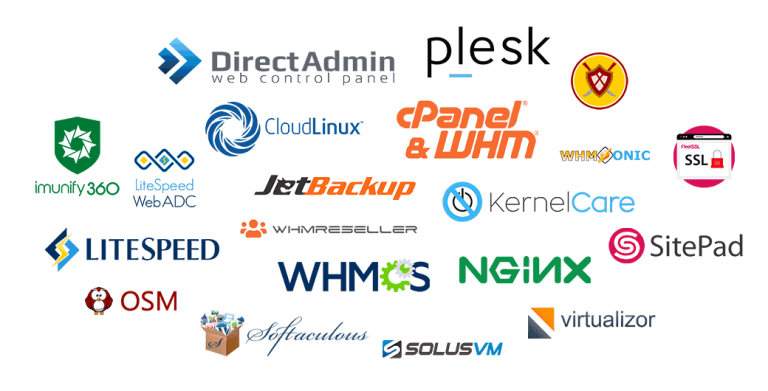
Tremhost and LicensePro both sell software licences for servers, such as control panels and VPS management tools. If you are choosing between them, compare the same points on each: which licences are offered, the real price per term, update policy, account limits, activation, IP changes, support and refunds. This guide gives Tremhost’s answers and tells you what to check on LicensePro’s official site. It does not declare a winner; the right supplier is the one whose terms fit your servers.
What VPS management licences are
If you run your own VPS nodes or hosting servers, you usually need commercial software on top of the operating system:
- A VPS control panel such as Virtualizor, to create, resize and manage virtual machines on KVM, Xen, LXC, Proxmox and other platforms.
- A hosting control panel such as cPanel & WHM or Plesk, for the websites and email on each server.
- Performance and security tools such as LiteSpeed, CloudLinux and Imunify360.
- Website tools such as Softaculous and SitePad for one-click installs and site building.
For an overview of each, see hosting licenses: cPanel, Plesk, LiteSpeed and more.
1. Which licences are available
- Tremhost: cPanel & WHM, Plesk, Virtualizor, WHMReseller, CloudLinux, Imunify360, LiteSpeed, JetBackup, OSM, Softaculous, SitePad and WHMCS, all listed on the Tremhost licences page.
- Check on LicensePro’s site: whether each licence you need is offered for your server type (VPS or dedicated) and control panel.
2. Price per term
Compare the same billing term on both sides: monthly against monthly, yearly against yearly, and lifetime against lifetime.
- Tremhost examples: Virtualizor $3 a month or $34 a year; cPanel & WHM $5 a month for a VPS or $6 for a dedicated server, or $190 and $250 lifetime; Plesk $5 (VPS) or $6 (dedicated) a month; CloudLinux $6 a month; Imunify360 $5 a month; LiteSpeed from $5 a month for 2 cores; Softaculous $17 a year.
- Check on LicensePro’s site: the price for the same licence and term, any setup fee and whether the price changes on renewal.
3. Updates and how the licence is supplied
- Tremhost: shared licences supplied by Tremhost that receive official vendor updates, so you can run current versions. They are not licences issued directly to you by the software vendor.
- Check on LicensePro’s site: how its licences are supplied, whether they receive official updates and how quickly after a vendor release.
4. Account and resource limits
- Tremhost: cPanel licences allow unlimited cPanel accounts; LiteSpeed is priced by CPU cores with no domain limit.
- Check on LicensePro’s site: any limits on accounts, domains, cores or virtual machines per licence.
5. Activation and IP changes
- Tremhost: automatic activation after payment, with a script to run on the server. If you change the server’s IP address, the licence can be refreshed; support can do it for you. Tremhost configures the server free when you buy a licence.
- Check on LicensePro’s site: how activation works, how long it takes, and whether IP changes are free.
6. Payment and currency
- Tremhost: US dollars, payable by EcoCash, InnBucks, ZimSwitch, Omari, Visa, Mastercard, Bitcoin, Tron or Litecoin.
- Check on LicensePro’s site: accepted payment methods and the currency you are billed in.
7. Support
- Tremhost: tickets, WhatsApp on +263 73 563 9917 and booked calls, Monday to Friday, 08:00 to 17:00 CAT.
- Check on LicensePro’s site: support channels and hours, and what happens if a licence stops validating outside those hours.
8. Reselling licences
- Tremhost: a licence reseller programme from $30 once off, with a WHMCS module and API access, for selling cPanel, CloudLinux, LiteSpeed and more under your own brand.
- Check on LicensePro’s site: whether it offers a reseller programme, its cost and integration options.
9. Bundles and multi-year terms
Buying several licences together, or paying for a longer term, often costs less than monthly licences bought one by one.
- Tremhost: cPanel bundles that add CloudLinux, Imunify360, JetBackup and LiteSpeed cost $12 a month for a VPS or $13 a month for a dedicated server, with quarterly, six-month and yearly options. Virtualizor offers bigger discounts on one-, two- and three-year terms.
- Check on LicensePro’s site: which bundles it offers, what each contains and how multi-year discounts work.
Before you pay for a long term with any supplier, read what happens if you replace the server or stop needing the licence part-way through. A lifetime or multi-year price is only good value if the licence can follow your workload.
How to run the comparison
- List the licences each server needs and the term you prefer.
- Price the same set at both suppliers and total it over one and three years.
- Read each supplier’s update, IP-change and refund terms.
- Ask each one the same technical question and compare the replies.
- Record the date you checked, since licence prices change.
Frequently asked questions
What does Virtualizor do?
It is a web-based panel for deploying and managing VPSs on your own nodes, with OS templates, per-VM statistics and built-in billing for hourly charging.
Do I need Virtualizor and cPanel together?
Only if you both sell VPSs and host websites. Virtualizor runs on the host node; cPanel runs inside a VPS or on a separate server.
Is a lifetime licence worth it?
If you will keep the same server for years, often yes. A lifetime cPanel VPS licence at $190 equals 38 months at $5.
Next step
See Virtualizor terms on the Tremhost Virtualizor licence page, or ask on WhatsApp at +263 73 563 9917 (Monday to Friday, 08:00 to 17:00 CAT) which licences your servers need.