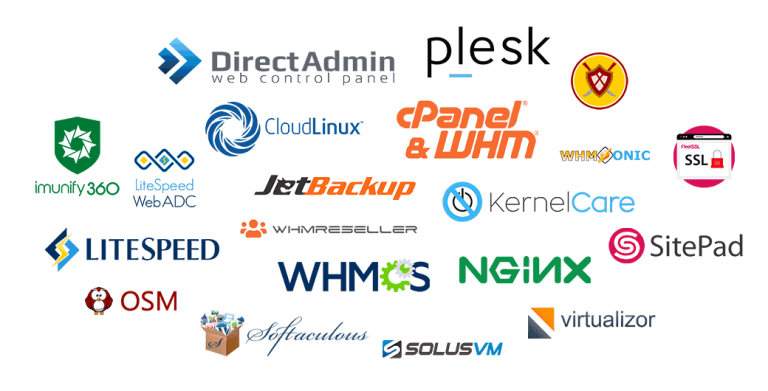
A Plesk license from Tremhost costs $5 a month for a VPS or $6 a month for a dedicated server, with unlimited Plesk accounts, instant activation and free installation. Bundles that add CloudLinux, Imunify360 and LiteSpeed licences cost $15 a month for a VPS and $16 for a dedicated server. These are shared licences supplied by Tremhost that receive official Plesk updates, priced in US dollars and payable by EcoCash, ZimSwitch, card or cryptocurrency.
What Plesk is
Plesk is a web hosting control panel for managing servers, websites, email, databases and applications through a browser instead of the command line. It runs on Linux and Windows servers and is used by web professionals, hosting providers, developers and IT administrators. Its main alternative is cPanel & WHM, which runs only on Linux. Which one suits you depends on your operating system, the tools your team knows and the software your sites need.
Tremhost Plesk license prices
Prices are in US dollars, as listed on Tremhost’s Plesk page:
- Plesk VPS license: $5 a month, for a VPS. Unlimited Plesk accounts, official updates, instant activation, free installation.
- Plesk Dedicated license: $6 a month, for a dedicated server. Same features.
- Plesk VPS Bundle: $15 a month, adding a CloudLinux licence, an Imunify360 licence and a LiteSpeed licence.
- Plesk Dedicated Bundle: $16 a month, the same bundle for a dedicated server.
The edition offered is Plesk Web Host Edition.
Who buys a Plesk license
- Small hosting providers that host client websites and email on their own VPS or dedicated server.
- Web agencies that want one panel to manage many client sites, with separate logins for each client.
- Developers who want a graphical panel for Node.js, PHP, Docker or Git deployments on their own server.
- Organisations running Windows servers that need a control panel for IIS-hosted sites.
If you only need hosting for one or two websites, you do not need your own server or licence; shared web hosting is simpler and cheaper.
How shared licences work
A shared licence is supplied and managed by Tremhost rather than issued by Plesk directly to you. The licence is activated for your server and receives the same official updates as any other Plesk installation. Tremhost handles activation and installation, and you manage your server and its websites as normal.
Before buying any shared licence, from any supplier, it is sensible to check:
- That the licence receives official vendor updates, including security patches. The owner of Tremhost confirms that its licences do.
- Who handles support if the licence stops validating, and during what hours.
- What happens if you move the server or change its IP address.
- The billing cycle and what happens if a payment is missed.
Avoid cracked or “nulled” control panel software. It does not receive genuine updates, can contain malware and puts every site on the server at risk.
When the bundle makes sense
The bundles add three tools that hosting providers often use together:
- CloudLinux puts each hosting account in its own resource limits, so one busy site has less effect on the others.
- Imunify360 adds a firewall, malware scanning and protection against brute-force logins.
- LiteSpeed replaces Apache as the web server, which can speed up PHP and WordPress sites through LiteSpeed Cache.
If you host client sites, the VPS bundle at $15 a month covers all four licences. If you run a single internal application, the $5 Plesk licence alone may be enough.
How to get a Plesk server running
- Choose a server. A Tremhost KVM VPS starts at $15 a month with dedicated cores, NVMe storage and full root access, in Johannesburg, New York, Miami, Limburg or Roubaix. You can also use a server from another provider, provided you have root access.
- Order the licence for VPS or dedicated, with or without the bundle.
- Activation and installation. Licences activate instantly, and installation is free.
- Secure the server. Keep the operating system updated, use strong passwords and two-factor authentication for the Plesk login, and restrict SSH access.
- Set up backups. Store backups off the server so you can recover from a failure.
Plesk or cPanel?
- Choose Plesk if you need Windows server support, prefer its interface, or rely on its extensions.
- Choose cPanel & WHM if you run Linux, want the panel many shared hosts use, or plan to resell hosting with WHM. Tremhost’s cPanel & WHM licence is $5 a month for a VPS.
Both are supplied by Tremhost on the same shared-licence basis.
Paying and support
Tremhost bills in US dollars and accepts EcoCash, InnBucks, ZimSwitch, Omari, Visa, Mastercard, Bitcoin, Tron and Litecoin. Support is by ticket, WhatsApp on +263 73 563 9917 and booked call, Monday to Friday, 08:00 to 17:00 CAT. The 30-day refund applies to web hosting, managed WordPress, business email and reseller orders, not to licences.
Frequently asked questions
Is a Tremhost Plesk license the same software as a direct one?
It is the same Plesk software, receiving official updates. The difference is that the licence is supplied and managed by Tremhost as a shared licence rather than issued to you by Plesk.
Is there a limit on accounts?
No. Every Tremhost Plesk licence includes unlimited Plesk accounts.
Do I need a Tremhost server to use the licence?
No. You need a VPS or dedicated server with root access. Pick the VPS or dedicated licence to match.
Can I switch from cPanel to Plesk?
Yes, but the move needs planning: sites, email and databases must be migrated between panels. Test on a new server first.
Next step
Order or compare options on the Tremhost Plesk license page, see every other licence on the licences page, or choose a server on the VPS hosting page.