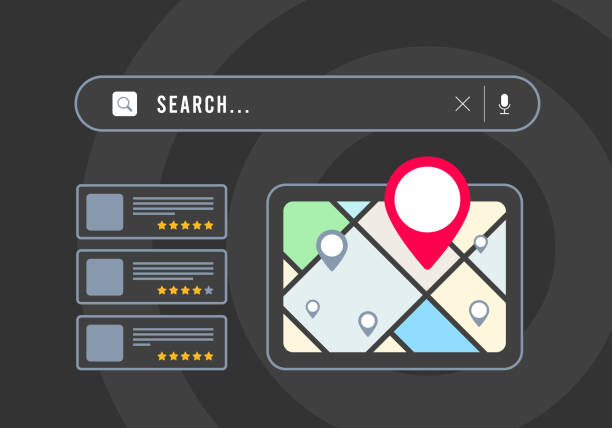
To make your school visible on Google in Zimbabwe, you need three things working together: a claimed and complete Google Business Profile, a fast mobile-friendly website that answers what parents search for, and steady signals that the school is active, such as up-to-date news and genuine parent reviews. Most schools can do the basics in a few weeks without a large budget.
How parents search for schools
Parents usually search in one of two ways. Some search for a type of school in an area, such as “primary schools in Borrowdale” or “boarding schools near Marondera”. Others search for a school by name, to find its phone number, fees, term dates or directions. Both kinds of search need to find accurate, current information about your school, on Google Maps and on your own website.
1. Claim and complete your Google Business Profile
Your Google Business Profile is the listing that appears on Google Maps and in the panel beside search results. For “near me” and area searches, it is often the first thing parents see.
- Search for your school on Google Maps. If a listing exists, claim it. If not, create one at business.google.com.
- Complete the verification Google asks for.
- Choose the right category, such as primary school, high school or preschool.
- Add your exact address or pin, phone number, website and office hours.
- Upload real photos of classrooms, grounds, sports and events.
- Post updates for open days, enrolment periods and events.
Keep your school’s name, address and phone number exactly the same on your profile, website, social media and any directories. Inconsistent details confuse both parents and search engines.
2. Build a website that answers parents’ questions
Your website is where parents decide whether to call. It should load quickly on a phone and make key information easy to find. Pages that most schools need:
- Home page that states clearly what the school is, the age groups and where it is.
- Admissions: how to apply, dates, requirements and who to contact.
- Fees, or at least how to request them.
- Term dates and calendar.
- Academics and curriculum, including the examination boards you prepare learners for.
- Sports, clubs and facilities.
- News and events.
- Contact page with a map, phone, WhatsApp and email.
If a parent cannot find term dates or admissions information quickly, they phone the office or look at another school.
3. Get the on-page basics right
- Page titles. Include the school name, the type of school and the area, for example “Admissions | Example Junior School, Ruwa”.
- Headings that describe what each page is about.
- Location in the text. Mention your suburb and town naturally, especially on the home and contact pages.
- Descriptive image alt text, such as “Grade 7 science lab”.
- Structured data. Schema.org markup for a school, with name, address, phone and logo, helps search engines understand the page.
- HTTPS. An SSL certificate is expected on every site, and browsers warn visitors when it is missing.
4. Set up Google Search Console
Google Search Console is free. Verify your website, submit your sitemap, and check which searches show your pages and whether Google reports any errors. It is the most reliable way to see how Google views your site.
5. Keep the site active
A site that was last updated three years ago tells parents and search engines that nobody is looking after it. Publish news after events, update term dates every term, and add photo galleries. Short, regular updates are better than an occasional long article.
6. Ask for genuine reviews
Reviews on your Google Business Profile help parents decide. Ask satisfied parents and alumni to leave an honest review, and reply to every review politely, including critical ones. Never post fake reviews or offer rewards for positive ones. Both break Google’s policies and damage trust if discovered.
7. Earn local mentions and links
Links from relevant, trustworthy websites help Google see your school as established. Good sources include education associations you belong to, local news coverage of school achievements, sports federations and partner organisations. Avoid paid link schemes.
8. Use the school’s own domain for email
Teachers emailing parents from personal accounts looks informal and makes it hard to keep records when staff leave. Addresses on the school’s domain build trust and keep communication under the school’s control. Academic institutions in Zimbabwe can apply for an .ac.zw domain, subject to ZISPA’s rules.
Frequently asked questions
How long does it take for a school to appear on Google?
A verified Google Business Profile can appear in Maps within days or weeks. Website pages are usually indexed within days to weeks after you submit a sitemap. Ranking well for competitive area searches takes longer and depends on your content and reviews.
Do we need a website if we have a Facebook page?
Yes. Social pages help, but a website gives you a permanent home for admissions, fees and term dates that you control, and it is what Google links to from your Business Profile.
Can we pay Google to appear first?
You can run Google Ads, which appear as sponsored results. Organic results and Maps listings cannot be bought.
What is the most important first step?
Claim and complete your Google Business Profile, then make sure your website shows admissions, term dates and contact details clearly.
Next step
Tremhost school website plans start at $299.99 a year and include design, hosting, SSL, Cloudflare, school email accounts and basic SEO setup. For a general business site, see website design.