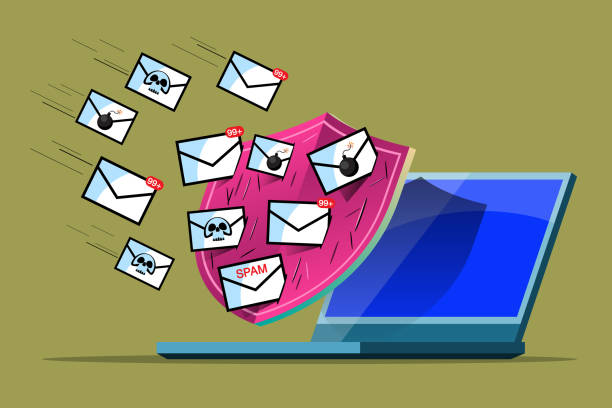
You send an important email to a customer, supplier, potential client or business partner. Everything looks normal on your side. The message leaves your inbox, the system says it was delivered, and you move on.
Then you discover that the recipient never saw it.
Or worse, they found it sitting quietly in their spam folder.
For businesses that depend on email every day, this is more than an inconvenience. An email that never reaches its destination can mean a missed quotation, an unanswered enquiry, a delayed payment, a lost customer or an important business conversation that never happens.
The good news is that emails going to spam is usually not a random problem. There are identifiable reasons why email providers decide that a message deserves extra scrutiny. Understanding those reasons can help businesses improve their email deliverability and build a much more reliable professional email system.
Your Email Address Is Only Part of the Story
Many businesses assume that having an address such as [email protected] automatically means their emails will be trusted.
It certainly looks more professional than using a free personal email address, but your email address is only one part of the equation.
When an email is received, the destination mail system evaluates several signals before deciding what to do with it. It can look at the sending server, the domain, authentication records, sending patterns, message characteristics, reputation and other technical information.
This means that two businesses can both have professional domain-based email addresses while experiencing completely different delivery results.
A professional email address is the starting point. The infrastructure behind it matters just as much.
SPF, DKIM and DMARC Matter More Than Most Business Owners Realise
Three terms appear frequently whenever email deliverability is discussed: SPF, DKIM and DMARC.
They may sound like technical jargon that belongs in a server administrator’s office, but they directly affect whether a business email can be trusted.
SPF helps identify which servers are authorised to send email on behalf of your domain. DKIM adds a digital signature that allows receiving systems to verify that the message genuinely came from an authorised source and was not altered along the way.
DMARC builds on these mechanisms by giving domain owners a way to define how receiving systems should handle messages that fail authentication checks.
When these systems are configured correctly, your domain has a much stronger technical identity.
When they are missing or incorrectly configured, receiving mail systems have less information with which to establish trust.
That does not automatically mean every unauthenticated email will go to spam, but proper authentication is an important part of modern business email infrastructure.
Your Domain Can Have a Reputation
Businesses often think about reputation in terms of customers and brands.
Email systems think about reputation too.
A domain that consistently sends legitimate messages and follows good email practices can establish a positive sending history. A domain associated with suspicious activity, excessive unsolicited messages, compromised accounts or other problematic behaviour can face greater scrutiny.
This is why email deliverability should not be treated as something you fix only after messages start disappearing.
Your business domain is an important digital asset. How it is used over time can affect how other systems perceive messages coming from it.
Sometimes the Problem Is Your Own Account
One of the most overlooked causes of spam problems is a compromised email account.
Imagine an employee’s password is stolen. An attacker gains access to the mailbox and begins sending hundreds or thousands of unwanted messages.
The business may not notice immediately.
Customers, suppliers and receiving mail systems, however, may notice very quickly.
Suddenly, legitimate messages from the same domain can start facing additional scrutiny because the domain has been associated with unusual sending activity.
This is why business email security and email deliverability are closely connected.
Strong passwords, appropriate access controls, multi-factor authentication where available, monitoring and good security practices are not simply about protecting private conversations. They can also protect the reputation of the company’s email infrastructure.
Sending Too Many Emails Can Create Problems
There is an important difference between normal business communication and mass unsolicited email.
A company sending invoices, quotations, customer responses and internal communications has a very different sending pattern from a business suddenly sending thousands of marketing messages.
Large changes in sending volume can attract attention, particularly when combined with other negative signals.
Businesses running legitimate marketing campaigns should therefore use appropriate email marketing infrastructure rather than treating ordinary business mailboxes as bulk-mail platforms.
Your sales@ address is designed to communicate with customers. It should not necessarily become a high-volume marketing engine overnight.
The Content of Your Message Can Also Matter
Email filtering is not based purely on the sender.
The contents of the message can also influence filtering decisions.
Certain patterns, excessive promotional language, suspicious links, unusual attachments, misleading subject lines and other characteristics can contribute to a message receiving additional scrutiny.
This does not mean businesses need to write boring emails.
It means the email should make sense for the recipient.
A genuine quotation should look like a quotation. A customer support response should look like a customer support response. A business newsletter should be sent through a system designed for newsletters.
Good email communication is not about trying to trick spam filters. It is about sending legitimate messages through an infrastructure that clearly identifies them as legitimate.
Forwarding Can Complicate Email Authentication
Email forwarding is another area that can create unexpected deliverability issues.
A message may leave the original sender’s server correctly authenticated, but when it is forwarded through another system, authentication checks can become more complicated.
This is one reason why businesses should be careful when designing complicated forwarding arrangements between multiple email providers.
If your company has email accounts hosted in one place, forwarding through several unrelated services and then routing messages somewhere else, diagnosing delivery problems can become considerably harder.
A clean email architecture is often easier to manage and troubleshoot.
Shared Hosting Can Affect Email Deliverability
Where your email is hosted can also matter.
Some businesses use shared infrastructure where multiple customers send mail through the same underlying systems. This can be perfectly suitable when the provider maintains strong controls and reputation management.
However, poor practices by other users on poorly managed infrastructure can create challenges for everyone sharing that environment.
This is one reason businesses should not choose an email hosting provider based solely on storage capacity or the cheapest advertised price.
The important questions are what infrastructure is being used, how security is managed, how abuse is handled, how mail servers are maintained and how the provider responds when delivery problems occur.
Cheap email hosting can save money. Poorly managed email infrastructure can cost a business much more.
Your Website and Email Are Connected to the Same Digital Identity
There is another reason businesses should think about their online infrastructure as a complete system.
Your website, domain, professional email, DNS records and security configuration are all connected.
A company might have a beautifully designed website but poorly configured DNS. Another may have excellent email hosting but an expired domain. Another may have the correct authentication records but an employee whose compromised mailbox is sending suspicious messages.
Digital infrastructure works as a system.
That is why businesses benefit from having someone who understands the relationship between domains, websites, hosting, DNS, email and security rather than treating every problem as a separate issue.
Don’t Start Changing Everything at Once
When businesses discover that their emails are going to spam, the first reaction is often to start changing things randomly.
They change the subject line. Then they change the email provider. Then they modify DNS records. Then they try another mailbox. Eventually nobody knows what actually fixed the problem.
A better approach is to diagnose the problem first.
Check whether SPF is correctly configured. Verify DKIM. Review DMARC. Look at sending patterns. Check whether accounts have been compromised. Investigate bounce messages. Review the reputation of the sending infrastructure. Examine forwarding arrangements and any recent changes to DNS.
Once the actual cause is understood, the solution becomes much clearer.
Professional Email Is More Than an Address
There is a major difference between having a business email address and having professional business email infrastructure.
The address gives you the identity.
The infrastructure gives that identity reliability.
A professional email system should give businesses dependable mailboxes, appropriate storage, spam protection, secure access and the technical foundation required for reliable communication.
For a growing company, this becomes increasingly important. Your employees may need addresses for sales, accounts, support, administration and management. Customers need to know which address to contact. Messages need to be organised. Security needs to be maintained.
Email eventually becomes part of the company’s operating system.
When Email Stops Working, Business Stops Too
We often think about websites as critical business infrastructure because customers can see them.
Email is different.
It operates quietly in the background.
A customer sends an enquiry. Accounts sends an invoice. Sales sends a quotation. Management sends an important document. A supplier confirms an order.
None of those activities require a flashy website. They require email that works.
That is why email hosting deserves the same attention as web hosting and website security.
If customers cannot reliably reach you, or if your replies repeatedly disappear into spam folders, the problem is bigger than an inconvenient mailbox.
It is a business infrastructure problem.
Building Email Infrastructure You Can Depend On
At Tremhost, we see business email as part of the wider digital infrastructure of a company, not simply another feature added to a hosting package.
A business needs an email system that is professional, secure, manageable and built around how the organisation actually communicates.
Whether you are a small business with a handful of employees or a growing organisation with multiple departments, the goal is the same: your customers should be able to recognise your company, reach the right people and receive your messages without unnecessary delivery problems.
The right professional email hosting environment, combined with properly configured DNS authentication and good security practices, gives your business a much stronger foundation.
And when email is properly connected to your domain, website and broader digital infrastructure, your technology starts working together instead of becoming a collection of disconnected services.
Your Emails Should Reach the People You Send Them To
There is no magic button that guarantees every legitimate email will always land in someone’s inbox. Receiving providers make their own filtering decisions, and deliverability depends on many factors.
But businesses can dramatically improve their position by taking control of the fundamentals.
Use a professional domain. Keep your email infrastructure properly configured. Implement SPF, DKIM and DMARC correctly. Protect your accounts. Monitor unusual activity. Maintain good sending practices. And choose an email hosting provider that treats reliability and security as part of the service rather than an afterthought.
Your business has enough things to worry about.
Your emails should not be one of them.
Tremhost — Cutting-edge, Cost-effective, Cloud Solutions.