

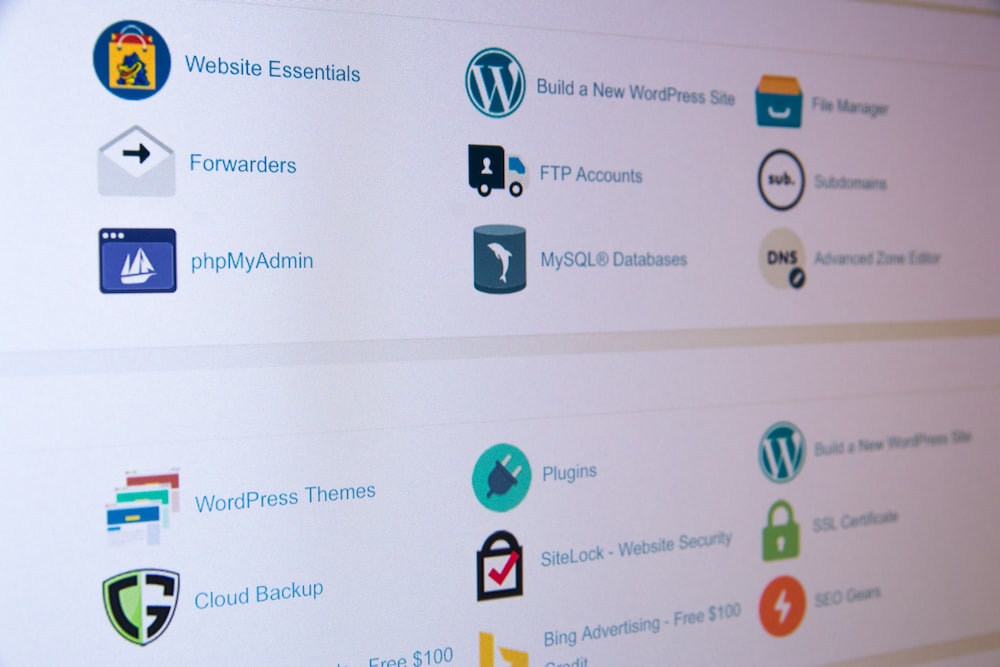


cPanel is a popular web hosting control panel that simplifies website management for users, especially beginners. Here’s a comprehensive guide to understanding cPanel and its features.
What is cPanel?
cPanel is a web-based control panel that allows users to manage their web hosting accounts easily. It provides a graphical interface and automation tools designed to simplify the process of hosting a website.
Key Features of cPanel
1. User-Friendly Interface
- Dashboard: cPanel’s dashboard is intuitive, making it easy for users to navigate and find the tools they need.
- Icons and Menus: All functionalities are organized into icons and menus for quick access.
2. Domain Management
- Add Domains: Easily add and manage multiple domains and subdomains from a single account.
- DNS Management: Modify DNS records to control how your domain resolves.
3. File Management
- File Manager: Upload, delete, and edit files directly through a web interface without needing FTP.
- Backup Options: Create and restore backups of your website files and databases.
4. Email Management
- Email Accounts: Set up and manage email accounts associated with your domain.
- Forwarders and Aliases: Create email forwarders and aliases for better organization.
5. Database Management
- MySQL Databases: Create and manage MySQL databases using phpMyAdmin, allowing you to handle data efficiently.
- Database Backups: Easily back up and restore databases.
6. Software Installation
- One-Click Installers: Use tools like Softaculous to install popular applications (e.g., WordPress, Joomla) with a single click.
- Script Management: Easily manage scripts and applications installed through cPanel.
7. Security Features
- SSL Management: Install and manage SSL certificates to secure your website.
- IP Blocker: Block unwanted visitors by restricting access based on IP addresses.
8. Metrics and Logs
- Traffic Statistics: Access detailed statistics about website traffic and visitor behavior.
- Error Logs: Review error logs to troubleshoot issues on your website.
Why Use cPanel?
- Ease of Use: cPanel is designed for users of all skill levels, making it accessible for beginners.
- Comprehensive Tools: It offers a wide range of tools for managing every aspect of web hosting.
- Widely Supported: Many hosting providers offer cPanel as part of their plans, making it a standard choice.
Conclusion
cPanel is a powerful web hosting control panel that simplifies website management. With its user-friendly interface and comprehensive features, it is an excellent choice for beginners and experienced users alike. By leveraging cPanel, you can efficiently manage your hosting account and focus on growing your website.


