


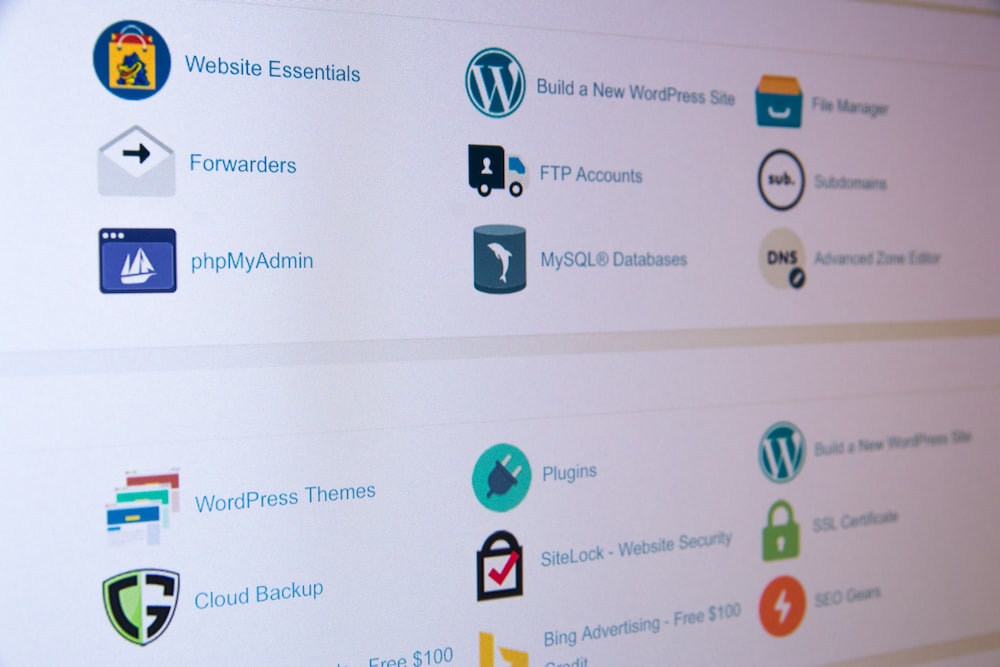


When diving into the world of dedicated server hosting, one of the most valuable tools at your disposal is cPanel. This powerful control panel simplifies server management, making it accessible even for those without extensive technical knowledge. In this guide, we’ll explore what cPanel is, its key features, and how it enhances your experience on a dedicated server.
What is cPanel?
cPanel is a web-based control panel designed to manage web hosting accounts. It provides a graphical interface and automation tools to simplify the process of hosting a website. While typically associated with shared hosting, cPanel is equally effective in dedicated server environments, offering robust management capabilities.
Key Features of cPanel in Dedicated Server Hosting
1. User-Friendly Interface
cPanel is known for its intuitive interface, which allows users to navigate easily through various functions. This makes it straightforward to manage your server, even for beginners.
2. Domain Management
With cPanel, managing multiple domains is a breeze. You can add, remove, and modify domains and subdomains directly from the dashboard. Features include DNS management and domain redirects, enabling complete control over your domain settings.
3. Email Management
cPanel simplifies the creation and management of email accounts associated with your domains. Users can set up email forwarding, autoresponders, and manage spam filters, ensuring efficient communication.
4. File Management
The built-in File Manager allows for easy file uploads, downloads, and organization. You can edit files directly, manage permissions, and create backups without needing FTP access.
5. Database Management
cPanel supports MySQL and PostgreSQL databases, enabling users to create and manage databases easily. The phpMyAdmin tool simplifies database administration, making tasks like backups and data manipulation straightforward.
6. Security Features
Security is a top priority in dedicated server hosting. cPanel offers various security features, including password protection for directories, IP blocking, and SSL certificate management to secure your websites.
7. Backup Solutions
Regular backups are crucial for any website. cPanel provides built-in backup tools, allowing users to create full or partial backups of their accounts quickly. Options for automated backups can also be configured to enhance data security.
8. Software Installation
cPanel includes tools like Softaculous, which allow for one-click installations of popular applications such as WordPress, Joomla, and more. This streamlines the process of setting up websites and applications on your server.
9. Resource Monitoring
Users can monitor server resource usage, including CPU, memory, and disk space, directly from the cPanel dashboard. This helps in identifying potential issues before they impact performance.
10. Customizable User Accounts
If you’re managing multiple websites or clients, cPanel allows you to create separate user accounts with specific permissions. This is particularly useful for web developers and agencies.
Conclusion
cPanel is a powerful ally for anyone managing a dedicated server. Its user-friendly interface, comprehensive features, and robust security measures make it an ideal choice for both beginners and experienced users. By leveraging cPanel, you can streamline server management, enhance productivity, and focus on growing your online presence. Whether you’re hosting a personal blog or managing multiple client websites, cPanel provides the tools you need for success.


