



When managing a website, ensuring your PHP version is up-to-date is crucial for both security and performance. PHP, a widely-used open-source scripting language, is essential for dynamic content management on web servers. In this article, we’ll guide you through the process of changing your PHP version using cPanel, a popular hosting control panel. This step-by-step guide will help you smoothly transition to a newer PHP version, enhancing your website’s functionality and security.
Step-by-Step Guide to Change PHP Version
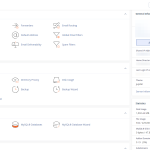
To begin changing your PHP version in cPanel, first log in to your cPanel account. Navigate to the "Software" section or look for a similarly named section like “Software and Services”. Here, you will find the “Select PHP Version” tool, which is crucial for the update. Click on this tool to proceed to the next step.
Once you click on the "Select PHP Version" tool, a new page will open displaying the current PHP version your website is using. On this page, you’ll see a dropdown menu or a list of available PHP versions. Select the PHP version you wish to upgrade to. It’s advisable to choose a stable version that is compatible with your website’s applications to avoid any compatibility issues.
After selecting your desired PHP version, simply click on the “Set as current” or “Update” button, depending on the cPanel version. This action will apply the new PHP version to your hosting environment. Note that the change might take a few moments to process. After updating, it’s recommended to check if all parts of your website function correctly, as some scripts might behave differently under different PHP versions.
Verifying the Update in Your cPanel
Following the update, it’s important to verify that your cPanel reflects the new PHP version. Return to the “Select PHP Version” tool where you initially changed the setting. The interface should now display the new version as the current PHP version. This confirmation is crucial to ensure that the update was successful.
Alongside checking the PHP version in the cPanel, it’s also wise to create a simple PHP info file to confirm the PHP version actively running on your server. To do this, create a new file named ‘phpinfo.php’ in your public_html directory with the following code: “. Access this file via your browser by visiting ‘yourdomain.com/phpinfo.php’. This page will show all the current PHP settings active for your server, including the version.
Lastly, it’s beneficial to browse through your website to check for any issues. If everything loads correctly and functions as expected, the PHP version update has been effectively implemented. If there are issues, it might be necessary to revert to the previous version or adjust your website’s code or plugins to be compatible with the new PHP version.
Changing the PHP version in cPanel is a straightforward process that can significantly impact your website’s performance and security. By following the detailed steps outlined above, you can ensure that your website is running on an updated and supported version of PHP. Regularly checking and updating the PHP version is a best practice that keeps your site running smoothly and securely, making the most out of the technological advancements in web development.

