Home Blog Page 70

10 Side Hustles Every Nigerian Should Try in 2025 (No Capital Needed!)

0

In 2025, the Nigerian hustle spirit is more alive than ever. With rising costs of living and a growing digital economy, side gigs aren’t just an option—they’re a necessity for many. The good news? There are plenty of side hustles you can start RIGHT NOW with little or no capital. Here’s a fresh, practical list tailored for Nigerians ready to boost their income without breaking the bank.


1. Online Tutoring

Are you good at math, English, French, coding, or even music? Platforms like PrepClass, Tuteria, or social media let you connect with students. All you need is expertise and an internet-enabled phone.

2. Freelance Writing

Nigerian writers are in high demand for blogs, websites, and social media. Sites like Upwork, Fiverr, and even LinkedIn can connect you to clients. Start by sharing samples on your Facebook or WhatsApp status—offer to write for small businesses in your area!

3. Social Media Management

If you know how to grow Instagram, TikTok, or Twitter accounts, small businesses are always looking for someone to handle their pages. You can start by managing the account of a friend, church, or local business for testimonials.

4. WhatsApp TV/Content Creation

Turn your WhatsApp status or group into a platform for advertising and promotions. Grow your audience by sharing viral content, then monetize through paid adverts or affiliate marketing.

5. Virtual Assistant

Many entrepreneurs and SMEs need help with emails, scheduling, or research. Offer your services online—no capital needed, just your phone or laptop and organizational skills.

6. Transcription Services

If you’re a good listener and fast typer, offer to transcribe audio files, interviews, or meetings. Start with free tools like Google Docs Voice Typing, and find gigs on freelance platforms or local business groups.

7. Dropshipping/Affiliate Marketing

No need to buy stock! Promote products for companies or vendors on your social media or WhatsApp; when someone buys through your link or referral, you earn a commission.

8. Language Translation

Are you fluent in Hausa, Yoruba, Igbo, French, or another language? Offer translation services to NGOs, businesses, or students. You can start by translating documents or even helping people with CVs.

9. Online Surveys & Microtasks

Websites like Swagbucks, Remotasks, and Toloka pay for taking surveys, testing apps, or doing small digital tasks. It won’t make you rich, but it’s a steady way to earn airtime or small cash on the side.

10. Podcasting or YouTube Voiceovers

All you need is a smartphone and a unique idea. Start a podcast or offer voiceover services for videos, adverts, or audiobooks. Many Nigerian YouTubers and businesses are looking for local voices to narrate their content.


Bonus Tips for Success:

  • Leverage free tools: Canva for design, Google Docs for writing, CapCut for simple video editing.
  • Start with your network: Offer your skills to friends, family, or local businesses for testimonials and referrals.
  • Stay consistent: The hustle pays off over time—show up, deliver quality, and your reputation will grow.

Ready to start hustling?
Pick one side gig that matches your skills and just start today. No capital, no excuses—just pure Nigerian ingenuity and a determination to win!

The Shocking Truth About Used Phones in Africa – What Sellers Don’t Tell You

0

When it comes to smartphones in Africa, the used phone market is booming. Walk through any bustling city center—from Lagos’s Computer Village to Nairobi’s Moi Avenue—and you’ll find a throng of stalls and stores offering “London-used” or “Belgian-used” phones at prices that seem almost too good to be true. But behind the glossy screens and attractive bargains lies a reality most sellers would rather you didn’t know. Here’s what really happens in Africa’s second-hand phone scene—and what you need to look out for before handing over your hard-earned cash.


1. Not All “London-Used” Phones Are Really from Abroad

One of the biggest selling points is the promise that a phone is “foreign-used”—usually imported from Europe, the US, or Asia. The assumption is that these phones are lightly used and of higher quality than local hand-me-downs. In truth, many “London-used” phones are actually pre-owned devices collected locally, painstakingly cleaned, and sometimes even repackaged to look imported. Some sellers even “upgrade” phones cosmetically—changing the casings, screens, and branding stickers. The result? You might be buying a phone that’s never been anywhere near London.


2. Hidden Faults and Cosmetic Surgery

Used phones are masters of disguise. Sellers know how to swap out cracked screens, worn-out batteries, or malfunctioning buttons with cheaper, non-original parts. Many phones are only tested for the bare minimum—powering on, making calls, taking photos. Underneath, you could be getting a device with:

  • Non-original batteries that drain in hours, not days
  • Water damage hidden by a replaced back cover
  • Motherboards repaired with inferior components
  • Fake or downgraded storage (a phone advertised as 128GB might only have 16GB with a hacked software readout)

3. The IMEI Trap: Stolen and Blacklisted Phones

A disturbing number of used smartphones in African markets have a murky legal past. Some are lost or stolen devices. Others are blacklisted in their countries of origin and shipped off to unsuspecting buyers. These phones can be blocked from connecting to networks at any time, turning your “bargain” into an expensive paperweight. Sellers rarely disclose this risk; a quick IMEI check (the phone’s unique identifier) can save you a world of trouble.


4. Short or Non-Existent Warranties

When you buy a new phone, you get a warranty—sometimes a year or more. With used phones, the warranty is often verbal (“Don’t worry, it’s perfect!”) or limited to 24–72 hours. By the time you discover issues, your seller may have vanished, changed location, or simply refused responsibility.


5. Software Shortcuts and Frustrations

To make old devices seem like new models, some sellers “flash” phones with unofficial software or install fake Android skins. This can lead to:

  • Frequent crashes and freezes
  • Inability to update or download key apps
  • Security vulnerabilities that put your data at risk

6. The Environmental and Social Cost

Many used phones shipped to Africa are the cast-offs of wealthier nations. While this extends the life of devices and provides affordable options, it also means Africa is shouldering a disproportionate share of the world’s e-waste burden. When these phones die, disposal and recycling options are limited, leading to environmental and health hazards.


How to Protect Yourself When Buying a Used Phone in Africa

  • Insist on testing every feature: Make calls, check the cameras, try Wi-Fi, insert your SIM, and test all buttons.
  • Check the IMEI: Use sites like IMEI.info to ensure the phone isn’t blacklisted or reported stolen.
  • Ask about the warranty: Get any promises in writing, even if it’s just a few days.
  • Research the model: Know the specs, and check if the phone’s storage and RAM match what’s advertised.
  • Buy from reputable dealers: Established shops or certified refurbishers are safer bets than street vendors.

In Conclusion

There’s no denying that the used phone market fills a crucial gap for millions of Africans seeking affordable smartphones. But behind the tempting deals, the risks are real—and often hidden. Arming yourself with knowledge, caution, and a healthy dose of skepticism is the best way to avoid regret and make sure your “new” phone is truly a smart buy.

Tecno vs Infinix vs Redmi: Which Phone Dominates Africa’s Market in 2025?

0

In the dynamic landscape of Africa’s smartphone market, three brands have consistently risen above the fray: Tecno, Infinix, and Redmi. As 2025 unfolds, the competition between these titans is fiercer than ever, each vying for the loyalty of Africa’s vibrant, youthful, and tech-savvy population. But which brand truly dominates the market this year? Let’s dive deep into the numbers, features, and cultural impact that define the contest.


A Brief Overview: The Contenders

  • Tecno: Founded in 2006 and owned by Transsion Holdings, Tecno has built its reputation on affordability, localized features, and aggressive marketing. Its Spark, Camon, and Phantom series are household names across the continent.
  • Infinix: Also under Transsion Holdings, Infinix targets fashion-forward youth with stylish designs and bold colors. Its Note and Hot series have enjoyed immense popularity.
  • Redmi: Xiaomi’s sub-brand, Redmi, is renowned for its feature-packed smartphones at competitive prices. The Redmi Note and Redmi A series have steadily gained ground, leveraging Xiaomi’s global tech muscle.

Market Share: Numbers Don’t Lie

According to Canalys Q1 2025 data, the African smartphone market is still experiencing double-digit growth, with over 110 million units shipped in the first half of the year. Here’s how the big three stack up:

  • Tecno: 28% market share (leading in Nigeria, Ghana, Kenya)
  • Infinix: 21% market share (strong in Egypt, Cameroon, Senegal)
  • Redmi: 17% market share (rapidly rising in South Africa, Morocco, Egypt)

Tecno maintains its pole position, but Redmi’s growth trajectory is the most impressive, with a 9% YoY increase, compared to Tecno’s 5% and Infinix’s 7%.


Key Strengths: What Sets Each Brand Apart?

Tecno: Deep Local Integration

  • Localized Features: Tecno’s phones often come pre-loaded with local languages and offer camera modes tuned for African skin tones.
  • Battery Life: Recognizing unreliable power supply, Tecno prioritizes large batteries (5,000mAh+) and power-saving modes.
  • Price Range: Strong presence in the $80–$200 segment, catering to first-time smartphone buyers.

Infinix: Youthful Innovation

  • Design: Infinix leads in trendy colors and slim profiles, appealing to fashion-conscious youths.
  • Performance: Its 2025 Hot 30 and Note 15 Pro offer 8GB RAM and advanced gaming capabilities—key for Africa’s burgeoning mobile gaming scene.
  • Digital Brand Building: Collaborations with Afrobeats stars and major influencers amplify its reach.

Redmi: Value Meets Performance

  • Hardware Power: Redmi’s 2025 Note 14 series delivers class-leading processors and 108MP cameras at under $250.
  • MIUI Ecosystem: Seamless integration with wearables, smart TVs, and the Mi Home ecosystem resonates with tech-forward consumers.
  • Software Updates: Xiaomi’s commitment to regular Android updates gives Redmi an edge in security and user experience.

Consumer Sentiments: What Do African Users Say?

Tecno Users

  • Praise the durability and battery endurance.
  • Appreciate after-sales support and easy access to service centers.
  • Some criticize the slower pace of software updates.

Infinix Fans

  • Love the aesthetic appeal and camera quality for social media.
  • Value frequent promotional events and giveaways.
  • Express concern about bloatware and phone heating during heavy use.

Redmi Converts

  • Enthusiastic about flagship-level features for less.
  • Enjoy the clean MIUI interface and frequent Android patches.
  • Report some challenges with after-sales service outside major cities.

Challenges and Opportunities in 2025

  • Tecno is facing pressure to innovate beyond hardware, with competition from Redmi on software and ecosystem integration.
  • Infinix continues to excel in marketing, but must address concerns over device longevity and thermal performance.
  • Redmi is rapidly winning over urban, middle-class Africans, but must expand its retail and support networks to rural areas to truly challenge Tecno’s dominance.

The Verdict: Who’s on Top?

Tecno remains the undisputed king in terms of market share and brand recognition. Its understanding of local needs, affordability, and robust support infrastructure keep it at the top in 2025. However, Redmi is the brand to watch—its pace of innovation, value-for-money proposition, and growing urban popularity are reshaping competitive dynamics. Infinix holds the middle ground, beloved by youthful trendsetters and showing steady, if not explosive, growth.

Bottom Line:

  • For reliability and local flavor, Tecno remains the go-to.
  • For trendiness and youth appeal, Infinix is the top pick.
  • For cutting-edge tech on a budget, Redmi is a rising star.

As the African smartphone market matures, expect the competition to intensify, with each brand pushing the boundaries of what’s possible—and affordable—for millions of connected Africans.

How to Make Money on TikTok in Africa: Complete Beginner’s Guide

0

TikTok isn’t just a platform for fun dance videos or comedy skits—it’s now one of Africa’s hottest launchpads for making real money and building a career, even if you’re starting from zero. Whether you’re in Lagos, Nairobi, Accra, Johannesburg, or anywhere in between, here’s everything you need to know to turn your creativity into income.


1. Build Your Account: Laying the Foundation

a. Choose a Niche:
Decide what you want to be known for:

  • Comedy, dance, fashion, beauty, education, food, tech, sports, news, reviews, or daily vlogs.

b. Create Consistently:

  • Post at least 3–5 times a week.
  • Use trending sounds, hashtags, and challenges for visibility.

c. Optimize Your Profile:

  • Use a clear profile picture and catchy bio.
  • Link your Instagram/YouTube if you have them.

d. Engage:

  • Reply to comments, duet/stitch other creators, and join local trends.

2. Grow Your Followers Organically

  • Post at the right time: Try evenings and weekends when your audience is active.
  • Participate in African trends: Use local sounds, slang, and events.
  • Collaborate: Create content with other TikTokers in your city or niche.
  • Engage in TikTok LIVE: Go live to interact and build a loyal following.

3. Monetization Methods for Africans on TikTok

A. TikTok Creator Fund/Creativity Program (if available in your country)

  • Some African countries (like South Africa, Nigeria, Kenya, Egypt) now have access to TikTok’s official payout programs.
  • Requirements: Usually 10,000+ followers, 100,000+ video views in the last 30 days, and age 18+.
  • How it works: TikTok pays you based on your video views and engagement.
  • To join: Go to your TikTok settings > Creator tools > Apply for the program (if eligible in your region).

B. Brand Partnerships & Sponsored Content

  • As you grow: Brands will approach you for paid shoutouts, product demos, or reviews.
  • How much can you earn? Rates vary—from $10 to $500+ per post for micro-influencers, and much more for larger accounts.
  • Tip: Even with 5,000–20,000 followers, local businesses (boutiques, salons, food brands) may be interested.

C. TikTok LIVE Gifts & Diamonds

  • Go LIVE: Viewers can send you virtual gifts (bought with real money) during your live broadcasts.
  • Convert gifts to cash: Accumulate “diamonds” and cash out via TikTok’s payment partners (PayPal, bank, or mobile money, depending on country).
  • Best for: Entertainers, educators, and personalities with an active fanbase.

D. Affiliate Marketing

  • Promote products/services: Share links to brands or e-commerce stores.
  • Earn commission: If your audience buys using your link, you get a cut.
  • Popular platforms: Jumia, Takealot, Konga, Amazon (for some African countries).

E. Selling Your Own Products/Services

  • Use TikTok to market: Clothes, art, music, crafts, digital products, courses, or events.
  • Link to WhatsApp, Instagram, or your online shop for orders.

F. Cross-Promotion to YouTube or Instagram

  • Grow a following: Use TikTok to direct fans to other platforms where monetization might be easier (YouTube AdSense, IG brand deals, etc.).

4. How to Get Paid in Africa

  • Update your TikTok profile with accurate payment info.
  • Payment methods:
    • PayPal (available in some African countries for withdrawals).
    • Bank transfer or mobile money (region-dependent).
    • Some countries may require a Payoneer account for international payments.
  • Tip: Always use your real information to avoid payout issues.

5. Avoid Scams and Pitfalls

  • Never pay to join an agency or for “guaranteed” followers.
  • Ignore DMs promising instant verification or fake brand deals.
  • Stay safe: Don’t share personal details or codes.

6. Realistic Expectations & Success Stories

  • Earnings: Most new creators earn small amounts at first. With time and consistency, some hit $100–$500/month or more (especially with brand work).
  • African Creators Making It:
    • @iambrutal, @janemena, @mrfunny1_ (Sabinus), @sarahjakesroberts, and many more have grown from scratch to national fame and income.
  • Your journey: Be patient, keep learning, and adapt to trends.

Step-by-Step Quickstart Checklist

  1. Pick a niche and create a fresh account.
  2. Post daily, using trending sounds/hashtags.
  3. Engage with your followers and other creators.
  4. Go live and experiment with different content types.
  5. Apply for TikTok’s monetization program when eligible.
  6. Respond to brand offers or reach out to local businesses.
  7. Promote affiliate links or your own products.
  8. Cash out your earnings using official TikTok payment options.

Final Tips

  • Stay authentic—Africans love realness!
  • Keep learning (watch tutorials, join TikTok creator communities).
  • Use analytics (in Creator Tools) to see what works.
  • Protect your account with strong passwords and two-factor authentication.

Everything You Need to Know About BVN Linking in Nigeria (2025 Update)

0

The Bank Verification Number (BVN) has become a cornerstone of banking in Nigeria. Introduced by the Central Bank of Nigeria (CBN) to curb fraud and streamline customer identification, BVN linking is more important than ever as digital banking, fintech, and compliance demands grow.

If you’re confused about BVN, linking processes, or the latest updates, this guide is for you.


1. What is BVN?

BVN is an 11-digit unique identification number issued by the Central Bank of Nigeria to every bank customer. Your BVN works across all Nigerian banks and financial institutions, acting like a digital fingerprint for your financial activities.

Key Points:

  • You only need one BVN, no matter how many accounts or banks you use.
  • It links your biometric data (fingerprints, facial photo) to your identity and all your bank accounts.

2. Why is BVN Linking Important in 2025?

  • Mandatory for All Accounts: In 2025, all bank accounts, mobile wallets, and fintech platforms require BVN linking to remain active.
  • Prevents Fraud: Your BVN helps banks confirm your identity and spot suspicious activity.
  • Access to Services: BVN is required for loans, transfers above certain limits, KYC (Know Your Customer) compliance, and even some government services.
  • CBN Enforcement: Accounts without BVN are automatically restricted or frozen.

3. Who Needs to Link BVN?

  • New bank or fintech customers: Must enroll for a BVN if you don’t have one.
  • Existing customers: Must link their BVN to any new account or digital wallet, even outside traditional banks.
  • Diaspora Nigerians: Can register for BVN at designated international centers and link to Nigerian accounts.

4. How to Enroll for BVN (First-Time Registration)

If you don’t yet have a BVN:

Step-by-Step:

  1. Visit any Nigerian bank branch (you don’t need an account there).
  2. Take Valid ID: (National ID, Voter’s Card, International Passport, or Driver’s License).
  3. Provide biometric data: Fingerprints and photo will be taken.
  4. Fill out the BVN enrollment form.
  5. Get your BVN instantly or via SMS/email within 24–48 hours.

Note: As of 2025, some banks offer limited BVN registration at their agent locations or via mobile BVN kiosks.


5. How to Link Your BVN to Bank Accounts & Wallets

If you already have a BVN, here’s how to link it to any bank account, including microfinance, fintech apps, and mobile money wallets:

A. Linking via USSD (Most Popular Banks):

  • GTBank:
    Dial *737*20*BVN#
  • Access Bank:
    Dial *901*BVN#
  • First Bank:
    Dial *894*BVN#
  • UBA:
    Dial *919*6#
  • Zenith Bank:
    Dial *966*BVN#
  • Polaris Bank:
    Dial *833*BVN#
  • Union Bank:
    Dial *826*9#
  • Ecobank:
    Dial *326*9*BVN#

(Replace “BVN” with your actual number.)

B. Linking via Bank Mobile App or Internet Banking:

  • Log into your bank app or online portal.
  • Look for “BVN Update/Link BVN” option.
  • Enter your 11-digit BVN and submit.

C. Linking via Bank Branch or Agent:

  • Visit any branch or authorized agent with your BVN and valid ID.
  • Fill out the BVN linking/update form.

D. Linking with Fintech/Wallet Apps (e.g., Opay, PalmPay, Kuda, Moniepoint, etc.):

  • Open the app and go to “Profile” or “Account Settings”.
  • Find the “Link BVN” option.
  • Enter your BVN and follow prompts, possibly with a photo/selfie for verification.

E. Linking Multiple Accounts:

  • You can link your existing BVN to as many accounts as you own—use each bank’s platform or visit a branch.

6. How to Check if Your BVN is Linked

  • USSD: Dial *565*0# on the phone number registered with your BVN (₦20 service fee may apply).
  • Bank App/Portal: Most apps show your BVN status in your profile section.
  • Customer Service: Ask at any branch or call your bank’s customer care.

7. What If My BVN Details Are Wrong or Mismatched?

Common issues: name, date of birth, or phone number mismatch.

How to Correct BVN Data:

  • Visit the bank branch where you registered your BVN.
  • Take supporting documents (ID, affidavit, birth certificate, etc.).
  • Fill a BVN data correction form.
  • Corrections can take a few days to process.

8. BVN for Diaspora Nigerians (2025 Update)

Nigerians abroad can register for BVN at select banks or Nigerian embassies/consulates in the UK, US, UAE, South Africa, Canada, and more.
Check the NIBSS website or your bank for up-to-date locations.


9. BVN Security and Privacy

  • Never share your BVN publicly or with unverified persons.
  • Banks and fintechs will never call, SMS, or email you to request your full BVN and PIN together.
  • If you suspect your BVN is compromised, inform your bank immediately.

10. Common BVN-Related FAQs in 2025

Q: Can I have more than one BVN?
A: No. Only one BVN per person, across all banks.

Q: Is BVN required for children’s accounts?
A: Yes, for accounts in the child’s name (with parent/guardian’s consent).

Q: What happens if I don’t link BVN?
A: Your accounts will be restricted/frozen until you comply.

Q: Can I link my BVN to fintech apps (Opay, Kuda, etc.)?
A: Yes, and it’s required for full access and higher transaction limits.

Q: Is my BVN the same as my NIN?
A: No. BVN is for banking; NIN (National Identity Number) is for national identity purposes. Both are increasingly required for KYC.


Summary Table

ActionHow To Do ItWhere
BVN RegistrationBiometric at any Nigerian bank (with valid ID)Bank branch/agent
Link BVN to AccountUSSD, app, online, or in-branchApp, USSD, branch
Link BVN to Wallet/FintechIn-app profile/settingsApp
Check BVN Status5650#, bank app, or customer carePhone, app, branch
Correct BVN DetailsFill correction form, submit supporting documentsBank branch

Final Thoughts

BVN linking is simple, essential, and central to financial security in Nigeria in 2025. Stay up to date, link your accounts promptly, and protect your BVN information.

How to Watch Netflix for Free in Nigeria (Legal Methods Only)

0

Netflix is hugely popular in Nigeria, but not everyone can afford a recurring subscription. While there are no permanent, unlimited free ways to watch Netflix (and beware of anything that claims otherwise), there are legitimate methods to access some Netflix content without paying, or at little cost. Here’s how:


1. Netflix Free Plan (If Available)

In late 2021, Netflix launched a free Android-only plan in Kenya, and tested similar offerings in other countries. As of 2025, this plan is not officially available in Nigeria. However, if Netflix ever rolls out a similar offer in Nigeria:

  • You would be able to sign up for free (no payment info needed) with just an email and phone number.
  • Content would be limited: Only a portion of the Netflix library (including some popular series and movies).
  • On Android phones only.
  • No ads, but features like downloads may be restricted.

Tip: Keep an eye on Netflix Nigeria’s social media for announcements about any free trials or plans.


2. Netflix Free Trials (Occasionally Offered)

Netflix used to offer a 30-day free trial for new accounts, but this has been discontinued in many countries, including Nigeria. However:

  • Occasionally, Netflix may bring back limited-time free trials for new users.
  • If you see an official offer, you can create a new account and enjoy Netflix for the trial period.
  • You’ll need to enter a valid payment method, but you won’t be charged if you cancel before the trial ends.

Warning:
Only sign up through the official Netflix website. Never trust third-party “free trial” links.


3. Sharing with Family or Friends (Within Netflix’s Terms)

Netflix allows users on Standard and Premium plans to create multiple profiles and use their account on several devices (though they now restrict sharing across households).

  • If you have a trusted family member or close friend with a paid plan, they may let you use one of their profiles.
  • This is legal as long as you respect Netflix’s rules about household sharing.
  • You should not pay strangers or buy “shared” accounts from social media or random sellers—this is against Netflix’s rules and risky.

4. Netflix Partner Promotions

Sometimes, mobile providers or device makers partner with Netflix to offer free access:

  • Look out for MTN, Airtel, Glo, or 9mobile bundles that include a Netflix subscription as a bonus.
  • These promos may come with buying a new phone, subscribing to a high-value data bundle, or as a reward in a promo draw.
  • Always check the official websites or stores—never trust SMS or WhatsApp spam.

5. Free Netflix Content on YouTube and Social Media

While you can’t watch full Netflix series/movies for free, Netflix Naija and the global Netflix YouTube channel occasionally post:

  • First episodes of selected series
  • Documentaries or stand-up specials
  • Trailers and behind-the-scenes content

This isn’t the same as full access, but it’s a legal way to sample Netflix content.

Links:


6. Public Screenings and Events

Occasionally, Netflix partners with cinemas or event organizers in Nigeria to host:

  • Free public screenings of Nigerian Netflix Originals
  • Premiere nights
  • Campus or community events

Stay tuned to local entertainment news and Netflix Naija’s social accounts for invitations.


7. Student Programs and Campus Offers

Netflix sometimes collaborates with universities or educational platforms, offering temporary access to students for research or special events. These are rare, but worth watching out for via your school’s IT or student affairs office.


Summary Table

MethodHow It WorksAvailability in Nigeria (2025)
Free PlanFree, limited content, Android onlyNot currently available
Free Trial30 days for new usersRare, check for promos
Family/Friend SharingUse a profile on a paid accountYes, within Netflix rules
Partner PromotionsFree months with device/bundle offersOccasionally available
YouTube/Social MediaFree first episodes, clipsYes, always available
Public ScreeningsFree events, special screeningsRare, event-based
Student ProgramsTemporary access via institutionsRare, event-based

Important Warnings

  • Do NOT use “modded” apps, hacked APKs, or illegal streaming sites. These are illegal, risky, and can expose your device to malware or scams.
  • Never pay strangers online for “cheap” Netflix access—they are often scams or violate Netflix’s terms, risking your account.

Conclusion

While there’s no unlimited, all-access way to watch Netflix for free in Nigeria, you can still enjoy select shows and movies through legal means: by looking out for official free trials, family sharing, network promotions, or special events. Always use only official platforms to protect your privacy and stay within the law.

How to Find a Lost Android Phone in Nigeria (Even When Switched Off!)

0

Losing your phone in Nigeria can be distressing, especially considering the value of the device and the sensitive information it often contains. While tracking a phone that’s switched off is more challenging, there are still effective steps you can take to improve your chances of recovery, protect your data, and maximize the tech tools at your disposal.


1. Act Quickly!

The sooner you act, the better your chances. Don’t wait—grab a computer or a friend’s phone and get started.


2. Use Google’s Find My Device

Find My Device is Google’s built-in tool for locating Android phones.

If Your Phone is Switched ON:

  1. Visit Find My Device or download the app on another phone.
  2. Sign in with the Google account linked to your lost phone.
  3. Select your missing device.
  4. If online, you can:
    • See its location on the map.
    • Play a loud sound (even if it’s on silent).
    • Secure (lock) your phone and display a message/contact number.
    • Erase your phone remotely (if you think it’s at risk).

If Your Phone is Switched OFF:

  • You’ll see the last known location before it went offline or the battery died.
  • You can still:
    • Lock your phone (it will activate once it’s powered back on).
    • Display a message for anyone who finds it.
    • Prepare to erase your data (this happens automatically next time it connects to the internet).

3. Use Google Location History (Timeline)

If Find My Device can’t help (e.g., location is unavailable), try Google Maps Timeline:

  1. Visit Google Maps Timeline.
  2. Sign in with your Google account.
  3. Select the date you lost your phone.
  4. You’ll see a history of places your device was recently detected—even if it’s now off.

Tip: Sometimes, this can help you retrace your steps or spot where the phone last had a signal.


4. Contact Your Network Provider (MTN, Airtel, Glo, 9mobile)

If you suspect theft, or can’t locate your phone:

  • Call your provider’s customer care line immediately.
  • Request them to block your line/SIM to prevent unauthorized use.
  • Ask about SIM swap options (with your NIN and valid ID).
  • If necessary, provide your IMEI number (see below) for blacklisting.

5. Report to the Police & Provide IMEI Number

Every phone has a unique IMEI number.
How to find it (if you still have the box or previous records):

  • Check your device’s box or receipt.
  • If you ever dialled *#06# on your phone, it displays the IMEI; note this down in future!
  • Also, Google “Find My Device” sometimes lists the IMEI under device details.

Why IMEI is important:

  • The police can use the IMEI to track or blacklist your phone.
  • Some Nigerian networks can block devices from being used on their networks if you supply the IMEI.

6. Use Third-Party Tracking Apps (If Pre-Installed)

Some manufacturers (like Samsung’s “Find My Mobile”) or security apps (e.g., Cerberus, Prey, Lookout) offer advanced tracking, even when the SIM is changed.
But these must be set up before the phone is lost.


7. What If My Phone is Switched Off or Factory Reset?

  • Switched Off:
    • You’ll only see the last known location.
    • Actions (lock, erase, show message) will execute next time the phone connects to the internet.
  • Factory Reset:
    • Tracking is only possible if your Google account is still on the phone and it hasn’t been wiped. After a reset, tracking is no longer possible.
    • However, Factory Reset Protection (FRP) will prevent unauthorized use, locking the phone to your Google account.

8. How to Protect Your Data and Identity

  • Immediately change passwords for your Google account, banking apps, social media, and email.
  • Enable two-factor authentication for all your accounts.
  • Inform your bank if your phone had mobile banking apps installed.

9. Tips to Increase Your Chances Next Time

  • Always keep Find My Device enabled (Settings > Security > Find My Device).
  • Keep your Google account active and password-protected.
  • Regularly back up your photos and contacts to Google Cloud.
  • Write down your IMEI and keep it somewhere safe (not on your phone!).
  • Use a strong screen lock.

Conclusion

While locating a switched-off Android phone in Nigeria is difficult, using tools like Find My Device and Google Maps Timeline, reporting to your provider and the police, and acting fast can all make a difference. Protect your data proactively and stay vigilant against fraud.


How to Fix ‘No Service’ on Your Phone – Step-by-Step for MTN, Airtel, Glo & 9mobile

0

Nothing is more frustrating than looking at your phone and seeing “No Service”—especially if you rely on your device for work, study, or staying in touch. If you’re facing this issue on MTN, Airtel, Glo, or 9mobile, don’t panic! Here’s what to do:


1. Basic Checks First

a. Check Your Network Signal

  • Move to an open area or near a window; weak indoor signals are common.
  • If you’re in a rural or remote area, try to find higher ground or move to a spot where you’ve had service before.

b. Confirm Airplane Mode is Off

  • Swipe down your quick settings and check Airplane Mode. If it’s on, turn it off!

c. Restart Your Phone

  • Sometimes, a simple reboot clears network glitches.

2. SIM Card Issues

a. Remove and Reinsert the SIM

  • Power off your phone.
  • Remove the SIM card, check for dust or damage, and gently clean the contacts with a soft cloth.
  • Reinsert the SIM properly, and power your phone back on.

b. Try the SIM in Another Phone

  • If you still see “No Service,” put your SIM in a friend’s phone.
    • If it works there, the issue is likely with your phone.
    • If it doesn’t, your SIM may be faulty or deactivated.

3. Network Selection Settings

a. Set Network Selection to Automatic

  • Android:
    • Go to Settings > Connections or Network & Internet > Mobile networks > Network operators > Select “Choose automatically.”
  • iPhone:
    • Settings > Mobile Data > Network Selection > Toggle on “Automatic.”

b. Manually Select Network (if automatic fails)

  • Choose your network provider (MTN, Airtel, Glo, or 9mobile) from the list.
  • Wait for it to register.

4. Check for Network Outages

  • Use another device or Wi-Fi to search Twitter or your provider’s official website for outage alerts.
  • Ask friends/neighbors using the same network if they have service.

5. Check Your Account Status

a. Is Your Line Barred or Blocked?

  • Have you registered your SIM with NIN (National Identification Number)?
    • Unregistered SIMs may be deactivated in Nigeria.
  • Have you recently reported your SIM lost or stolen?
  • Is your SIM very old and due for replacement?

b. Contact Customer Care

Ask them to check your SIM status and reactivate if necessary.


6. Update Your APN (Access Point Names) Settings

Sometimes, your phone can’t connect to the network because of wrong settings.

  • Go to Settings > Mobile Networks > Access Point Names
  • Tap “Reset to default” or enter your provider’s settings (available on their website).

7. Check for Software Updates

  • Go to Settings > System > Software Update
  • Install any pending updates—sometimes network bugs are fixed in newer software.

8. Reset Network Settings

  • Android:
    Settings > System > Reset options > Reset Wi-Fi, mobile & Bluetooth
  • iPhone:
    Settings > General > Transfer or Reset iPhone > Reset > Reset Network Settings

Note: This won’t delete your data, but you’ll need to reconnect to Wi-Fi afterwards.


9. Physical or Hardware Issues

  • If your phone has suffered damage or gotten wet, the SIM slot or internal antenna may be faulty.
  • Try another SIM card—if no SIM works, visit a certified repair shop.

10. Last Resort: Get a SIM Replacement

  • Visit your network provider’s service centre with a valid ID (and your NIN in Nigeria).
  • Request a SIM swap; your old number and balance will be transferred to a new SIM card.

Quick Reference Table

StepWhat to Check
1. Signal & Airplane ModeMove location, turn off Airplane Mode
2. SIM CardRemove/reinsert, test in another phone
3. Network SettingsSet to automatic/manual selection
4. Outage CheckConfirm with others/provider websites
5. Account/SIM StatusCall customer care, check registration & activation
6. APN SettingsReset or enter correct values
7. Software UpdateUpdate your phone
8. Network ResetReset network settings
9. HardwareCheck for damage, test with another SIM
10. SIM ReplacementVisit service centre for a new SIM

Conclusion

Most “No Service” issues can be resolved by following these steps. If your phone still can’t connect after all this, chances are you need a new SIM or your phone requires professional repair. Remember: keep your SIM registered and your phone updated to avoid future hassles!


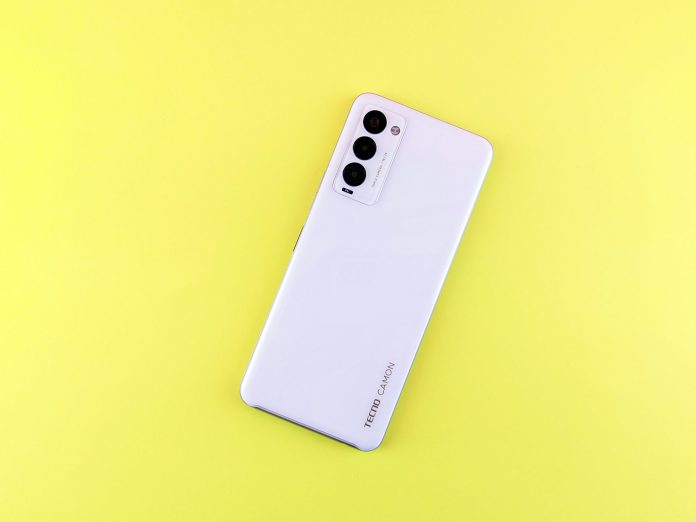
Tecno Camon 30 Full Review: Is It Worth the Hype?

0

It’s no secret that the Tecno Camon series has become a household name across Africa, thanks to its combination of eye-catching design, impressive camera specs, and wallet-friendly pricing. With the launch of the Tecno Camon 30 in early 2025, the brand promises to once again redefine what’s possible in the midrange smartphone market. But does the Camon 30 live up to its buzz? Here’s our deep-dive, hands-on review after two weeks of daily use.


Design & Build Quality: Premium Looks, Practical Feel

At first glance, the Camon 30 stands apart from its predecessors. Tecno has opted for a sleek, almost flagship-level design, with a glass-like finish on the rear, subtly curved edges, and a slim profile (just 8.1mm thick). The phone feels sturdy, with a reassuring heft that’s neither too light nor too heavy.

Highlights:

  • Color Options: Available in Dusk Black, Sky Blue, and a unique Emerald Green.
  • Fingerprint Sensor: Side-mounted, fast and reliable.
  • Durability: No official IP rating, but it shrugged off minor splashes and dust in our field tests.
  • Extra: The camera bump is prominent, but the included protective case helps level it out.

Display: Vivid, Bright, and Smooth

The Camon 30 sports a 6.78-inch AMOLED display with Full HD+ resolution and a super-smooth 120Hz refresh rate. For a sub-$250 phone, this is one of the best screens you’ll find.

Our Experience:

  • Brightness: Easily visible under harsh sunlight—great for outdoor use.
  • Colors: Vibrant and punchy, making social media, videos, and photos pop.
  • Touch Response: Fluid, with no noticeable lag—perfect for gaming and fast typing.
  • Always-On Display: A neat touch for checking notifications at a glance.

Performance: Everyday Powerhouse

Under the hood, the Camon 30 is powered by the MediaTek Dimensity 8200 Ultra (5G), paired with 8GB/12GB RAM and 256GB storage. While not a flagship chip, it handles multitasking, gaming, and daily tasks with ease.

Benchmarking and Real-Life Use:

  • Gaming: PUBG Mobile and Asphalt 10 ran at high settings with minimal frame drops.
  • Apps: Switching between multiple apps was seamless, thanks to RAM expansion tech.
  • Heat Management: The phone stayed cool, even during extended gaming sessions.
  • Storage: Ample space for photos, apps, and videos—plus microSD expansion.

Cameras: The Star of the Show

Tecno’s Camon series has always put cameras at the forefront, and the Camon 30 is no exception. It packs a 108MP main sensor, supported by an 8MP ultra-wide lens and a 2MP macro camera. The front houses a 50MP selfie shooter—impressive on paper, but how does it fare in real life?

Daylight Photography

  • Main Camera: Fantastic color reproduction, sharp details, and excellent dynamic range. Landscapes and portraits both look crisp, with natural skin tones.
  • Ultra-Wide: Great for group shots or cityscapes; slight softness at the edges but still usable.
  • Macro: Fun for close-ups, though not as detailed as the main lens.

Low Light & Night Mode

  • Night Shots: Night mode kicks in automatically, brightening images without too much noise. Not flagship-level, but genuinely good for the price.
  • Selfies: The 50MP front camera produces social-media-ready shots, even in dim indoor lighting.

Video

  • Resolution: Shoots up to 4K at 30fps on the main camera.
  • Stabilization: Electronic stabilization works well for casual video, though fast movement can cause some wobble.
  • Vlogging: The “Dual View” mode lets you record with both front and rear cameras at once—a hit with content creators.

Software & Features: HiOS 14 Matures

The Camon 30 ships with HiOS 14 (on top of Android 14), which is a significant refinement over previous versions.

Key Features:

  • Minimal Bloatware: Still some pre-installed apps, but most can be removed.
  • Customization: Themes, icon packs, and Always-On Display tweaks.
  • AI Tools: Built-in photo editor, smart gallery search, and document scanner.
  • Updates: Tecno promises at least two years of software updates—better than before, but still not quite matching Samsung or Xiaomi.

Battery Life: All-Day Confidence

A 5,000mAh battery keeps the Camon 30 running strong. In our tests:

  • Screen-On Time: Averaged 7–8 hours, even with heavy use.
  • Charging: 45W fast charging tops up the battery from 0 to 70% in just 30 minutes.
  • Power-Saving Modes: Effective for squeezing extra hours when needed.

Connectivity & Extras

  • 5G Support: Reliable and future-proof, especially in urban areas with growing 5G networks.
  • Dual SIM + microSD: Perfect flexibility for African consumers.
  • Stereo Speakers: Loud and clear, though bass is a bit lacking.
  • Headphone Jack: Yes—music lovers rejoice!
  • Face Unlock: Fast, though not as secure as the fingerprint sensor.

What’s in the Box?

  • USB-C cable and 45W charger included
  • Protective case
  • Pre-applied screen protector
  • SIM eject tool and basic earphones

Pros & Cons

Pros:

  • Gorgeous AMOLED display with 120Hz refresh
  • Excellent main and selfie cameras
  • Strong battery life and fast charging
  • 5G, dual SIM, expandable storage
  • Premium design at an affordable price

Cons:

  • No official water resistance rating
  • HiOS still not as smooth as some rivals
  • Occasional bloatware
  • Camera bump is prominent
  • Low-light photos could be better with future updates

Is the Tecno Camon 30 Worth the Hype?

Absolutely—especially if you love photography, want a gorgeous display, and need a phone that can keep up with your busy, connected life. Tecno has delivered a device that punches well above its weight in almost every category. While it has a few shortcomings (mostly on the software side and with low-light camera performance), the overall package is hard to beat at this price.

If you’re shopping for a midrange phone in Africa in 2025, the Camon 30 deserves to be at the very top of your list.


Redmi vs Samsung in Africa: Which Brand Offers Better Value for Money?

0

In 2025, Africa’s smartphone landscape is more vibrant and competitive than ever. With millions of young, connected consumers demanding quality devices at affordable prices, global brands have tailored their strategies for the continent. Two names consistently at the top of buyers’ lists are Redmi (Xiaomi’s sub-brand) and Samsung. But which one gives you more for your money in Africa’s unique market conditions? Let’s break it down.


1. Pricing and Hardware: Where Does Your Money Go Further?

Redmi

Redmi’s rise in Africa has been meteoric. The brand’s ethos—“innovation for everyone”—is visible in how much hardware you get for your money.

  • Affordable Flagship Features: In 2025, the Redmi Note 15 and 15 Pro, for example, offer features like 120Hz AMOLED displays, 5G connectivity, and 108MP cameras, all at prices that undercut most of the competition.
  • Battery Life: Big batteries (often 5000mAh+), 67W fast charging, and energy-efficient processors mean Redmi phones easily last a full day or more.
  • Performance: MediaTek Dimensity and Snapdragon chips in Redmi’s midrange phones deliver smooth multitasking and gaming, rivaling pricier brands.
  • Storage: 128GB and 256GB are now standard at even the base models.

Samsung

Samsung, with its A and M series, remains a household name across Africa.

  • Trusted Build Quality: The 2025 Galaxy A35 and M35, for instance, feature Gorilla Glass Victus protection, water resistance, and robust plastic or glass backs.
  • Display Tech: Samsung’s Super AMOLEDs remain the gold standard for color accuracy and brightness, even on sub-$300 models.
  • Battery & Charging: 5000-6000mAh batteries are common, with 25-45W charging—still a bit slower than Redmi’s fastest.
  • Performance: Exynos and Snapdragon chips are capable, though sometimes slightly behind Redmi in the same price bracket.

Verdict:
If stretching your budget for maximum specs and features is your goal, Redmi consistently gives more hardware per dollar (or naira, cedi, shilling, etc.) than Samsung. For buyers who want flagship-level features at midrange prices, Redmi leads.


2. Software Experience and Updates: Longevity and Usability

Redmi

  • HyperOS (formerly MIUI): Now lighter and less cluttered, but still occasionally criticized for pre-installed apps and rare ads.
  • Update Commitment: Redmi promises 2-3 years of Android updates for its core models in Africa, but delivery can be inconsistent, especially on entry-level phones.
  • Customization: HyperOS offers deep customization, but some users find the UI less intuitive than Samsung’s.

Samsung

  • One UI 7.0: In 2025, One UI is mature, clean, and highly praised for its simplicity and feature set.
  • Update Policy: Samsung leads with 4 years of major OS upgrades and 5 years of security patches, even for affordable A and M series phones.
  • Stability: Fewer bugs, less bloatware, and no ads.

Verdict:
For a smooth, future-proofed software experience, Samsung is the clear winner. If you plan to keep your phone for several years, their update policy is unmatched in the Android world.


3. After-Sales Support, Availability, and Reliability

Redmi

  • Growing Support Network: Xiaomi has invested in service centers and partnerships in countries like Nigeria, Kenya, Egypt, and South Africa.
  • Local Partnerships: More official retail outlets, but availability can still be inconsistent in rural areas.
  • Warranty: Standard one-year warranty, with some extended plans in select markets.

Samsung

  • Established Service Network: Decades of presence means you’ll find Samsung service centers, spare parts, and accessories in nearly every major African city.
  • Reliable Warranty: Clear support channels and easy access to repairs.
  • Resale Value: Samsung phones tend to hold their value better in the used market.

Verdict:
For peace of mind and ease of after-sales service, Samsung remains ahead, especially in less urbanized regions.


4. Camera and Multimedia Experience

Redmi

  • Megapixel Power: 108MP and even 200MP sensors are common, with AI tools for night mode, portrait, and video stabilization.
  • Fun Features: Vlog modes, dual video, and creative filters, appealing to Africa’s content creators.
  • Real-World Performance: Sometimes lags behind Samsung in color accuracy and low-light shots, but closing the gap.

Samsung

  • Image Processing: Consistently produces natural colors and better dynamic range.
  • Video: Excellent stabilization and clear sound, even on midrange models.
  • Social Media Ready: Samsung’s camera app is optimized for instant sharing and editing.

Verdict:
Samsung’s camera experience is more refined, especially for those who want great photos without tweaking settings. Redmi offers higher megapixel counts and fun features, but real-world results can be mixed.


5. Network and Connectivity

Both brands offer:

  • 5G Support (where available)
  • Dual SIM capabilities, vital for many African users
  • Strong Wi-Fi and Bluetooth performance

Note: Redmi sometimes supports more regional frequency bands, but Samsung’s network reliability is time-tested.


6. Special Considerations for the African Market

  • Power Outages: Both brands now offer battery saver and ultra-power-saving modes, but Redmi’s larger batteries and faster charging give it a slight edge.
  • Hot Climates: Samsung’s thermal management is typically superior, with less overheating during heavy use.
  • Language and Regional Support: Both brands support major African languages and have localized apps, though Samsung’s voice assistant (Bixby) now includes more African dialects.

Final Verdict: Which Should You Buy in 2025?

  • Buy Redmi If:
    • You want the best possible specs for your money.
    • You’re comfortable tinkering with software and don’t mind a bit of bloat.
    • Fast charging and big batteries are priorities.
  • Buy Samsung If:
    • You value long-term software updates, reliable after-sales support, and a polished experience.
    • Camera performance, build quality, and resale value matter to you.
    • You want a phone that “just works” out of the box, with minimal fuss.

In Summary:
For pure hardware value in 2025, Redmi continues to set the pace in Africa’s competitive market. But for a more refined, long-lasting, and hassle-free ownership experience, Samsung remains the safer bet—especially for those buying with longevity and support in mind.

Your decision should balance both your budget and your priorities. Redmi is the disruptor with unbeatable prices and features; Samsung is the seasoned veteran with polish and peace of mind. Either way, African consumers have never had it better!