Home Blog Page 572

Beginner Guide On Cpanel

0

cPanel is a popular web hosting control panel that provides a user-friendly interface for managing various aspects of your website hosting. Here’s a beginner’s guide to help you navigate cPanel:

Accessing cPanel:

Your web hosting provider will provide you with the cPanel login details, including a username and password.
Typically, you can access cPanel by appending “/cpanel” to your domain name (e.g., www.yourdomain.com/cpanel) or by using the provided login URL.
cPanel Dashboard:

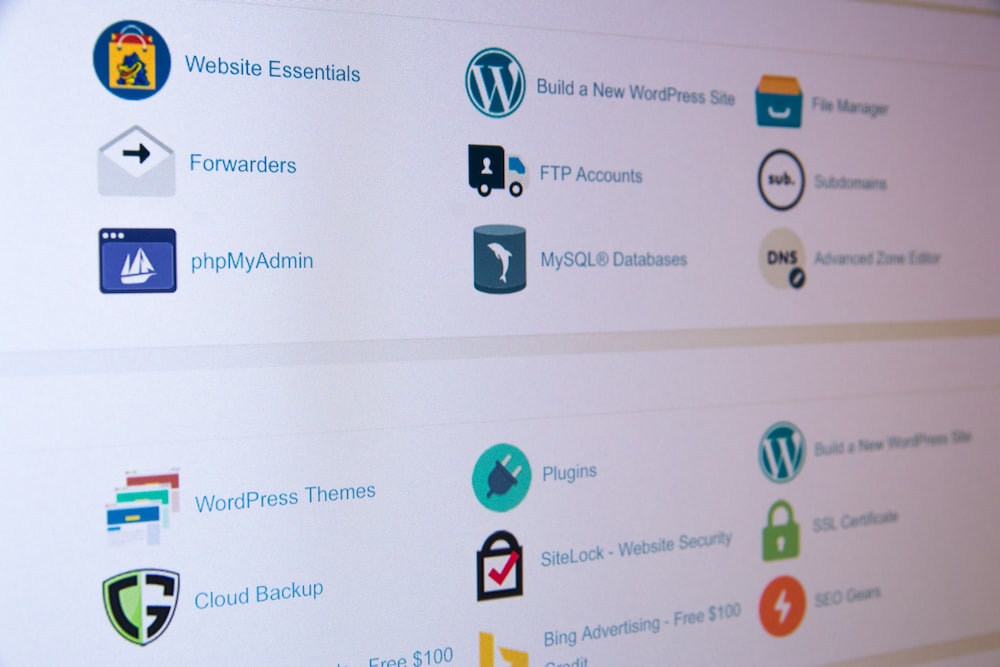
Upon logging in, you’ll see the cPanel dashboard. It contains various sections and icons representing different features and settings.
Email Management:

To create email accounts associated with your domain, locate the “Email” section in cPanel.
Use the “Email Accounts” option to add new email addresses, set passwords, and manage existing accounts.
You can access your email accounts through webmail or configure them with email clients like Outlook or Thunderbird.
File Management:

The “Files” section in cPanel allows you to manage your website’s files and folders.
The “File Manager” option provides a web-based file management interface, allowing you to upload, download, delete, and edit files directly from your browser.
You can also use FTP (File Transfer Protocol) to connect to your website’s server using an FTP client for more advanced file management.
Domain Management:

In the “Domains” section, you can add, manage, and configure domain names associated with your hosting account.
Use the “Addon Domains” option to add additional domains to your hosting account.
The “Subdomains” option lets you create subdomains (e.g., subdomain.yourdomain.com) for organizing and managing different sections of your website.
Website Backup and Restore:

cPanel often provides backup tools to create and restore backups of your website files, databases, emails, and settings.
Look for options like “Backup” or “Backup Wizard” to perform manual backups or schedule automatic backups of your website.
Database Management:

If your website uses a database-driven application (e.g., WordPress), you’ll find the “Databases” section in cPanel.
Use the “MySQL Databases” option to create and manage MySQL databases and database users.
You can also utilize phpMyAdmin, a web-based database management tool, for advanced database administration tasks.
Additional Tools and Settings:

cPanel offers various additional tools and settings depending on your hosting provider and specific configuration.
Explore sections like “Software” for auto-installers, “Metrics” for website statistics, “Security” for SSL certificates and security features, and “Preferences” for personalizing your cPanel interface.
Help and Documentation:

cPanel typically provides documentation and support resources to assist users.
Look for a “Help” or “Documentation” section within cPanel to access guides, tutorials, and knowledge bases specific to your hosting environment.
Remember, cPanel interfaces may vary slightly depending on your hosting provider and the version of cPanel they offer. It’s a good practice to familiarize yourself with the specific options and features available in your cPanel environment by exploring the interface and referring to the provided documentation or contacting your hosting provider’s support if needed.


The Ideal Guide To Web Hosting

0

Choosing the right web hosting provider is crucial for the success of your website. Here’s a guide to help you navigate through the process of selecting an ideal web hosting service:

Determine Your Needs:

Identify the type of website you want to host (e.g., blog, e-commerce, portfolio).
Estimate the expected website traffic, storage requirements, and future scalability needs.
Consider any specific software or programming languages you’ll be using (e.g., WordPress, PHP, Python).
Types of Web Hosting:

Shared Hosting: Ideal for small websites with low to moderate traffic. Your website shares server resources with other websites.
Virtual Private Server (VPS) Hosting: Offers more resources and control than shared hosting. Recommended for medium-sized websites with moderate traffic.
Dedicated Server Hosting: Provides a dedicated server for your website, offering maximum control and resources. Suitable for large websites with high traffic.
Cloud Hosting: Utilizes a network of servers to host your website, ensuring scalability and reliability.
Essential Features to Consider:

Uptime and Reliability: Look for a hosting provider with a track record of high uptime (ideally 99.9% or higher) to ensure your website is accessible to visitors.
Speed and Performance: Choose a hosting company that utilizes robust hardware, content delivery networks (CDNs), and caching to ensure fast loading times.
Customer Support: 24/7 customer support with multiple communication channels (e.g., live chat, phone, email) is essential for prompt assistance with any issues.
Security: Make sure the hosting provider offers robust security measures, such as SSL certificates, firewalls, and regular backups, to protect your website and data.
Scalability: Consider if the hosting provider can accommodate your website’s growth and handle increased traffic without significant disruptions.
Additional Factors to Evaluate:

Pricing: Compare the pricing structures, including renewal prices, and ensure they align with your budget.
Control Panel: A user-friendly and feature-rich control panel (e.g., cPanel, Plesk) can simplify website management tasks.
Bandwidth and Storage: Ensure the hosting provider offers sufficient bandwidth and storage for your website’s needs.
Server Location: Consider the server’s physical location, as it can impact website loading times for visitors in different regions.
Reputation and Reviews: Research and read reviews about the hosting provider’s reputation, customer feedback, and overall satisfaction.
Compare Hosting Providers:

Research and compare multiple hosting providers based on your needs and the features mentioned above.
Consider factors such as server performance, customer reviews, available plans, and pricing.
Pay attention to any additional services or features included, such as domain registration, website builders, and email accounts.
Test Customer Support:

Before making a final decision, reach out to the hosting provider’s customer support with any questions or concerns you may have. Evaluate their response time and the quality of their assistance.
Remember that each website has unique requirements, so what works best for one may not be suitable for another. Take your time to research, compare options, and choose a web hosting provider that aligns with your specific needs, budget, and growth plans.

Iphone Xs max Vs Iphone Xr

0

When comparing the iPhone XS Max and iPhone XR, there are several key differences to consider. Here’s a comparison of the main features and specifications:

Design and Display:

iPhone XS Max: The XS Max features a premium design with a stainless steel frame and a glass back. It has a 6.5-inch Super Retina OLED display with a resolution of 2688 x 1242 pixels, offering vibrant colors, deep blacks, and high contrast.
iPhone XR: The XR has an aluminum frame and a glass back. It features a 6.1-inch Liquid Retina LCD display with a resolution of 1792 x 828 pixels. While it is not OLED, it still offers good color reproduction and clarity.
Camera:

iPhone XS Max: The XS Max has a dual-camera setup on the rear, including a 12-megapixel wide-angle camera and a 12-megapixel telephoto camera. It offers features like optical zoom, Portrait mode with advanced bokeh, and Depth Control.
iPhone XR: The XR has a single 12-megapixel wide-angle camera on the rear. It offers features like Portrait mode with advanced bokeh and Depth Control.
Processor and Performance:

iPhone XS Max: The XS Max is powered by Apple’s A12 Bionic chip, which provides excellent performance and efficiency for demanding tasks and graphics-intensive applications.
iPhone XR: The XR is also equipped with the A12 Bionic chip, offering similar performance to the XS Max.
Battery Life:

iPhone XS Max: The XS Max has a larger battery capacity compared to the XR, resulting in slightly better battery life. It can typically last a full day with moderate usage.
iPhone XR: The XR also has good battery life, but the XS Max may offer a bit more longevity due to its larger size.
Price:

iPhone XS Max: As a higher-end model, the XS Max is generally priced higher than the XR.
iPhone XR: The XR is generally more affordable compared to the XS Max, making it a more budget-friendly option.
Considerations for choosing between the two models depend on your priorities. If you value a larger and more vibrant OLED display, dual-camera capabilities, and prefer a premium design, the iPhone XS Max might be the better choice. However, if you’re looking for a more budget-friendly option without compromising on performance and features, the iPhone XR still offers a great user experience with its single-camera system and the same powerful processor as the XS Max.

Iphone Xr vs Iphone 11

0

Both the iPhone XR and iPhone 11 are popular smartphones from Apple, but there are some differences between the two. Here’s a comparison of the key features and specifications:

Design and Display:

iPhone XR: The iPhone XR features a 6.1-inch Liquid Retina LCD display with a resolution of 1792 x 828 pixels and thicker bezels around the screen. It has an aluminum frame and comes in a variety of colors.
iPhone 11: The iPhone 11 also has a 6.1-inch Liquid Retina LCD display with the same resolution as the XR. However, it features a more advanced display with better color accuracy and brightness. The design is similar to the XR, but it has a more durable glass back and comes in multiple color options.
Camera:

iPhone XR: The XR has a single 12-megapixel wide-angle camera on the rear. It offers features like Portrait mode with advanced bokeh and Depth Control. It can record videos in 4K at up to 60 fps.
iPhone 11: The iPhone 11 has a dual-camera setup on the rear, including a 12-megapixel wide-angle camera and a 12-megapixel ultra-wide-angle camera. It offers improved low-light photography and Night mode. It can also record videos in 4K at up to 60 fps and supports slo-mo video recording on the front camera.
Processor and Performance:

iPhone XR: The XR is powered by Apple’s A12 Bionic chip, which is still a capable processor offering smooth performance for most tasks and apps.
iPhone 11: The iPhone 11 features Apple’s A13 Bionic chip, which is more powerful and efficient than the A12. It provides better performance, faster app launches, and improved gaming capabilities.
Battery Life:

iPhone XR: The XR has good battery life and can last a full day with moderate usage.
iPhone 11: The iPhone 11 offers slightly better battery life compared to the XR, thanks to more efficient hardware and software optimization.
Price:

iPhone XR: As an older model, the iPhone XR is generally more affordable than newer models like the iPhone 11.
iPhone 11: The iPhone 11 is typically priced higher than the XR due to its more recent release and improved features.
Considering these factors, if you prioritize camera capabilities, improved performance, and longer software support, the iPhone 11 would be the better choice. However, if you’re looking for a more budget-friendly option and the differences in camera and performance aren’t crucial to you, the iPhone XR can still be a solid choice with good overall performance and features.

Is The Iphone Xr Still Worth Buying?

0

The iPhone XR was released by Apple in 2018, so it is now a few years old. While it may not have the latest features and specifications compared to newer models, it can still be a viable option depending on your needs and budget. Here are a few factors to consider:

Price: One advantage of purchasing an older model like the iPhone XR is that it is likely to be more affordable compared to the latest iPhone models. If you’re looking for a budget-friendly option or don’t need the most cutting-edge features, the iPhone XR could be a good choice.

Performance: The iPhone XR is still a capable device with a fast processor and a good camera. It offers a smooth user experience and can handle most tasks and apps without any issues. However, if you require the latest and most powerful hardware for demanding tasks like gaming or intensive multimedia editing, you may want to consider newer models.

Software Updates: Apple generally provides software updates for its devices for several years after their release. The iPhone XR should continue to receive iOS updates for a few more years, ensuring access to new features and security patches.

Features: While the iPhone XR lacks certain features found in newer models, such as Face ID or multiple camera lenses, it still offers a solid feature set. It has a large display, good battery life, wireless charging capability, and supports most of the essential functions and features you would expect from an iPhone.

Future-proofing: If you plan to keep your phone for several years, it’s worth considering how long the iPhone XR will continue to meet your needs. Evaluate your usage requirements and consider if the XR’s specifications and capabilities will still be sufficient in the years to come.

Ultimately, the decision to purchase the iPhone XR or any other smartphone depends on your personal preferences, budget, and specific needs. It can be helpful to compare the iPhone XR with other models available in a similar price range and consider factors like performance, features, and longevity before making a decision

Ways On Managing Financial Literacy.

0

Managing financial literacy involves actively developing and applying financial knowledge and skills to make informed decisions about personal finances. Here are some ways to effectively manage financial literacy:

Educate Yourself: Take the initiative to learn about personal finance. Read books, articles, and reputable websites that provide information on budgeting, investing, saving, and other financial topics. Attend seminars, workshops, or webinars on financial literacy to deepen your understanding.

Set Financial Goals: Clearly define your short-term and long-term financial goals. Whether it’s saving for a down payment on a house, paying off debt, or building an emergency fund, having specific goals helps you stay focused and motivated.

Create a Budget: Develop a budget that outlines your income and expenses. Track your spending habits and identify areas where you can cut back or make adjustments. Allocate a portion of your income for savings and investments. Use budgeting tools or apps to simplify the process and monitor your progress.

Save and Invest Wisely: Make saving a priority by setting aside a portion of your income regularly. Establish an emergency fund to cover unexpected expenses. Explore different investment options that align with your financial goals and risk tolerance. Consider diversifying your investments to manage risk effectively.

Manage Debt: Be mindful of borrowing and manage your debt responsibly. Understand interest rates, terms, and conditions before taking on any loans or credit. Create a repayment plan to pay off debts strategically, prioritizing high-interest debt first.

Stay Informed: Stay updated on financial news, economic trends, and changes in regulations that may impact your finances. Regularly review your financial statements, such as bank statements, credit card bills, and investment account summaries, to ensure accuracy and detect any discrepancies.

Seek Professional Advice: Consider consulting with a financial advisor or planner to get personalized guidance on your financial situation. They can provide expertise and help create a comprehensive financial plan tailored to your goals and circumstances.

Practice Good Financial Habits: Cultivate healthy financial habits, such as tracking expenses, avoiding impulsive purchases, and researching before making major financial decisions. Regularly review and adjust your financial plan as necessary.

Protect Yourself: Understand the importance of insurance, including health, life, home, and auto insurance. Assess your insurance needs and ensure you have adequate coverage to protect against unforeseen events.

Teach Others: Share your financial knowledge and experiences with friends, family, or younger generations. By helping others improve their financial literacy, you reinforce your own understanding and contribute to a financially literate society.

Remember, managing financial literacy is a continuous process. It requires ongoing learning, adaptability, and regular evaluation of your financial situation and goals. By actively engaging in these practices, you can enhance your financial knowledge and make informed decisions to achieve financial stability and success.

Share
Retry

Financial Literacy.

0

Financial literacy refers to the knowledge and understanding of various financial concepts and skills necessary to make informed and effective decisions regarding personal finance. It involves understanding topics such as budgeting, saving, investing, borrowing, insurance, taxes, and other aspects of managing money.

Here are some key areas of financial literacy:

Budgeting: Creating and maintaining a budget to track income and expenses, and ensuring that expenses do not exceed income.

Saving and Investing: Understanding the importance of saving money and the different investment options available, such as stocks, bonds, mutual funds, and real estate.

Debt Management: Understanding the consequences of taking on debt, including interest rates, credit cards, loans, and mortgages. Learning how to manage debt effectively is crucial for maintaining a healthy financial life.

Risk Management: Understanding insurance options and their importance in protecting against unexpected events, such as health issues, accidents, or natural disasters.

Retirement Planning: Understanding the various retirement savings options available, such as pensions, 401(k) plans, Individual Retirement Accounts (IRAs), and planning for long-term financial security.

Taxes: Understanding the basics of income taxes, deductions, credits, and the importance of filing tax returns accurately and on time.

Financial Institutions: Knowledge of different financial institutions and their services, such as banks, credit unions, and investment firms, and understanding how to choose the right ones for your needs.

Consumer Rights and Responsibilities: Understanding consumer rights, including protection against fraud, unfair practices, and the importance of reading and understanding financial contracts and agreements.

Financial Goal Setting: Setting short-term and long-term financial goals and creating a plan to achieve them, such as saving for a down payment on a house or starting a business.

Financial Decision Making: Developing critical thinking skills to evaluate financial options, compare financial products, and make informed decisions about spending, saving, and investing.

Improving financial literacy is important for individuals to make sound financial decisions, avoid debt, save for the future, and achieve financial independence. It can be achieved through self-education, attending financial literacy programs, workshops, or seeking advice from financial professionals.

Why register your domain name with Tremhost?

0

Registering your domain name with Tremhost offers several advantages and benefits. Here are a few reasons why you might consider choosing Tremhost as your domain registrar:

Reliable and Established Provider: Tremhost is a well-established hosting and domain registration company with a solid reputation. They have been providing web hosting and domain services for many years, ensuring reliability and stability for your domain registration.

Wide Range of TLDs: Tremhost offers a diverse selection of top-level domains (TLDs) for registration, including popular options like .com, .net, .org, and country-specific TLDs. This allows you to choose a domain extension that aligns with your brand or target audience.

Competitive Pricing: Tremhost offers competitive pricing for domain registrations, renewals, and transfers. They strive to provide cost-effective solutions, ensuring that you can secure your desired domain name without breaking the bank.

User-Friendly Control Panel: Tremhost provides a user-friendly control panel or dashboard for managing your domain. It allows you to easily update DNS settings, manage domain contacts, and make necessary changes to your domain configuration.

DNS Management and Customization: Tremhost offers DNS management tools, allowing you to customize your domain’s DNS records. This enables you to set up email forwarding, subdomains, and other DNS-related configurations according to your specific needs.

Domain Privacy Protection: Tremhost typically provides domain privacy protection as an optional service. This helps protect your personal information from being publicly accessible in the WHOIS database, reducing the risk of spam or unwanted solicitations.

Reliable Customer Support: Tremhost prides itself on providing reliable customer support. They have a dedicated support team available to assist you with any domain-related inquiries, technical issues, or account management needs you may have.

Additional Services and Integration: In addition to domain registration, Tremhost often offers complementary services such as web hosting, website builders, SSL certificates, and email hosting. Having these services under one provider can simplify your online presence management and improve integration between different aspects of your website.

With Tremhost, you decide which domain name you would like from all domain extensions with added features. (tremhost.com)

What Is The MX Entry Modification Tool?

0

MX Entry Modification refers to the process of changing or updating the Mail Exchange (MX) records for a domain. MX records are DNS (Domain Name System) records that specify which mail servers are responsible for handling incoming email for a particular domain.

When someone sends an email to a domain, the email is routed to the mail servers specified in the MX records. By modifying the MX entries, you can control the email routing for your domain and direct incoming emails to different mail servers or email service providers.

MX Entry Modification typically involves the following steps:

Identify the current MX records: Before making any changes, you need to determine the existing MX records for your domain. This information is usually available in the DNS management interface provided by your domain registrar or hosting provider.

Determine the desired email routing: Decide where you want the incoming emails to be delivered. This could be your own mail server, a third-party email service, or a cloud-based email provider.

Update the MX records: Access the DNS management interface and locate the MX record settings. Remove or modify the existing MX records based on your desired email routing. Add the new MX records provided by your chosen email service provider.

Set priority for MX records: MX records have a priority associated with them, denoted by a preference value. The lower the preference value, the higher the priority. If multiple MX records are present, the email is first attempted to be delivered to the server with the lowest preference value. Set the correct priority order for your new MX records based on the instructions provided by your email service provider.

Save and propagate changes: After updating the MX records, save the changes in the DNS management interface. It may take some time for the changes to propagate across the DNS system, typically a few hours to a day. During this propagation period, the updated MX records will gradually become effective worldwide.

It’s essential to exercise caution when modifying MX entries, as incorrect settings or misconfigured records can disrupt email delivery. If you are unsure about the process or require assistance, it’s recommended to consult with your domain registrar or hosting provider’s support team for guidance.

Note: The specific steps and terminology may vary depending on the domain registrar or hosting provider you are using. It’s always recommended to refer to the documentation or support resources provided by your service provider for accurate instructions on modifying MX entries.

Ways To Easily Manage Your Hosting.

0

Managing your hosting can be made easier by following these steps:

Choose a User-Friendly Hosting Provider: (.tremhost.) Select a hosting provider that offers a user-friendly control panel or dashboard. Look for intuitive interfaces and easy-to-navigate features that simplify the management process.

Keep Track of Renewal Dates: Set reminders for your hosting renewal dates to ensure uninterrupted service. Mark important dates on your calendar or set up automatic notifications to stay organized and avoid any potential downtime.

Opt for Managed Hosting: Consider opting for managed hosting services. With managed hosting, the provider takes care of technical aspects such as server maintenance, security, and updates, allowing you to focus on your website or application without worrying about the backend management.

Regularly Backup Your Data: Implement regular backups of your website or application data. This ensures that you have a copy of your files in case of any unforeseen issues or data loss. Many hosting providers offer automated backup solutions or provide tools to facilitate the backup process.

Monitor Performance and Security: Keep an eye on the performance and security of your hosting environment. Utilize monitoring tools or services that provide insights into server uptime, website speed, and security vulnerabilities. Address any issues promptly to maintain optimal performance and safeguard your data.

Optimize Resource Usage: Monitor and optimize resource usage to ensure efficient utilization of your hosting resources. This includes managing disk space, bandwidth, and server resources effectively. Regularly review your usage and consider scaling up or down as needed to accommodate changing requirements.

Stay Updated with Software and Security Patches: Keep your hosting software and applications up to date. Regularly apply security patches, updates, and bug fixes provided by the hosting provider or the software developers. This helps protect your website or application from vulnerabilities and ensures optimal performance.

Seek Support from Hosting Provider: If you encounter any difficulties or have questions regarding your hosting, don’t hesitate to reach out to your hosting provider’s support team. They can offer guidance, troubleshoot issues, and provide solutions to help you manage your hosting effectively.

By following these steps, you can simplify the management of your hosting and ensure a smooth and hassle-free experience. Remember, it’s important to stay organized, proactive, and make use of available resources and support to effectively manage your hosting environment.