Home Blog Page 114

The Importance of Cloud Cost Management (FinOps) in a Cloud-Native World

0

You’ve made the smart move to the cloud. Your applications are more agile, your teams are moving faster, and you’re no longer burdened by physical servers. But for many businesses, this new freedom comes with a new challenge: a cloud bill that’s hard to understand and even harder to control.

This is where Cloud Cost Management, or FinOps (short for Financial Operations), becomes critical. FinOps is not about cutting costs indiscriminately; it’s a culture and a set of practices that bring financial accountability to the variable spend of the cloud. It’s about ensuring every dollar you spend on the cloud delivers the most business value possible.

For businesses operating in a cloud-native world, FinOps is no longer optional. It is a strategic necessity for growth and profitability.

The Problem: Why Cloud Costs Spiral Out of Control

Cloud-native development is fast, but that speed can create hidden costs. Here are the most common challenges:

  1. Lack of Visibility: It’s difficult to see who is using what and for what purpose. Without proper tagging and monitoring, your cloud bill is just a long list of numbers, making it impossible to hold teams accountable.
  2. Resource Sprawl and Waste: Developers may spin up servers for a test and forget to shut them down. Or, they may over-provision an instance—choosing a larger, more expensive server than they actually need—to be safe. These “zombie” resources and oversized instances continue to consume your budget, even when they’re not in use.
  3. Complex Pricing: Major cloud providers have hundreds of services, each with its own complex pricing model. This can lead to unexpected charges, especially for things like data transfer fees, which can quickly add up.
  4. No Cost Ownership: Without a FinOps culture, the responsibility for costs often falls between the cracks. Engineering teams focus on performance and features, while finance teams are left to deal with a bill they can’t interpret.

The Solution: Key Principles of FinOps

FinOps solves these problems by creating a collaborative, data-driven approach. It’s a continuous cycle with three phases:

1. Inform: Gain Visibility and Transparency

The first step is to gain a clear understanding of your spending.

  • Actionable Tip: Tag Everything. This is the most foundational FinOps practice. Assign tags to every resource (e.g., servers, storage, databases) with labels like project-name, department, and owner. This allows you to track costs back to the specific team or project responsible.
  • Tremhost Advantage: Our platform provides clear, real-time dashboards that break down your costs by resource, making it easy to see where every dollar is going. Our simple pricing structure also eliminates the complexity of hidden fees, giving you full transparency from day one.

2. Optimize: Right-Size and Eliminate Waste

Once you have visibility, you can take action to reduce waste.

  • Actionable Tip: Right-Size Your Resources. Analyze the usage of your instances. Is your server running at 10% CPU utilization? You can likely downsize to a smaller, more affordable instance without impacting performance.
  • Actionable Tip: Eliminate Idle Resources. Implement policies to automatically shut down development or testing environments during non-working hours. A resource that is not in use should not be running.
  • Tremhost Advantage: Our straightforward pricing and a variety of instance types make right-sizing easy. You can quickly scale up or down from our user-friendly control panel, ensuring you always have the right amount of power for your needs without paying for waste.

3. Operate: Automate and Forecast

The final phase is to automate and continuously improve your cost management practices.

  • Actionable Tip: Set Budgets and Alerts. Use your cloud provider’s tools to set budgets for each project and configure alerts that notify the team when spending approaches a pre-defined threshold. This helps prevent unexpected overages.
  • Actionable Tip: Forecast Your Costs. Use historical data to predict future spending. This helps your finance team plan for growth and ensures you have a clear financial roadmap.

The Tremhost Advantage: FinOps for Everyone

While larger cloud providers require complex, expensive third-party tools to implement FinOps, Tremhost’s user-friendly platform and transparent pricing model are designed to make cost management simple and accessible.

We believe that every business, from a lean startup to a growing enterprise, should have the tools to manage their cloud spend effectively. With Tremhost, you can start your FinOps journey today, ensuring you get maximum value from your cloud investment and paving the way for sustainable, profitable growth.
Multi-Cloud vs. Hybrid Cloud: Which Strategy is Right for Your Infrastructure?

0

As businesses mature in their cloud journey, they often move beyond using a single cloud provider. This leads to two common and often-confused strategies: Multi-Cloud and Hybrid Cloud. While they both involve using more than one cloud, their fundamental structures and goals are very different.

Understanding these differences is key to making a strategic decision that aligns with your business’s needs for cost, control, and performance. Let’s break down what each strategy entails and help you determine which is the best fit for your infrastructure.

The Hybrid Cloud Strategy: On-Premise Meets the Public Cloud

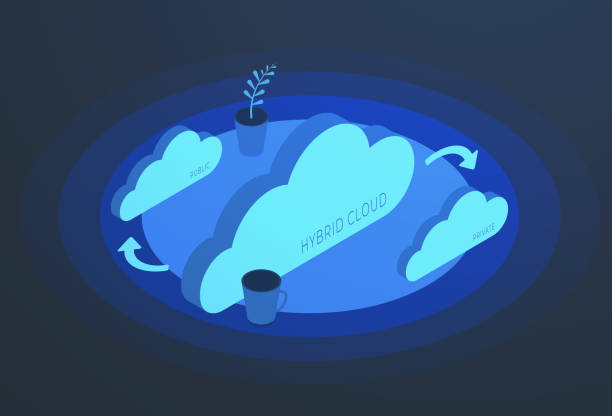
A hybrid cloud strategy is defined by the combination of a private cloud (your own on-premise data center) and at least one public cloud (a third-party provider like Tremhost). The key is that these two environments are seamlessly integrated, allowing data and applications to move between them.

Analogy: Think of a hybrid car. It uses two different power sources—a gas engine and an electric motor—to achieve a more efficient and powerful ride. A hybrid cloud uses your on-premise infrastructure for one purpose and a public cloud for another, with both working together.

Key Benefits of a Hybrid Cloud:

  • Enhanced Control & Security: You can keep sensitive data or mission-critical applications on your private, on-premise servers to meet strict regulatory or security requirements. Less sensitive workloads can be moved to the public cloud for greater agility.
  • Gradual Migration: A hybrid approach allows you to modernize at your own pace. You can slowly migrate applications to the cloud while keeping legacy systems running on-premise, minimizing disruption.
  • Cost Optimization: You can place predictable, steady workloads on your private infrastructure, which can be more cost-effective for constant use, while using the public cloud’s pay-as-you-go model for variable, high-demand tasks (e.g., a short-term marketing campaign).

The Multi-Cloud Strategy: Leveraging Multiple Public Clouds

A multi-cloud strategy involves using cloud services from more than one public cloud provider. The goal is not to connect to a private data center, but to pick the best-in-class service from different vendors for specific jobs.

Analogy: A multi-tool set. Instead of buying a single tool that does many things adequately, you buy a specialized tool for each job: one brand for your wrench, another for your power drill, and a third for your saw.

Key Benefits of a Multi-Cloud:

  • Vendor Lock-In Avoidance: By using multiple providers, you avoid becoming dependent on a single vendor’s technology and pricing. This gives you more negotiation power and the flexibility to switch if a better option emerges.
  • Best-of-Breed Services: Every cloud provider has its strengths. One might have a leading AI/ML service, while another offers a better price on storage or has a data center in a specific geographic region. A multi-cloud strategy allows you to combine these specialized services to build a truly optimized infrastructure.
  • Increased Reliability & Redundancy: A multi-cloud setup can serve as an effective disaster recovery plan. If one cloud provider experiences an outage, you can have a failover plan to another, ensuring your applications remain available.

Tremhost’s Role in Your Cloud Strategy

Tremhost’s core offering is Infrastructure as a Service (IaaS), making us a perfect partner for either of these strategies.

  • For Hybrid Cloud: We provide the flexible, cost-effective public cloud component that seamlessly integrates with your existing on-premise infrastructure. You can use Tremhost’s robust servers and networking to power your most demanding workloads, while keeping your core private systems secure.
  • For Multi-Cloud: Tremhost can be one of your key public cloud providers. We offer transparent pricing and user-friendly management, allowing you to use our services alongside others without the complexity or high costs of the tech giants.

Summary: Which is Right for You?

Feature Hybrid Cloud Multi-Cloud
Core Goal Integration of on-premise and public cloud Using the best services from different public clouds
Main Advantage Control over sensitive data and gradual migration Avoiding vendor lock-in and leveraging “best-of-breed” services
When to Choose It You have existing IT infrastructure, strict data compliance needs, or want to migrate at your own pace. You want to reduce dependency on a single vendor and have diverse workloads that can benefit from different specialized services.

Whether your journey leads you to a hybrid or multi-cloud environment, Tremhost provides a powerful, affordable, and flexible foundation to help you build the infrastructure that is right for your business.

Serverless Architecture for Startups: Build and Scale Applications Without Managing Servers

0

For a startup, speed and efficiency are everything. You need to get your product to market fast, iterate quickly, and handle unpredictable growth without burning through your limited capital. This is where serverless architecture shines.

The term “serverless” is a bit misleading—servers still exist, but you don’t have to manage them. The cloud provider handles all the provisioning, maintenance, and scaling of the underlying infrastructure. This allows your small team to focus on what truly matters: building great features for your customers.

Here’s how serverless architecture works and why it’s the perfect model for startups.

How It Works: Focus on Code, Not Infrastructure

In a traditional setup, you have to provision a server, install an operating system, and configure everything before you can even deploy your code. This is time-consuming and requires specialized expertise.

Serverless architecture operates on a “Functions as a Service” (FaaS) model. You write small, individual functions of code—each designed to do one specific task—and upload them to the cloud. These functions remain idle until they are triggered by an event, such as:

  • A user clicking a button on your website.
  • A new file being uploaded to storage.
  • A new entry being added to a database.

When the event happens, the cloud provider instantly runs your function, allocates the necessary resources, and then shuts it down when the task is complete. This event-driven model completely abstracts away the server, giving you unprecedented agility.

The Key Benefits for Startups

1. Unbeatable Cost Efficiency (The “Pay-Per-Use” Model)

This is a game-changer for a startup on a tight budget. In a traditional hosting model, you pay for your server whether it’s running 24/7 or sitting idle at 3 a.m.

With serverless, you only pay for the exact time your code is running. When your application isn’t being used, your costs drop to zero. This “pay-per-use” model is perfect for applications with unpredictable or infrequent traffic, allowing you to launch and iterate on your idea with minimal financial risk.

2. Automatic, Infinite Scaling

Imagine your application goes viral overnight. In a traditional setup, you would have to manually scale up your servers, a process that can take hours and may still not be enough to handle the traffic.

Serverless architecture handles this for you automatically and seamlessly. If your application gets 10 requests or 10 million, the cloud provider instantly scales your functions to meet the demand, ensuring a smooth user experience without any manual intervention. This lets you grow your business without worrying about infrastructure limitations.

3. Faster Development and Time-to-Market

By removing the burden of server management, your developers can focus 100% on writing application logic and building features. This dramatically accelerates development cycles, allowing you to release new products and updates in days or even hours, not weeks. This agility is a significant competitive advantage for any startup.

4. High Availability and Reliability

Serverless platforms are designed with built-in redundancy. Your functions are replicated across multiple data centers, so if one location experiences an issue, your application will continue to run without interruption. You get enterprise-grade reliability without any of the cost or complexity.

The Tremhost Advantage

While Tremhost’s core offering is Infrastructure as a Service (IaaS), providing the foundational power and control you need, our solutions are built to be the perfect home for your serverless architecture. You can run your serverless functions on a powerful, affordable Tremhost server, giving you full control over the environment without the vendor lock-in that often comes with proprietary serverless platforms.

By leveraging Tremhost, you can enjoy the benefits of serverless computing—like cost savings and infinite scalability—on a flexible and reliable infrastructure that supports your entire technology stack. This gives you the best of both worlds: the efficiency of serverless with the control of IaaS.

Containerization Explained: A Guide to Docker and Kubernetes (and How Tremhost Supports Them)

0

Containerization is a lightweight form of virtualization that packages an application and all its dependencies into a single, isolated, and portable unit called a container. This ensures the application runs consistently across different environments, from a developer’s laptop to a production server in the cloud. Docker and Kubernetes are the two most popular tools for this process, serving distinct but complementary roles.

What is Containerization?

Imagine you’re shipping a fragile product. You wouldn’t just send it in a loose box; you’d put it in a custom-fitted container with all the necessary packing materials. Containerization in software works the same way. It bundles an application’s code, its libraries, and all its required configuration files into a self-contained unit.

Unlike traditional virtual machines (VMs) that each run a full operating system, containers share the host operating system’s kernel. This makes them significantly more lightweight, faster to start, and more resource-efficient.

How Docker Works: The Builder

Docker is the leading tool for creating and managing individual containers. It’s the “engine” that builds the container.

  • Dockerfile: A developer writes a simple text file, called a Dockerfile, which contains instructions for building the application. It’s a recipe that specifies the operating system, the code to be copied, and the commands to run.
  • Image: Docker uses the Dockerfile to create a container image. This image is a static, non-running blueprint of the application and its environment. Think of it as a template that can be used to create multiple instances of your application.
  • Container: A container is a running instance of an image. You can spin up a container with a single command, and it’s guaranteed to run exactly the same way every time, everywhere.

The main benefit of Docker is portability. Developers can “write once, run anywhere,” eliminating the common problem of an application working on one machine but not another.

How Kubernetes Works: The Orchestrator

Once you have dozens or even thousands of containers, managing them individually becomes impossible. This is where Kubernetes comes in. Kubernetes (often abbreviated as K8s) is an open-source container orchestration system for automating the deployment, scaling, and management of containerized applications.

  • Automation: Kubernetes automates the complex tasks of container management, such as deciding which server a container should run on, managing network traffic between containers, and scaling up or down based on demand.
  • Self-Healing: If a container fails, Kubernetes can automatically detect the failure and replace the container, ensuring your application remains available without manual intervention.
  • Load Balancing: Kubernetes can distribute incoming traffic across multiple running instances of your application, ensuring no single container is overwhelmed.

If Docker is the tool for building and packaging the ship, Kubernetes is the port authority, traffic control, and logistics system that ensures all the ships get where they need to go.

The Synergy: Docker + Kubernetes

These two tools are a powerful combination. A developer uses Docker to build and package their application into a container image. They then use Kubernetes to deploy, manage, and scale that containerized application across a cluster of servers. .

How Tremhost Supports Containerization

At Tremhost, we provide the robust IaaS (Infrastructure as a Service) layer that serves as the perfect foundation for your containerized workflows.

  • Flexible Infrastructure: Our powerful cloud servers are optimized to run containerization technologies like Docker. We give you the resources you need—CPU, memory, and storage—to host your containers with high performance and reliability.
  • Effortless Deployment: Our platform allows you to quickly provision a server and deploy your containerized applications, either manually or by connecting to your preferred CI/CD pipeline.
  • Scalable Foundation: For those ready to scale, our cloud infrastructure is fully compatible with Kubernetes. We provide the servers and networking, so you can focus on managing your Kubernetes clusters without worrying about the underlying hardware.

Tremhost empowers you to leverage the full benefits of containerization, giving you the freedom to innovate and scale without being limited by your infrastructure.

Cloud Security for Non-Experts: 5 Simple Steps to Keep Your Data Safe

0

One of the biggest concerns for businesses moving to the cloud is security. “Is my data really safe there?” is a question we hear all the time. The good news is that the cloud is often far more secure than an on-premise server, but it’s not a set-it-and-forget-it solution.

Cloud security operates on a Shared Responsibility Model. This means your cloud provider (Tremhost) is responsible for the security of the cloud, and you are responsible for the security in the cloud. This article will break down your part in a simple, non-technical way, giving you five clear steps to protect your data without needing to be an IT expert.

Step 1: Understand the Shared Responsibility Model (It’s Easier Than It Sounds)

Think of it like building security:

  • Tremhost’s Responsibility (Security of the Cloud): We are the building managers. We ensure the physical security of the data center, the firewalls are up, and the network is protected. We manage the foundational infrastructure, keeping the servers, storage, and networking secure.
  • Your Responsibility (Security in the Cloud): You are the tenant. You are responsible for what you put in your apartment. This includes locking your doors, securing your personal files, and not letting strangers in. In the cloud, this means managing user access, securing your applications, and protecting your data.

This distinction is crucial. Tremhost gives you an incredibly secure environment, but you have to do your part to protect what’s inside.

Step 2: Enable Multi-Factor Authentication (MFA) Everywhere

This is the single most important and easiest step you can take. MFA adds a second layer of security beyond just a password.

  • How it works: After entering your password, you’re prompted for a second verification, like a code from a text message, an authenticator app, or a physical security key.
  • Why it matters: Even if a hacker steals your password, they can’t log in without that second factor. It’s an ironclad defense against phishing and password theft.

Your Action: Go to your Tremhost account settings today and enable MFA for all users, especially those with administrative access. It takes only a few minutes and offers a massive security boost.

Step 3: Grant Access Based on a “Need-to-Know” Basis

Not everyone in your organization needs access to every piece of data. Granting too many permissions is a common mistake and a major security risk.

  • The Principle of Least Privilege: This is a core security concept that means you should only give users the minimum level of access they need to do their job. For example, a marketing employee doesn’t need access to the financial database, and a junior team member doesn’t need the ability to delete core application files.
  • How it helps: By limiting access, you minimize the potential damage if an account is compromised or if there’s an internal mistake.

Your Action: Regularly review your user list and their permissions. Remove access for former employees immediately. Create specific roles for your team and assign them only the privileges required for their roles.

Step 4: Use Strong, Unique Passwords

While MFA is a powerful second line of defense, a strong password is still your first. Weak or reused passwords are the easiest way for attackers to get in.

  • What makes a password strong? It should be long (12+ characters) and contain a mix of uppercase letters, lowercase letters, numbers, and symbols.
  • The password manager solution: Don’t try to remember all of your passwords. Use a password manager to securely store and generate unique, complex passwords for every account.

Your Action: Enforce a strong password policy for all employees. Encourage the use of a password manager to make it easy to follow best practices.

Step 5: Embrace Encryption

Encryption is like putting your data in a secure, digital lockbox. Even if a cybercriminal gets their hands on it, they can’t read it without the key.

  • What Tremhost provides: We automatically encrypt data in transit (when it’s moving between you and our servers). We also offer simple, built-in options to encrypt your data while it’s at rest (when it’s stored on our servers).
  • How it protects you: This adds a crucial layer of protection against data breaches. Even if a hacker somehow bypasses other security measures, the data they steal is unreadable and useless to them.

Your Action: Talk to our support team or use our easy-to-follow documentation to ensure encryption is enabled for your most sensitive data.

The Bottom Line: Security Is a Partnership

Cloud security isn’t just a technical problem; it’s a shared responsibility between you and your provider. Tremhost gives you the most secure foundation in the industry. By following these five simple, non-technical steps, you can confidently and securely use the cloud to grow your business, knowing your data is protected from top to bottom.

Cloud Disaster Recovery: How to Protect Your Business from Data Loss (and Sleepless Nights)

0

For any business, the nightmare scenario is a catastrophic event: a cyberattack that locks down your systems, a fire that destroys your office, or even a simple hardware failure. The thought of losing all your data—customer records, financial documents, intellectual property—is enough to cause sleepless nights.

Historically, preparing for such an event was complex, expensive, and often out of reach for small businesses. It involved setting up a second physical data center, a process that few could afford.

Fortunately, the cloud has changed everything. Cloud-based Disaster Recovery (DR) makes enterprise-grade protection accessible to businesses of all sizes, offering a powerful way to safeguard your data and ensure your business can recover in minutes, not days. Tremhost is built on this principle.

The Problem with Traditional Disaster Recovery

The traditional approach to disaster recovery is a logistical and financial burden. It requires you to:

  • Invest in a second location: You need a separate, geographically distant site with its own servers, storage, and networking equipment. This is a massive capital investment.
  • Maintain duplicate infrastructure: Both your primary and secondary sites must be maintained, patched, and managed by a dedicated IT team, doubling your labor costs.
  • Slow recovery: Restoring data from tape backups or a secondary site can be a slow, manual process. Every hour of downtime costs you money, customers, and reputation.

The Cloud Disaster Recovery Solution

Cloud DR eliminates these pain points by leveraging a provider’s vast, distributed infrastructure. Here’s how it works and what makes it the smarter choice:

1. Geographic Redundancy and Data Replication

Instead of backing up your data to a server down the street, cloud DR replicates your critical data and applications across multiple, physically separate data centers. If a disaster affects one location, your data is safe and sound in another.

  • How it protects you: Your data is continuously backed up in real-time or at very frequent intervals. This means your “Recovery Point Objective” (RPO)—the maximum amount of data you’re willing to lose—is reduced to minutes, not days.

2. Faster Recovery, Less Downtime

This is the most significant benefit. In a cloud DR scenario, your “Recovery Time Objective” (RTO)—the amount of time it takes to get back online—is dramatically shorter.

  • How it protects you: With a cloud-based solution, your systems can automatically “failover” to the backup environment in the cloud. This automated process can bring your critical systems back online in a matter of minutes, not days or weeks. This keeps your business running, minimizes financial loss, and maintains customer trust.

3. Cost-Effectiveness and Scalability

Cloud DR is a pay-as-you-go model, saving you from a massive upfront investment.

  • How it protects you: You pay for the resources you use for replication and storage, not for idle hardware. In the event of an actual disaster, you temporarily scale up to a full operational environment in the cloud, and only pay for those resources while you need them. This turns a potentially catastrophic expense into a predictable operational cost.

4. Simplified Management and Peace of Mind

With a cloud provider like Tremhost, you don’t need a team of disaster recovery experts. We handle the complex setup, monitoring, and maintenance.

  • How it protects you: Our intuitive dashboard makes it easy to set your backup schedules and recovery protocols. We also offer non-disruptive testing, so you can regularly practice your recovery plan without affecting your live environment. This ensures your plan actually works when you need it most.

The Tremhost Advantage: Resilient by Design

Disaster recovery is not a luxury; it’s an essential part of business continuity. Ignoring it is a gamble you cannot afford to lose. Tremhost provides a robust, scalable, and affordable cloud solution that makes disaster recovery a seamless part of your business strategy.

By protecting your data with Tremhost, you’re not just buying a service; you’re buying peace of mind, knowing that your business is prepared for the unexpected, no matter what.

The Small Business’s Guide to Choosing the Right Cloud Provider

0

Choosing a cloud provider is a crucial decision for any small business. The right partner can enhance efficiency and fuel growth, while the wrong one can lead to budget issues and downtime. Instead of getting lost in a sea of technical jargon, focus on the criteria that matter most to a small business.

1. Cost Transparency & Pricing Model

For a small business, a predictable budget is vital. Avoid providers with complex pricing that can lead to unexpected charges for data transfers or resource overages.

  • Pay-as-you-go: This is the ideal model, as you only pay for the resources you actually use. This turns a large capital expense (buying a server) into a manageable operational expense.
  • Simple tiers: Look for a provider that offers clear, tiered pricing packages. This makes it easy to understand what you’re getting and how much it will cost.
  • No hidden fees: Scrutinize the fine print for extra costs related to things like data ingress/egress, support requests, or even static IP addresses. A provider that is transparent with its pricing builds trust.

2. Scalability and Flexibility

Your business needs to grow without being limited by your infrastructure. A good cloud provider allows you to scale up or down instantly.

  • Elasticity: The cloud should let you add more resources (CPU, RAM, storage) on demand when you need them, such as during a holiday sale or a product launch.
  • No long-term contracts: Avoid being locked into a rigid, long-term commitment. A flexible provider allows you to change your plan as your business evolves, ensuring you’re never paying for more than you need.

3. Reliability and Support

Downtime is a killer for a small business’s reputation and bottom line. The cloud should be a source of stability, not a cause for panic.

  • Uptime guarantee (SLA): Look for a provider that offers a Service Level Agreement (SLA) guaranteeing high uptime, typically 99.9% or higher.
  • Customer support: A small business often doesn’t have a dedicated IT team. Choose a provider with 24/7, human-first support. You need to be able to talk to a knowledgeable person quickly, not get stuck in an automated system.
  • Disaster recovery: Ensure the provider has a robust plan for data backup and recovery. Your data should be safe even in the event of a physical or digital disaster.

4. Security and Compliance

Entrusting your data to a third party requires confidence in their security protocols.

  • Built-in security: The provider should handle the foundational security of the physical servers and network, including firewalls, encryption, and regular monitoring.
  • Compliance: If your business handles sensitive data (e.g., medical or financial), make sure the provider meets all relevant industry regulations (e.g., GDPR, HIPAA).

Why Tremhost is a Smart Choice for Small Businesses

Tremhost understands the unique challenges of a small business. Our Infrastructure as a Service (IaaS) solutions focus on the core needs of a growing business: transparent pricing, unbeatable performance, and human-first support. We empower you to harness the power of the cloud without the jargon, hidden fees, or the worry of managing complex IT infrastructure. We provide the tools you need to succeed, while you focus on what you do best.

The Secret to a Fast Website: How Cloud Hosting Makes Your Site Blazing Fast and Unbreakable

0

In today’s digital world, a slow website is a business killer. Studies show that a one-second delay in page load time can reduce conversions by 7%. Visitors expect your site to be fast, responsive, and available 24/7.

Traditional hosting models, where your website sits on a single physical server, are no longer enough to meet these demands. They are prone to bottlenecks and single points of failure. The solution? Cloud hosting. Tremhost’s cloud infrastructure is engineered to give your website a competitive edge, ensuring it’s not just running, but thriving.

Here’s how cloud hosting makes your website faster and more reliable than ever before

1. Superior Speed Through Distributed Power

Traditional hosting puts your website on a single server, sharing resources with other sites. If one site on that server gets a traffic spike, it can slow down your site, too. It’s like a traffic jam on a single road.

Cloud hosting operates on an entirely different principle. It uses a network of interconnected servers, pooling their resources together. When you host your website with Tremhost, your site isn’t tied to one machine. It’s drawing power from an entire fleet of servers.

  • Load Balancing: When your website experiences a surge in traffic, the cloud automatically distributes the load across multiple servers. This prevents any single server from becoming overwhelmed, ensuring consistent and fast performance for every visitor.
  • Resource on Demand: With cloud hosting, you get access to a massive pool of resources. If your site suddenly needs more RAM or CPU power for a product launch or a viral post, it can instantly pull it from the cloud. You’re never limited by the capacity of a single machine.

2. Unmatched Reliability and Uptime

What happens if a traditional server fails? Your website goes down with it. This creates a “single point of failure,” leading to frustrating downtime, lost revenue, and damage to your brand’s reputation.

Cloud hosting is built with redundancy and fault tolerance at its core.

  • No Single Point of Failure: With your website distributed across multiple servers, if one server fails, another one immediately takes over. This “automatic failover” happens so seamlessly that your visitors won’t even notice.
  • Guaranteed Uptime: Reputable cloud providers like Tremhost offer high-availability SLAs (Service Level Agreements), guaranteeing a certain percentage of uptime (often 99.9% or higher). This peace of mind is invaluable for any business that relies on its website.

3. Reduced Latency with a Global Reach

The physical distance between a user and your server is called latency. The farther away the server, the longer it takes for your website to load. This is a major issue for businesses with a global audience.

Many cloud hosting providers offer a Content Delivery Network (CDN) as a standard feature.

  • How a CDN Works: A CDN stores cached copies of your website’s static content (images, CSS, JavaScript) on servers around the world. When a user visits your site, the content is delivered from the server closest to them, dramatically reducing latency and improving load times, no matter where your users are located.

The Tremhost Advantage: The Power of the Cloud, Made Simple

Your website’s performance is not a luxury; it’s a necessity. Slow speeds and frequent downtime frustrate users and can tank your search engine rankings.

Tremhost’s cloud hosting provides the enterprise-grade speed and reliability of a distributed network, but with a simple, transparent interface designed for business owners and developers. We handle the complex infrastructure so you can focus on building a faster, more reliable, and more successful website.

Ready to give your website the power it deserves? Explore Tremhost’s cloud hosting solutions today.

Beyond Google Drive: What “The Cloud” Really Means for Your Business’s Data

0

For many people, “the cloud” is synonymous with Google Drive, Dropbox, or iCloud—a convenient place to store and share a few files. While these services are incredibly useful for personal use, they represent just the tip of the iceberg.

When it comes to your business’s data, the cloud is not just a digital locker. It’s a powerful, integrated ecosystem designed for collaboration, security, and growth. Failing to see the difference can leave your business exposed to risks and prevent you from unlocking a world of potential.

Let’s dive into what “the cloud” really means for your data and how Tremhost provides a true business-class solution.

1. From Simple Storage to a Strategic Asset

A consumer cloud service is a static repository. You upload a file, and it sits there, waiting for you to download it.

A business cloud solution, like the infrastructure Tremhost provides, treats your data as a dynamic, living asset. It’s not just a file; it’s a part of an application, a critical piece of a workflow, or the foundation for business intelligence.

Key Difference: Tremhost’s cloud provides not just storage, but the environment to run the applications and processes that make your data actionable. Think about it: a financial spreadsheet on a consumer drive is just a file. In a business cloud, that same data can be connected to a real-time analytics dashboard, an automated reporting system, or a customer relationship management (CRM) application.

2. Beyond Sharing: The Power of Collaboration

Google Drive lets you share a document with a colleague, but that’s where the functionality often ends.

A business cloud solution enables seamless, real-time collaboration on a massive scale. Multiple users can work on the same file, track changes, and maintain version control—all while the data is securely managed centrally. This is crucial for remote teams and complex projects.

Key Difference: With Tremhost’s cloud, data isn’t siloed on individual hard drives or buried in email attachments. It’s a single source of truth that your entire team can access and work with, regardless of their location. Our solutions are built to be the central hub where your team collaborates, not just a place to store files.

3. The Security Gap: Personal vs. Professional

Personal cloud services offer basic security features, like two-factor authentication, which is great for protecting your photos. But is it enough for your customer database, intellectual property, or financial records? Absolutely not.

Business-grade cloud solutions are built with enterprise-level security from the ground up. This includes:

  • Encryption: Your data is encrypted both in transit and at rest, making it unreadable to unauthorized parties.
  • Role-Based Access Control: You can precisely control who has access to specific files and folders, reducing the risk of accidental data exposure.
  • Continuous Monitoring: Providers like Tremhost have dedicated security teams that constantly monitor for threats, long after you’ve logged off for the day.

Key Difference: Tremhost’s cloud environment provides robust, multi-layered security that far surpasses what a personal solution can offer. You can rest easy knowing that your sensitive business data is protected by the same level of security used by major corporations.

4. Scalability and Disaster Recovery

A consumer cloud plan has a fixed storage limit. If you need more, you upgrade to the next tier, but it’s a manual process that only addresses storage space.

A true business cloud solution is built to scale dynamically. Need more computing power to run a big report? Our cloud instantly provides it. Need to back up terabytes of data? Tremhost’s scalable storage can handle it. This also makes disaster recovery a seamless process. If a local hardware failure or other disaster occurs, your data is securely stored off-site and can be restored quickly, ensuring business continuity.

Key Difference: With Tremhost, your data is not just stored; it’s part of a resilient, highly available system. We offer the agility to grow your business without worrying about infrastructure limitations or the catastrophic risk of data loss.

The Tremhost Advantage: More Than Just Storage

Don’t mistake a consumer file-sharing service for a business-grade cloud solution. Your business’s data deserves better.

Tremhost provides the foundational infrastructure (IaaS) where your data can become a true business asset—a secure, collaborative, and scalable resource that fuels your growth. It’s a solution that goes far beyond simple storage, giving you the power to innovate and compete in the modern world.

The Hidden Costs of On-Premise Servers: Why Moving to the Cloud is a Smart Financial Move

0

For years, a company server sitting in a back room or a dedicated closet was seen as a sign of stability and control. The cost felt predictable: you bought the hardware, installed the software, and you were good to go, right?

The reality is far different. While an on-premise server might seem like a one-time capital expense, it’s actually a money pit filled with hidden, ongoing costs that can quietly drain your budget. This isn’t just about being more modern; it’s about making a smart financial decision for your business’s future.

Let’s pull back the curtain on these hidden costs and show you why moving to a Tremhost cloud solution is the financially savvy choice.

1. The Cost of Hardware: It’s Not a One-Time Purchase

The server itself is just the beginning. The total capital expenditure (CapEx) includes:

  • The Initial Server: A single quality server can cost thousands of dollars upfront.
  • Networking Equipment: Routers, switches, and firewalls to connect everything.
  • Physical Infrastructure: A secure rack, proper cooling systems, and an uninterruptible power supply (UPS) to protect your investment.

The Hidden Part: This hardware has a lifespan. Servers typically need to be replaced every 3-5 years, which means you’re facing another massive capital outlay down the road. You’re not just buying a server; you’re signing up for a constant cycle of expensive hardware refreshes.

2. The Cost of Power and Space

That server running 24/7 in your office isn’t free to operate.

  • Electricity: Servers and their cooling systems consume a significant amount of electricity. This constant power draw adds up, quietly inflating your monthly utility bill.
  • Physical Space: You are dedicating valuable office space to a humming piece of equipment. In a world of rising rent and overhead, every square foot matters.

The Hidden Part: You’re paying for this power and space even when you’re not using the server at full capacity. With the cloud, your provider’s economies of scale mean you pay a fraction of the cost, and Tremhost handles the energy bill for you.

3. The Cost of Maintenance and IT Labor

This is where the costs really start to pile up. A server is not “set it and forget it.”

  • Ongoing Maintenance: It requires regular software patches, firmware updates, and security fixes. You are on the hook for every minute of labor spent on these tasks.
  • IT Staff: Do you have a dedicated in-house IT person? Their salary, benefits, and training are a massive operational expense. If you outsource, you’re paying a premium for every hour of support.
  • Unexpected Breakdowns: When something goes wrong—and it will—you face emergency repair costs, often at a high hourly rate, and the nightmare of business downtime.

The Hidden Part: Cloud providers like Tremhost handle all of this for you. Our expert engineers manage the hardware, software, security, and maintenance 24/7. Your IT staff can be refocused on strategic, value-added tasks for your business, not on fixing a broken hard drive at 3 a.m.

4. The Cost of Downtime and Risk

This is the most dangerous hidden cost of all.

  • Business Interruption: A power outage, a failed hard drive, or a security breach can bring your entire business to a halt. Every minute of downtime translates into lost revenue, decreased productivity, and damage to your brand reputation.
  • Security Vulnerabilities: Managing your own security is a full-time job. An unpatched server is a low-hanging fruit for cyber attackers. The cost of a data breach—from regulatory fines to lost customer trust—can be catastrophic.

The Hidden Part: The cloud offers a level of security and redundancy that is impossible for a small or medium-sized business to replicate. Tremhost’s data centers have built-in failover systems, constant monitoring, and robust security protocols. We guarantee high uptime and peace of mind.

The Smart Financial Choice

When you tally up the initial capital expenditure, the ongoing maintenance, the energy costs, and the risk of downtime, the “cheaper” on-premise server often becomes a much more expensive solution.

Moving to the cloud shifts your spending from unpredictable capital expenses to a predictable operational model. With Tremhost, you pay for what you use, when you use it. You get access to enterprise-grade infrastructure, world-class security, and effortless scalability—all for a fraction of the cost of going it alone.

Stop paying for the hidden costs of your on-premise server. Unlock true financial efficiency with Tremhost.