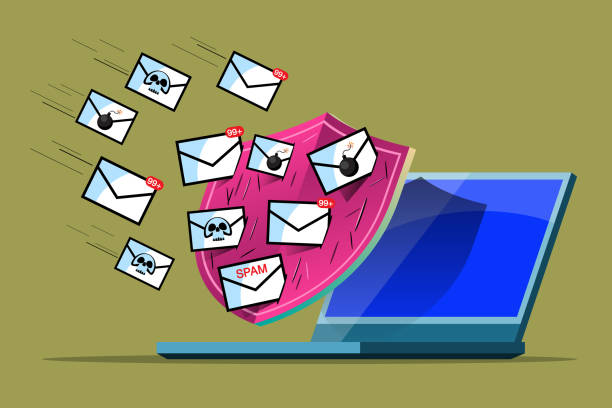

Cybersecurity used to be something many small businesses associated with large banks, governments and multinational corporations. Today, that way of thinking can leave a business exposed.
A small business may not have thousands of employees or millions of customers, but it can still hold valuable information, operate a website, manage business email, process payments, store customer records and depend on digital systems every day. If those systems are compromised, the consequences can extend far beyond a temporary technical problem. A hacked website can damage a company’s reputation. A compromised email account can expose confidential conversations. Malware can disrupt operations. A successful attack against an online store can affect both revenue and customer trust.
The good news is that cybersecurity does not have to begin with an enormous budget or a complicated security department. It begins with understanding what needs to be protected and putting sensible protections in place.
At Tremhost, we believe cybersecurity should be part of the foundation of a modern business rather than something added after an incident. Our philosophy is simple: Assume Nothing. Trust Nothing. Recover From Everything.
That philosophy starts with knowing where your business is vulnerable.
Start With Your Digital Assets
Before protecting something, you need to know that it exists.
Many businesses have more digital assets than they realise. There may be a company website, domain name, business email accounts, cloud storage, social media accounts, online payment platforms, customer databases, accounting software, employee laptops, mobile devices and third-party applications.
Each one can become part of the company’s attack surface.
A forgotten website account, an old administrator login or an employee’s unused account can create unnecessary risk. The first step in cybersecurity is therefore to create a clear picture of the systems your business depends on.
You cannot properly secure an environment you do not understand.
Protect Your Domain
Your domain is one of the most important assets associated with your digital identity.
It may point to your website, power your professional email and connect customers to your business online. If someone gains unauthorised control of your domain, the consequences can be serious.
Businesses should ensure that their domain accounts use strong, unique passwords and appropriate account protection. Domain management should be restricted to authorised people, and registration information should be kept accurate.
Your domain should be treated with the same seriousness as other important business assets.
It is not simply an address.
It is part of your company’s identity.
Secure Your Business Email
Email is one of the most important communication systems in almost every organisation, which also makes it an attractive target.
A compromised business email account can potentially expose confidential conversations, invoices, customer information, passwords and internal documents. Attackers may also use a compromised account to impersonate the company and send convincing messages to customers or suppliers.
Businesses should therefore protect email accounts with strong passwords and multi-factor authentication where supported. Access should be limited to people who actually need it, and employees should be trained to recognise suspicious messages.
Email authentication is also important for businesses operating their own domain. Technologies such as SPF, DKIM and DMARC help establish legitimate sending infrastructure and can reduce certain forms of domain impersonation and email abuse.
Cybersecurity is not simply about stopping viruses.
Sometimes the biggest threat arrives in an email that looks completely legitimate.
Teach Employees to Recognise Phishing
Technology can block many threats, but people remain an important part of cybersecurity.
Phishing attacks attempt to convince people to reveal information, click malicious links, open dangerous attachments or transfer money. Modern phishing messages can be surprisingly convincing and may appear to come from colleagues, banks, suppliers, customers or senior executives.
The answer is not to expect employees to become cybersecurity experts.
It is to create a culture where people know how to pause and verify unusual requests.
A request to change bank details should be verified through an appropriate channel. An unexpected password-reset message should be treated cautiously. A message demanding immediate action should not automatically be trusted simply because it appears urgent.
The strongest security culture is one where employees understand that asking a question is better than causing a security incident.
Keep Your Website Updated
Your website is another part of your cybersecurity environment.
This is particularly important for websites built using content management systems such as WordPress. The core software, themes and plugins need to be maintained because vulnerabilities can be discovered over time.
An outdated plugin may contain a security weakness. An old theme may introduce another vulnerability. An unsupported software component may no longer receive security updates.
Keeping everything updated does not guarantee that a website can never be compromised, but it reduces exposure to known vulnerabilities.
Website maintenance should therefore be considered part of cybersecurity rather than merely an administrative task.
Use SSL and HTTPS
When customers visit your website, they should see a secure HTTPS connection.
SSL/TLS encryption helps protect information transmitted between a visitor’s browser and your website. This becomes especially important when users submit forms, log into accounts or provide other information.
Modern browsers also make it increasingly obvious when a website does not use a secure connection.
For businesses, HTTPS should be treated as a basic requirement rather than an optional feature.
It is one of the foundational layers of a professional website.
Do Not Rely on One Security Layer
One of the most dangerous assumptions a business can make is believing that one security product will protect everything.
Cybersecurity works best as a layered approach.
A website firewall can help filter malicious traffic. Malware protection can identify certain threats. Secure authentication can protect accounts. Software updates can reduce exposure to known vulnerabilities. Backups can help with recovery. Monitoring can help identify suspicious activity.
Each layer addresses a different part of the problem.
This is why cybersecurity should not be reduced to a single product.
A secure business environment is built from multiple protections working together.
Back Up Your Business Data
One of the most important cybersecurity principles is also one of the simplest: have a recovery plan.
Businesses should maintain appropriate backups of important data and ensure those backups can actually be restored.
A backup that exists but cannot be recovered when needed is not much use during a crisis.
Businesses should think about what would happen if a website were deleted, a database became corrupted, files were encrypted by malware or an important system suddenly became unavailable.
How quickly could the business recover?
How much information could be restored?
Who would be responsible for recovery?
Where are the backups stored?
These questions should be answered before an incident occurs.
Recovery is part of cybersecurity.
Protect Your Website From Malware
Malware can affect websites in different ways.
A compromised website may redirect visitors to malicious pages, display unwanted content, distribute malware or become part of a larger attack campaign.
The damage is not limited to the website itself.
If Google detects malicious behaviour, the website’s visibility can be affected. Customers may receive browser warnings. The company’s reputation can suffer.
Website security solutions can help detect and prevent different types of malicious activity, but businesses should also maintain good security practices around administrator accounts, software updates and backups.
A website should be protected before there is evidence of an attack, not only after something goes wrong.
Consider a Web Application Firewall
A Web Application Firewall, commonly known as a WAF, is designed to inspect web traffic and help block certain malicious requests before they reach an application.
For businesses operating websites, online stores or web applications, a WAF can provide another layer of defence against common web-based attacks.
It is not a magic shield, and it should not replace secure development or good administration.
But as part of a layered security strategy, it can become an important component of website protection.
This is particularly relevant for businesses whose websites have become central to their operations.
Protect Against DDoS Attacks
Distributed Denial-of-Service attacks attempt to overwhelm an online service with large amounts of traffic or requests, potentially making the service difficult or impossible for legitimate visitors to access.
For a business that depends heavily on its website, downtime can quickly become a commercial problem.
DDoS protection can help absorb or filter malicious traffic and keep legitimate requests flowing.
Again, no single technology solves every cybersecurity problem, but DDoS protection can form an important part of a broader website security strategy.
Be Careful With Administrator Accounts
The more people who have administrative access, the more opportunities there are for credentials to be compromised.
Businesses should review who has access to websites, hosting control panels, email systems and other important services.
Employees who no longer need access should have their privileges removed.
Unused accounts should not simply remain active forever.
Administrative access should also be limited to the people who genuinely require it.
The principle is simple: give people the access they need, not the access they don’t.
Secure the Devices Your Employees Use
Your website may be well protected, but what happens if an employee’s laptop becomes compromised?
Business security extends beyond servers.
Computers and mobile devices used to access business systems should be kept updated and protected with appropriate security software. Employees should use screen locks and strong authentication, and sensitive company information should not be casually transferred to unknown devices or services.
Remote work makes this even more important.
An employee accessing company email from a laptop at home is still part of the company’s digital environment.
The office may have walls and doors.
Your digital business does not.
Do Not Ignore Your Hosting Environment
A website’s security is influenced by more than the website’s own code.
The underlying hosting environment matters too.
Server-level security, account isolation, malware protection, firewall systems, operating system updates, resource controls and monitoring can all contribute to the security of hosted websites.
This is one reason businesses should consider hosting as part of their cybersecurity strategy.
Choosing a hosting provider should not be based entirely on storage space and price.
Businesses should also ask what happens when something goes wrong.
How are accounts isolated?
How are servers protected?
How are malware threats handled?
Are backups available?
What happens during an attack?
How quickly can a compromised environment be recovered?
These questions can reveal far more about a hosting provider than the size of a storage package.
Have a Plan for When Something Goes Wrong
Good cybersecurity is not based on the assumption that an attack will never happen.
It is based on reducing risk and preparing for the possibility that something will go wrong.
Imagine discovering that your website has been compromised on a Monday morning.
Who investigates?
Who has access to the hosting environment?
Who contacts the hosting provider?
How do you restore the website?
How do you determine what happened?
How do you communicate with customers if necessary?
How do you prevent the same incident from happening again?
Without a plan, businesses can lose valuable time during an incident.
With a plan, the response can be much more organised.
This is why recovery is such an important part of the Tremhost cybersecurity philosophy.
Assume Nothing. Trust Nothing. Recover From Everything.
Cybersecurity Is a Business Responsibility
It is tempting to think that cybersecurity belongs exclusively to the IT department.
In reality, security touches almost every part of an organisation.
Management decides which systems are used.
Employees interact with email and business applications.
Finance teams process payments.
Marketing teams manage websites and social media.
Developers maintain applications.
Customer service teams handle customer information.
Everyone plays a role.
Creating a secure business therefore requires more than purchasing security software. It requires policies, awareness, responsible access management and a willingness to take digital security seriously.
Small Businesses Can Build Security Step by Step
Cybersecurity can sound overwhelming when presented as a giant list of technologies.
It doesn’t have to be.
A small business can start by securing its most important accounts, protecting its domain, using professional email securely, keeping its website updated, installing SSL, maintaining reliable backups and ensuring that its hosting environment has appropriate security protections.
From there, the business can introduce stronger authentication, monitoring, firewalls, malware protection, DDoS protection and other security measures as its needs grow.
The goal is not to buy every security product available.
The goal is to understand your risks and build sensible protection around the systems your business depends on.
Building a More Secure Digital Business With Tremhost
At Tremhost, we see hosting, cloud infrastructure and cybersecurity as connected parts of the same digital environment.
A business may come to us because it needs a website. Another may need professional email. Another may need a VPS or dedicated server. Another may need help protecting an existing online operation.
Whatever the starting point, security needs to remain part of the conversation.
Our broader technology ecosystem includes web hosting, managed WordPress, professional business email, reseller hosting, VPS, managed VPS, dedicated servers, website design, e-commerce solutions, cloud infrastructure and cybersecurity services.
The objective is not simply to put your website online.
It is to help businesses build, operate, protect and grow online.
The 2026 Cybersecurity Mindset
The most secure business is not necessarily the one with the most expensive technology.
It is the one that understands what it needs to protect, takes sensible precautions, limits unnecessary access, prepares for incidents and knows how to recover.
Cybersecurity is no longer something businesses can postpone until they become large enough to need it.
Your business already has something worth protecting.
It may be your website.
It may be your customer information.
It may be your email.
It may be your intellectual property.
It may be your reputation.
It may simply be your ability to continue operating.
Protect those things before an incident forces you to think about them.
Because the question is no longer whether your business is online.
The question is whether your business is prepared for what can happen online.
Tremhost — Cutting-edge, Cost-effective, Cloud Solutions.