
Buying a new Smart TV in 2026 is exciting — the colours are richer, the operating systems are faster, and everything from streaming to gaming has become smoother than ever. But if you’re new to Smart TVs, the setup process can feel overwhelming. Between connecting to Wi-Fi, signing in to accounts, calibrating picture settings, and understanding the different platforms like Google TV, Samsung Tizen, LG webOS, Roku, and Amazon Fire TV, it can feel like you’re setting up a mini-computer.
This guide will walk you through every single step in a clear, simple, but deeply detailed way so that by the end, your TV will look better, sound better, run faster, and be safer to use. Whether you’re setting up your first Smart TV or upgrading from an older model, this 2026 guide will help you get the absolute best experience.
Unboxing and Choosing the Perfect Spot
The setup journey begins long before you ever press the power button. When you unbox your TV, do it slowly and carefully — modern displays are incredibly thin and can be damaged easily if lifted incorrectly. Place all accessories aside: the stand, remote, screws, manuals, and cables.
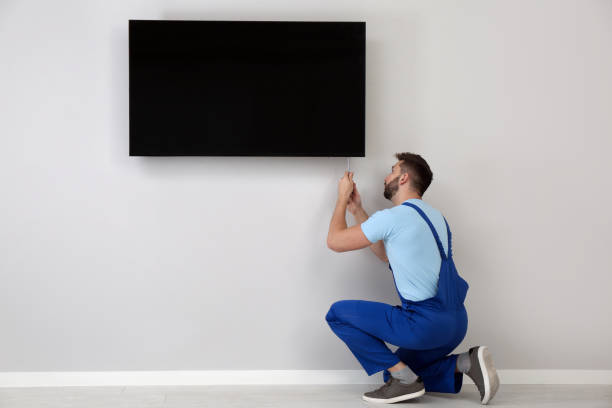
Before mounting or placing your TV, take a moment to assess your room. In 2026, TVs are designed to offer the best picture when the screen is at eye level while you’re seated. Measure the distance between your couch and the TV stand or wall. Ideally, the center of the screen should align with your eyes, and the viewing distance should be comfortable — not too close, not too far. Lighting matters as well; try to position the TV opposite windows to reduce glare. If you plan to wall-mount, use a sturdy mount and secure it properly into studs or solid walls. Always avoid flimsy or cheap mounts that may not support the weight of the TV.
Power and Internet: The Foundation of a Smart TV
A Smart TV is only as smart as its internet connection. In 2026, most modern TVs support both 2.4GHz and 5GHz Wi-Fi bands, but if your router is a few meters away, 5GHz will give you faster speeds and more stable streaming. If your router is far from the TV or you live in a large house, consider using a mesh Wi-Fi system or powerline adapters to improve coverage. For the best possible performance, especially for 4K/8K streaming, gaming, or live sports, an Ethernet cable is still the gold standard.
Don’t forget about power protection. With many regions still experiencing unstable electricity, a surge protector or UPS is essential to protect your TV from sudden voltage spikes. Once your TV is plugged in and safely powered, you’re ready for the first boot.
First Power-Up: The Guided Setup Experience
When you switch on your TV for the first time, you’ll be welcomed with a setup wizard. This step-by-step assistant will guide you through selecting your language, connecting to the internet, and agreeing to privacy settings. In 2026, Smart TVs are more privacy-conscious than before, giving you options to disable data tracking or personalized advertising. Although many people click “accept all,” it’s worth taking a minute to read and adjust these settings according to your comfort.
After connecting to the internet, your TV may prompt you to update its firmware. Always do this immediately. Firmware updates improve performance, add new features, and fix bugs — skipping them can cause future issues.
Understanding Your Smart TV Platform
Different brands use different operating systems, and knowing yours makes everything smoother.
Google TV / Android TV (Sony, TCL, Hisense, etc.)
If you have a Google TV, you’ll be asked to sign in with a Google account. This gives you access to the Play Store, apps, voice control, and personalized recommendations. You can log in directly on the TV or use your phone to speed up the process.
Samsung Tizen
Samsung TVs use the Tizen OS, which requires a Samsung account for full features. You can install apps, use SmartThings for smart home control, and access exclusive Samsung services.
LG webOS
LG’s webOS is known for its smooth interface and beautiful UI. Logging into your LG account lets you save settings, install apps, and use ThinQ smart home features.
Roku TV
Roku remains a favorite for simplicity. Setup involves linking the TV to your Roku account using a code. You can then install channels through your phone or computer.
Amazon Fire TV Edition
Fire TV Edition sets use Amazon’s ecosystem. You’ll log in with your Amazon account, giving you access to Prime Video, Alexa voice control, apps, and skills.
Whatever your platform, take time to explore the app store and install the essential apps you’ll use daily — Netflix, YouTube, Disney+, Showmax, Prime Video, and local streaming apps.
Picture Quality: Unlocking the Best Image
Most people never adjust their picture settings beyond the default, which is unfortunate because TV manufacturers design their default modes to look bright in showrooms, not at home. In 2026, TVs come with advanced AI-driven picture tuning features, but manual adjustments can still dramatically improve your viewing experience.
Start by selecting your picture mode. Movie or Cinema mode provides the most natural and accurate colours. If you play games, switch to Game Mode for lower input lag. Avoid modes like “Dynamic” or “Vivid” unless you’re in a very bright room.
Adjust the backlight depending on your room lighting. Lower it at night and increase it during the day. Reduce sharpness — high sharpness introduces artificial edges that ruin the picture. If your TV supports motion smoothing, turn it off if you dislike the “soap opera” effect.
Taking a few minutes to calibrate your picture results in richer colours, deeper blacks, smoother motion, and an overall lifelike experience.
Sound Settings: TV Audio vs. Soundbar
Most modern TVs look beautiful but have thin speakers. If you want cinematic sound, a soundbar is a must. In 2026, many TVs and soundbars support eARC (Enhanced Audio Return Channel), which ensures higher-quality audio like Dolby Atmos. Connecting your soundbar to the HDMI eARC port will give you the best performance.
If you prefer using the TV speakers, adjust the sound mode. Dialogue-enhancing modes help speech sound clearer, while Movie Mode enhances bass and surround effects. Some TVs allow room calibration using built-in microphones or your smartphone to fine-tune audio according to your room shape.
Installing Apps and Managing Accounts
Now that your TV is calibrated, install all the apps you need. Most platforms allow easy login using your phone, QR codes, or even automatic device linking. If multiple family members use the TV, consider setting up profiles in apps that support them. This creates personalized recommendations and keeps kids away from inappropriate content.
If you’re privacy-conscious or don’t want the TV linked to your personal accounts, you can even create a dedicated “TV-only” Google, Samsung, or Amazon account. This keeps your main data separate and makes it easier to manage logins.
Smart Home Integration in 2026
Smart TVs are now central hubs for smart homes. Whether you use Google Assistant, Alexa, Siri (via Apple Home support in newer TVs), Samsung SmartThings, or LG ThinQ, connecting your TV to your smart home ecosystem opens a world of automation.
You can dim lights when a movie starts, turn off devices at bedtime, or ask your TV to show your security camera feed. Voice control has also become more accurate in 2026, allowing natural commands like “Show me action movies” or “Switch to HDMI 1.”
Privacy and Security: A Must-Do Step
In a connected world, security matters. After setup, go to your TV’s privacy settings and disable any tracking features you don’t need. Turn off ad personalization if you prefer not to have your viewing habits tracked. Enable two-factor authentication (2FA) on your Google, Amazon, or Samsung account to prevent unauthorized access.
If visitors often connect to your Wi-Fi, consider placing your TV on a guest network or IoT network through your router. This isolates it from your private devices and adds an extra layer of protection.
Troubleshooting: Solving Common Issues
Even with perfect setup, you may run into small hiccups. Slow streaming usually means weak Wi-Fi — switch to Ethernet if possible, or place your router closer. If apps freeze, restart the TV or clear cached data. If audio is out of sync, adjust lip-sync settings or check your HDMI cable.
Fortunately, TVs in 2026 come with better self-diagnostic tools that guide you through solutions quickly.
Final Thoughts: Your Smart TV is Now Truly Smart
Setting up a Smart TV isn’t just about turning it on — it’s about unlocking its full potential. With this 2026 guide, your TV should now look better, sound better, run smoother, and interact seamlessly with your home. Whether you’re watching movies, streaming sports, playing games, or controlling smart devices, your setup is now optimized for the best experience.