



If you’ve ever thought, “I want a website,” you’ve probably run into two terms almost immediately: domain name and web hosting. A domain is your website’s address (like yourname.com). Web hosting is the behind-the-scenes service that makes your website actually exist on the internet.
In this beginner-friendly guide, I’ll explain web hosting in plain English—what it is, how it works, the different types, what you actually need as a beginner, and how to choose a host without getting overwhelmed.
Web Hosting (In Simple Terms)
Web hosting is a service that stores your website’s files and makes them accessible to people online.
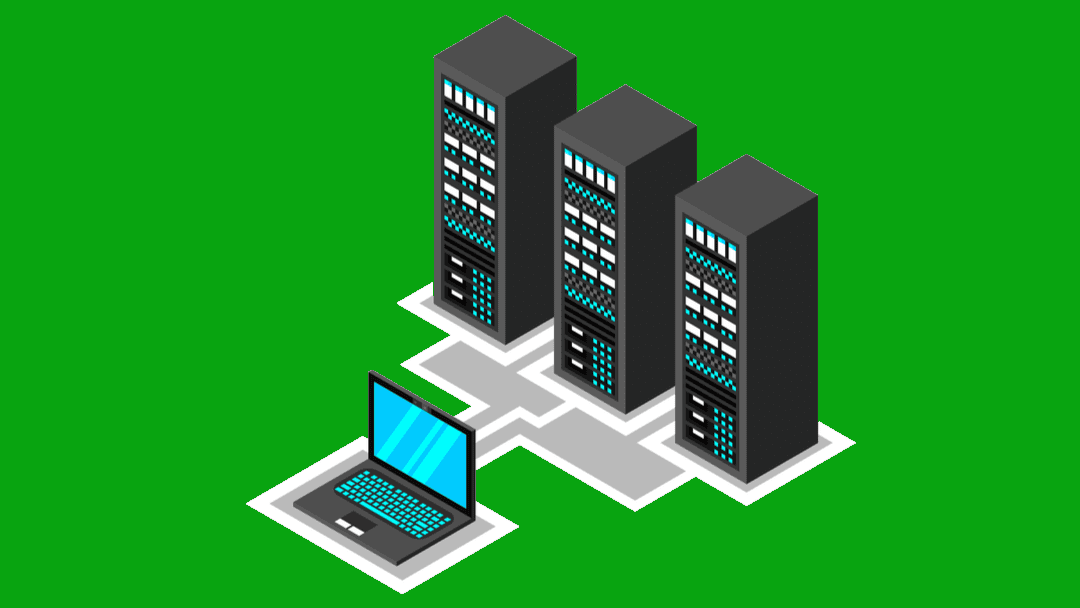
A website is made up of files—text, images, videos, code, fonts, and more. Those files need to live somewhere. Web hosting provides a computer (called a server) that’s connected to the internet 24/7, so when someone types your domain into a browser, the server can deliver your site to them.
A quick analogy (because it helps)
Think of it like this:
- Your website = your house (the stuff people see)
- Your domain name = your street address (how people find it)
- Web hosting = the land + utilities (where your house sits and how it’s kept running)
- Server = the actual physical building where lots of “houses” (websites) live
Without hosting, your website files would be sitting on your laptop—meaning only you could see them.
How Web Hosting Works (Step-by-Step)
Here’s what happens when someone visits your website:
- They type your domain name (like
mycoolsite.com) into their browser. - The browser asks the internet, “Where does this domain live?”
This is handled by DNS (Domain Name System)—basically the internet’s phone book. - DNS points the browser to your web hosting server.
- The server sends the website files back to the browser.
- The browser displays your website as a page people can read and click.
All of that happens in seconds—often faster than you can blink.
What Exactly Are “Servers”?
A server is just a powerful computer designed to:
- store website files
- run website software (like WordPress)
- respond to visitors quickly
- stay online constantly (with backups and security features)
Servers usually sit in secure facilities called data centers, where they’re protected, cooled, monitored, and connected to strong internet lines.
Domain vs. Hosting: What’s the Difference?
This is a common beginner confusion, so let’s clear it up.
Domain name
- Examples:
google.com,wikipedia.org,yourbrand.com - You rent it (usually yearly)
- It’s just an address—it doesn’t store your website
Web hosting
- Stores your site files (and databases)
- Keeps your site online and accessible
- You pay monthly or yearly
You usually need both to run a typical website.
Types of Web Hosting (And Who They’re For)
Not all hosting is the same. Different websites have different needs, and hosts offer several “levels” of hosting depending on performance and control.
1) Shared Hosting (most common for beginners)
Shared hosting means your website shares a server with many other websites.
- Pros: cheapest, easy setup, beginner-friendly
- Cons: can be slower if other sites use lots of resources, less control
- Best for: personal blogs, small business sites, portfolios, simple WordPress sites
If you’re just getting started, shared hosting is often enough.
2) VPS Hosting (Virtual Private Server)
A VPS is still on a shared physical server, but your website gets a “reserved slice” of resources.
- Pros: more power and reliability, better performance
- Cons: costs more, can require technical know-how
- Best for: growing sites, medium traffic, developers, businesses needing consistency
Think of it like moving from sharing a dorm room to having your own small apartment.
3) Dedicated Hosting
With dedicated hosting, you rent an entire server just for your website.
- Pros: maximum performance and control
- Cons: expensive, technical management often required
- Best for: high-traffic websites, large businesses, custom applications
This is “owning the whole house,” not sharing with anyone else.
4) Cloud Hosting
Cloud hosting uses a network of servers instead of a single machine. Your site can pull resources from multiple servers, which can help with stability.
- Pros: scalable, reliable, handles traffic spikes well
- Cons: pricing can be confusing, can get expensive as you scale
- Best for: sites that grow fast, ecommerce, apps, unpredictable traffic
If your traffic spikes (say you go viral), cloud hosting is often better at handling it.
5) Managed WordPress Hosting
This is hosting built specifically for WordPress where the hosting company handles a lot of the technical maintenance.
- Pros: fast WordPress performance, automatic updates, security, backups, support that understands WP
- Cons: more expensive than basic shared hosting, less flexibility sometimes
- Best for: people who want WordPress without the hassle
If you want WordPress and you don’t want to become “the website maintenance person,” this is worth looking at.
What Web Hosting Usually Includes
Most web hosting plans include some combination of:
Storage
How much space you get for website files (images, pages, etc.). Many beginner sites don’t need much at first.
Bandwidth
How much data your site can transfer to visitors. Higher traffic = more bandwidth needed.
Email hosting (sometimes)
Some hosts include custom email like hello@yourdomain.com. Others don’t (or charge extra).
SSL certificate
SSL is what gives you https:// and a padlock icon in the browser. It’s essential for security and trust.
Backups
Automatic backups are your safety net. If something breaks, backups can save you.
Databases
If you’re using WordPress or another CMS, you’ll need a database to store content.
Support
Good support matters more than most people realize—especially when you’re new.
What Beginners Actually Need (Without Overbuying)
If you’re launching your first blog, portfolio, or small business website, you usually want:
- Shared hosting or managed WordPress hosting
- Free SSL
- Automatic backups
- One-click WordPress install (if you’re using WordPress)
- Decent support (chat support helps a lot)
- Clear pricing (watch out for renewal price jumps)
You don’t need a dedicated server for a new website. You just don’t. That’s like renting a stadium to host a birthday party.
Key Terms You’ll See When Buying Hosting (Decoded)
Hosting pages love jargon. Here are the big ones translated:
- Uptime: how often your site is online (aim for 99.9%+)
- CDN (Content Delivery Network): a network of servers that speeds up your site for visitors around the world
- Caching: storing a “ready-to-load” version of your site for faster performance
- Control Panel (cPanel or similar): a dashboard where you manage your hosting
- PHP/MySQL: common technologies used by WordPress and many websites
- Staging site: a private test version of your website to try changes safely
How to Choose a Web Host (A Beginner Checklist)
Here’s a simple way to decide:
1) Know what you’re building
- Blog or portfolio? Shared hosting is fine.
- WordPress website? Consider managed WordPress hosting.
- Online store? You’ll want stronger performance and security features.
2) Look for these essentials
- Free SSL
- Backups (daily is ideal)
- Good reviews for support
- Easy WordPress setup (if applicable)
- Clear renewal pricing
3) Don’t get trapped by “unlimited everything”
“Unlimited” often has limits hidden in the fine print (like resource caps). It can still be fine—just don’t assume it’s truly unlimited.
4) Pay attention to renewal price
A plan might be cheap for the first year and double (or triple) later. That doesn’t always mean it’s bad—just go in with eyes open.
Common Beginner Mistakes to Avoid
- Buying the most expensive plan right away
Start small. You can upgrade later. - Ignoring backups
Backups are boring… until they’re lifesaving. - Choosing a host only because it’s cheap
A $2/month host with unreliable uptime can cost you more in stress than it saves in money. - Forgetting SSL
No HTTPS looks sketchy and can hurt trust (and SEO). - Not checking if email is included
If you needyou@yourdomain.com, confirm it’s part of the plan.
Do You Need Web Hosting If You Use Website Builders?
Sometimes, no—because the hosting is bundled in.
If you use platforms like Wix, Squarespace, or Shopify, hosting is typically included in the subscription. You still might need a custom domain, but you don’t usually buy separate hosting.
If you build a website using WordPress.org (self-hosted WordPress), you do need separate hosting.
Quick Summary: Web Hosting in One Paragraph
Web hosting is the service that stores your website on a server and delivers it to visitors when they type your domain into a browser. Without hosting, your website can’t be accessed online. Beginners typically start with shared hosting or managed WordPress hosting, focusing on essentials like SSL, backups, and reliable support, and then upgrade as their site grows.