
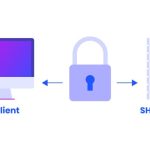

Secure Shell (SSH) is a critical tool that every server administrator should be familiar with. SSH allows secure access to a server over an unsecured network, providing a robust set of features that enable administrators to manage their servers efficiently and securely. This beginner’s guide aims to provide a comprehensive introduction to SSH and how it can be used to manage a server. Whether you’re setting up SSH for the first time or looking to refine your understanding, this guide will cover the essential aspects you need to know.
Understanding SSH and Its Importance
SSH, or Secure Shell, is a network protocol that provides administrators with a secure way to access a remote computer. Primarily, SSH is used for managing servers and communicating with them securely over an insecure network. The protocol encrypts the data transmitted, ensuring that sensitive information remains confidential and protected from potential interceptors. This is particularly vital in today’s digital age where data breaches and cyber threats are common.
The importance of SSH cannot be overstated. It not only provides a secure environment for conducting server maintenance and performing critical updates but also safeguards the administration of systems over the internet. Without SSH, managing servers remotely would pose significant risks, including the exposure of administrative credentials and the manipulation of sensitive data. Moreover, SSH serves as a vital tool for a wide range of tasks from simple file transfers to remote software installation and system troubleshooting.
Furthermore, SSH is versatile and supports various authentication methods, including passwords, public key authentication, and digital certificates, enhancing security levels. This flexibility allows users to choose the most appropriate security measures according to their needs. SSH also includes features like SSH keys, which are nearly impossible to decipher through brute force attacks, making it an extremely secure method of remote server management.
Setting Up SSH on Your Server and PC
Setting up SSH on your server begins with the installation of the SSH server software, which is available on most modern operating systems via their respective package management systems. For example, on Ubuntu, you can install the SSH server using the command sudo apt-get install openssh-server. This command installs all the necessary packages and automatically starts the SSH service on your server.
Once the server side is configured, you need to set up your PC to initiate an SSH connection. If you are using a Windows PC, you might need to install an SSH client like PuTTY or use the built-in Windows SSH client in the command prompt or PowerShell. For macOS or Linux users, the SSH client is typically included by default. You can connect to your server using a command in the terminal like ssh username@server_ip_address, replacing "username" with your actual server username and "server_ip_address" with the actual IP address of your server.
The final step involves securing your SSH setup. Changing the default SSH port from 22 to a non-standard port can help reduce the risk of automated attacks. Additionally, configuring public key authentication instead of password authentication enhances security, as it requires someone to have the private key corresponding to the public key stored on the server. Regularly updating your SSH software also helps protect against vulnerabilities that could be exploited by attackers.
SSH is an indispensable tool for managing servers securely, especially when dealing with remote systems. By understanding the fundamentals of SSH and setting it up correctly on your server and PC, you can ensure a secure and efficient administration of your server resources. Remember, the security of your server is only as strong as the measures you put in place, so take the time to configure SSH properly and keep it updated. With this guide, beginners can confidently start managing their servers using SSH, knowing they are adhering to best practices in server security and administration.

