

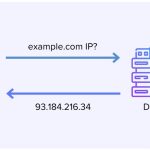

DNS (Domain Name System) problems can significantly impact the accessibility and performance of applications hosted on cloud servers. When DNS issues arise, it can lead to website downtime, slow load times, and other connectivity problems that affect user experience. Troubleshooting DNS issues is a critical skill for network administrators, developers, and IT teams to ensure their online services remain operational and efficient. This article provides an overview of common DNS issues encountered on cloud servers and a step-by-step guide to diagnosing and resolving these issues effectively.
Common DNS Issues on Cloud Servers
DNS issues on cloud servers can manifest in several ways, each affecting how end-users access cloud services. One frequent issue is DNS propagation delays, where recent changes to DNS records take longer than expected to update across the internet. This delay can cause connectivity issues or direct traffic to old server IP addresses. Another common problem is misconfigured DNS records. Incorrectly set A, CNAME, MX, or TXT records can lead to service disruptions and misdirected emails. Moreover, DNS server downtime, whether due to maintenance, misconfiguration, or malicious attacks like DDoS, can render all associated services inaccessible, leading to significant downtime and potential revenue loss.
Step-by-Step DNS Troubleshooting Guide
When encountering a DNS issue, the first step is to verify that the DNS records are correctly configured. Use tools like nslookup or dig to query DNS records and ensure they match the intended configurations. If discrepancies are found, log into your DNS provider’s management console and update the records accordingly. The second step involves checking for propagation. After updating DNS records, it can take up to 48 hours for changes to propagate fully. Tools such as whatsmydns.net can help you track the status of DNS propagation across different regions globally.
If the DNS records and propagation status are as expected, but issues persist, it’s advisable to test the DNS server’s responsiveness. Using the ping command, you can check the response time of your DNS servers. Excessive latency or loss of packets might indicate network issues or server overload. Additionally, reviewing server logs can provide insights into any ongoing DNS attacks or operational errors. If all internal checks are clear but problems continue, contacting your DNS hosting provider or consulting with a network specialist might be necessary to delve deeper into the server or network configuration issues.
Effectively troubleshooting DNS issues on cloud servers is crucial for maintaining the stability and reliability of cloud-based applications and services. By understanding common DNS problems and following a systematic approach to diagnosing and resolving issues, IT professionals can minimize downtime and ensure a seamless experience for end-users. Remember, maintaining regular backups of DNS records and having a clear understanding of your DNS setup can expedite the troubleshooting process and prevent future occurrences. Always stay proactive and prepared to tackle DNS challenges in the dynamic environment of cloud computing.

