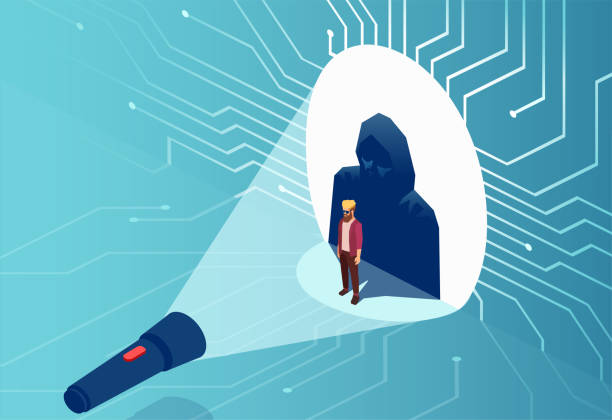

Every website connected to the internet is a potential target for cyberattacks. Whether you run a personal blog, a startup website, an eCommerce store, a SaaS platform, or a global enterprise, attackers are constantly scanning the web for vulnerabilities they can exploit.
One of the biggest misconceptions about cybersecurity is that hackers only target large organizations. In reality, automated attacks don’t discriminate. Bots continuously search millions of websites looking for outdated software, weak passwords, exposed databases, unsecured login pages, and vulnerable plugins. Many attacks happen without a human ever selecting a specific target.
The consequences can be severe. A compromised website may lose customer trust, suffer downtime, expose sensitive information, experience lower search engine rankings, or even be removed from search results altogether. Recovering from a security incident often costs far more than preventing one.
The good news is that most successful attacks exploit common weaknesses that can be addressed with good security practices. Website security isn’t about a single tool—it’s about creating multiple layers of protection that work together.
This guide explains the most important threats facing modern websites, the best practices for defending against them, and the practical steps every website owner should take to reduce risk.
Why Website Security Matters
A secure website protects far more than your files.
It protects your reputation, customer confidence, business continuity, search engine visibility, and revenue.
If attackers gain access to your website, they may:
- Deface your pages.
- Steal customer information.
- Inject malicious code.
- Send spam from your domain.
- Install malware.
- Redirect visitors to fraudulent websites.
- Encrypt your files and demand payment.
- Damage your search engine rankings.
For many businesses, even a few hours of downtime can result in lost sales and long-term reputational damage.
The Most Common Cyber Threats
Understanding the risks is the first step toward reducing them.
Malware
Malware is malicious software designed to disrupt operations, steal information, or gain unauthorized access.
Infected websites may begin redirecting visitors, displaying spam, or distributing harmful software without the owner’s knowledge.
Brute Force Attacks
Attackers use automated software to repeatedly guess usernames and passwords until they gain access.
Weak or reused passwords make these attacks significantly more likely to succeed.
SQL Injection
Poorly secured web applications may allow attackers to manipulate database queries.
Successful SQL injection attacks can expose sensitive customer information or modify website data.
Cross-Site Scripting (XSS)
XSS vulnerabilities allow attackers to inject malicious scripts into webpages viewed by visitors.
These attacks may steal cookies, impersonate users, or manipulate website content.
Distributed Denial-of-Service (DDoS)
A DDoS attack floods a website with enormous amounts of traffic in an attempt to overwhelm its infrastructure.
Without adequate protection, legitimate visitors may be unable to access the website.
Phishing
Cybercriminals frequently create fake websites or emails designed to trick users into revealing passwords or financial information.
Businesses with recognizable brands are particularly attractive targets.
Essential Website Security Measures
Security is strongest when multiple protective layers work together.
Use HTTPS Everywhere
An SSL certificate encrypts communication between visitors and your website.
HTTPS protects sensitive information while improving visitor trust and supporting technical SEO.
Keep Software Updated
Outdated software remains one of the leading causes of website compromises.
Regularly update:
- WordPress
- Themes
- Plugins
- CMS platforms
- Server software
- PHP versions
Updates often include important security patches.
Use Strong Passwords and Multi-Factor Authentication
Passwords should be:
- Long
- Unique
- Random
- Stored in a password manager
Whenever available, enable Multi-Factor Authentication (MFA) to provide an additional layer of protection.
Install a Web Application Firewall (WAF)
A Web Application Firewall filters malicious requests before they reach your website.
A properly configured WAF can block many automated attacks, exploit attempts, and malicious bots.
Back Up Your Website Regularly
No security strategy is complete without reliable backups.
Maintain multiple backup copies and store them separately from your live website.
Regularly test your restoration process to ensure backups work when needed.
Limit User Permissions
Not every team member requires full administrative access.
Grant only the permissions necessary for each role.
Following the principle of least privilege reduces the potential impact of compromised accounts.
Website Security Checklist
Use this checklist to strengthen your website today:
✅ Enable HTTPS.
✅ Keep software updated.
✅ Use strong passwords.
✅ Enable MFA.
✅ Install a firewall.
✅ Scan for malware regularly.
✅ Schedule automatic backups.
✅ Monitor server logs.
✅ Remove unused plugins.
✅ Disable unnecessary services.
✅ Restrict administrator accounts.
✅ Test backups regularly.
Myth vs. Fact
| Myth | Fact |
|---|---|
| Small websites are never targeted. | Automated attacks target websites of every size. |
| SSL alone makes a website secure. | SSL encrypts data but doesn’t stop malware or hacked accounts. |
| Strong passwords are enough. | MFA and layered security significantly improve protection. |
| Backups prevent attacks. | Backups help you recover—they don’t stop attacks from happening. |
| Security is a one-time task. | Website security requires continuous monitoring and maintenance. |
Expert Tips
Use Security Plugins Wisely
Installing several security plugins often creates conflicts.
Choose reputable solutions that provide comprehensive protection instead of stacking multiple overlapping tools.
Remove Unused Software
Inactive plugins, themes, and applications can still contain vulnerabilities.
If you don’t need them, uninstall them completely.
Monitor Your Website
Regular monitoring helps identify unusual activity before it becomes a major incident.
Early detection dramatically reduces recovery time.
Common Security Mistakes
Many website compromises occur because of avoidable errors.
Common mistakes include:
- Reusing passwords.
- Ignoring updates.
- Forgetting backups.
- Using pirated themes or plugins.
- Leaving default administrator usernames unchanged.
- Giving too many users administrative access.
- Ignoring security alerts.
- Failing to monitor website activity.
Good habits are often your strongest defense.
Frequently Asked Questions
Can a small business website really be hacked?
Yes.
Most attacks are automated and scan the internet for vulnerabilities rather than targeting specific companies.
Does HTTPS stop hackers?
No.
HTTPS encrypts communication but should be combined with firewalls, malware protection, updates, backups, and strong authentication.
How often should I back up my website?
The ideal frequency depends on how often your content changes.
High-traffic websites may require daily or even real-time backups, while smaller sites may only need weekly backups.
What should I do if my website is hacked?
Take the website offline if necessary, restore from a clean backup, change all passwords, investigate the cause, update vulnerable software, and perform a full security scan before bringing the website back online.
Key Takeaways
- Website security protects your business, customers, and reputation.
- Most successful attacks exploit common weaknesses.
- Security works best through multiple protective layers.
- Updates, backups, HTTPS, strong passwords, MFA, and monitoring should all be part of your security strategy.
- Prevention is significantly less expensive than recovery.
Why Tremhost Prioritizes Website Security
Website security isn’t an add-on at Tremhost—it’s a core part of our hosting platform.
Our infrastructure combines CloudLinux account isolation, LiteSpeed Enterprise Web Server, enterprise NVMe storage, Imunify360 malware protection, network firewalls, DDoS mitigation, free SSL certificates, proactive monitoring, and regular server maintenance to create multiple layers of defense for customer websites.
We also understand that technology alone isn’t enough. That’s why we focus on providing reliable hosting backed by knowledgeable support, helping customers build secure websites from the ground up rather than reacting after problems occur.
Whether you’re hosting a personal portfolio, a growing online business, or mission-critical applications, our goal is to provide a secure, high-performance environment that lets you focus on your business with confidence.
Final Thoughts
Cybersecurity is no longer something only large enterprises need to consider. Every website connected to the internet faces potential threats, and attackers are becoming more sophisticated each year. Fortunately, many of the most common attacks can be prevented through a combination of good practices, modern hosting infrastructure, regular maintenance, and layered security.
Treat website security as an ongoing process rather than a one-time setup. By staying proactive, keeping your software updated, monitoring your website, and choosing a hosting provider that prioritizes security, you dramatically reduce your risk while protecting your visitors, your reputation, and your business.