
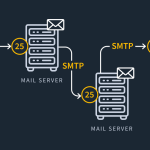

Contact forms are a vital component of many websites, providing a direct line of communication from visitors to the website owners. Integrating these forms with email through PHPMailer using SMTP (Simple Mail Transfer Protocol) can enhance the reliability and functionality of form submissions. In this article, we will guide you through the process of setting up PHPMailer for email integration and configuring SMTP to send form responses effectively. This tutorial aims to help web developers streamline their contact form responses and ensure they are delivered promptly and securely.
Setting Up PHPMailer for Email Integration
PHPMailer is a popular library that allows PHP applications to send email using SMTP among other protocols. The first step in setting up PHPMailer is to download the PHPMailer library from its official GitHub repository. This can be done by either cloning the repository or downloading a zip file and extracting it in your project directory. Once PHPMailer is included in your project, you need to require the PHPMailerAutoload.php file in your script to access its functions.
The next step involves creating an instance of the PHPMailer class and setting up the necessary parameters. This includes defining whether SMTP will be used, setting the host address of the SMTP server, and specifying the SMTP port. Typically, SMTP hosts will be something like smtp.gmail.com for Gmail or smtp.mail.yahoo.com for Yahoo Mail, and the common SMTP port used is 587, which supports TLS encryption.
Finally, authentication is required to connect to the SMTP server securely. This is done by setting the SMTPAuth to true in the PHPMailer instance and providing a username and password. These credentials will be the same as what you use to access your email account. It is important to ensure that these credentials are kept secure and not hard-coded directly in your scripts, especially in a production environment.
Configuring SMTP to Send Form Responses
Once you have PHPMailer set up, the next step is to configure it to send emails triggered by form submissions. Start by capturing the form data using PHP’s $_POST superglobal. Ensure that your form fields are correctly named and that your form submission is secure against common vulnerabilities like SQL injections and cross-site scripting (XSS).
In the PHPMailer configuration, specify the sender’s email address and optionally the name. This is usually the email address that visitors will see when they receive a response from the contact form. Then, set the recipient address to where you want the form responses to be sent, which could be your own business or personal email address. You can also add CC or BCC addresses if required.
Finally, format the email content by setting the email subject, body, and any attachments if necessary. The body of the email can be constructed using HTML for a more structured and styled message, allowing you to include the form responses in an easy-to-read format. Once all settings are configured, use the send() method of the PHPMailer object to send the email. It’s advisable to handle the potential exception that might be thrown if the email sending fails, allowing you to provide feedback to the user or log errors as needed.
Integrating contact forms with email using PHPMailer and SMTP is a robust way to ensure that messages from your website visitors are reliably delivered to your inbox. By following the steps outlined in this article, developers can set up a secure and efficient email delivery system that enhances the functionality of their websites. Whether you are managing a small personal blog or a large corporate website, mastering PHPMailer and SMTP configurations can significantly improve your communication strategies and help maintain good relations with your audience.

