
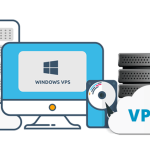


Accessing a Windows Virtual Private Server (VPS) remotely can enhance your productivity by allowing you to manage your server and run applications from anywhere in the world. This requires setting up a Remote Desktop connection, which is a built-in feature in many Windows operating systems. In this article, we will provide a detailed step-by-step guide on how to connect to your Windows VPS using Remote Desktop Protocol (RDP) and also address some common troubleshooting issues that might arise during the connection process.
Step-by-Step Guide to Access Windows VPS
Enable Remote Desktop: First, make sure that Remote Desktop is enabled on your Windows VPS. You can do this by navigating to ‘System Properties’ > ‘Remote’ tab, and then selecting the option to allow remote connections to your computer. For security, choose to allow connections only from computers running Remote Desktop with Network Level Authentication.
Gather VPS Information: Before you try to connect, you need the IP address or the domain name of your VPS, as well as the username and password that have been set up with administrative privileges on the server. This information is typically provided by your hosting provider when you set up the VPS.
Connect using Remote Desktop Connection: On your local Windows machine, open ‘Remote Desktop Connection’ from the Start menu or by running
mstsc.exe. In the window that opens, enter the IP address or domain name of your VPS in the ‘Computer’ field and click ‘Connect’. You will then be prompted to enter the username and password. After entering your credentials, you should be connected to your VPS desktop.
Troubleshooting Common Connection Issues
Network Issues: If you are unable to connect to your Windows VPS, the first thing to check is your internet connection. Ensure that both your local computer and the VPS have active internet connections. Additionally, verify that you are using the correct IP address or domain name for your VPS.
Firewall and Security Settings: Sometimes, firewalls or security settings on your VPS or local machine can block Remote Desktop connections. Ensure that your firewall is configured to allow Remote Desktop traffic (usually on TCP port 3389). Consult your VPS provider or firewall documentation for details on setting this up correctly.
Authentication Problems: If you are sure that your username and password are correct but still can’t connect, it could be an issue with Network Level Authentication (NLA). If you’re using an older version of Remote Desktop Client or your operating system does not support NLA, you might need to disable this requirement on your VPS. Be cautious with this step as it can make your system less secure.
By following the detailed steps provided, you should be able to successfully establish a Remote Desktop connection to your Windows VPS. Remember, the connectivity not only depends on the correct settings on your VPS but also on your local network and machine settings. If you face persistent issues, do not hesitate to contact your hosting provider’s support team for assistance. With these capabilities, you’re well on your way to efficiently managing your remote server and harnessing the full potential of your Windows VPS.

