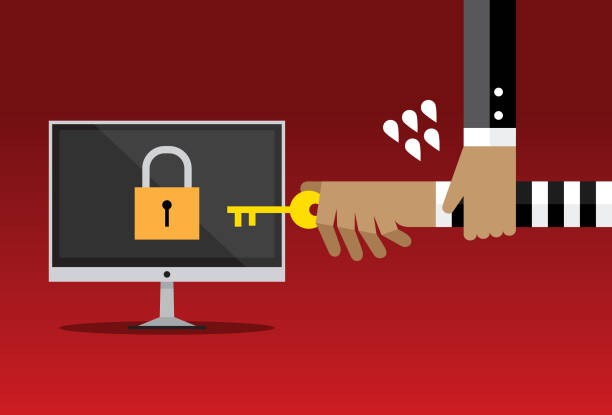

The moment a website owner discovers their site has been hacked, the first instinct for a lot of people is to reach for a free security plugin and try to fix it themselves. That instinct is understandable, a professional cleanup costs real money, and a free tool promising to scan and clean your site sounds like it solves the exact same problem for nothing. It’s worth understanding honestly what DIY tools actually do well, where they fall short, and what that gap genuinely costs you before deciding which route makes sense for your situation.
What a Free Security Plugin Actually Does
Free and low-cost security plugins, the kind available for WordPress and most major content management systems, genuinely do real, useful work. They scan your site’s files against a database of known malware signatures, flag suspicious code, and in many cases can automatically remove straightforward, well-recognised infections. For a lot of common, relatively basic malware, this works, and it’s a meaningful first line of defence that costs nothing beyond the time to install and run it. It’s also worth saying plainly that running one of these tools proactively, before any sign of a problem, is a genuinely good, low-cost habit, not something to dismiss just because it’s free.
Where DIY Tools Consistently Fall Short
The gap shows up specifically with anything beyond straightforward, signature-based infections. Automated scanning tools work by comparing your site’s code against a database of known malware patterns, which means they’re genuinely effective against malware that’s been seen before and catalogued. They’re considerably less effective against newer, customised, or deliberately obfuscated malicious code specifically designed to evade exactly this kind of pattern matching, which is precisely the kind of infection that tends to do the most damage, since it’s sophisticated enough to have avoided detection by basic tools in the first place.
Backdoors are the specific gap that causes the most repeat problems. A backdoor is a hidden piece of code that gives an attacker ongoing access back into your site, often planted specifically so the attacker can return even after the obvious, visible malware has been removed. A surface-level scan that finds and deletes the obvious infected files, without also hunting for and closing the backdoor that let the attacker in originally, leaves your site vulnerable to immediate reinfection, sometimes within days of the “cleanup,” which is a frustratingly common pattern for site owners who’ve relied purely on automated tools.
Blacklist removal is another area where DIY tools typically can’t help at all. Even after successfully cleaning the malicious code, getting your site removed from a search engine or spam blacklist is usually a separate manual process, submitting a reconsideration request, demonstrating the site is genuinely clean, and waiting for that review, which free plugins simply aren’t built to handle on your behalf.
The Real Cost of a DIY Cleanup That Doesn’t Fully Work
This is where the “free” framing becomes genuinely misleading. If a DIY cleanup misses a backdoor or doesn’t catch a more sophisticated piece of malware, the infection often returns, sometimes repeatedly, which means the actual cost isn’t zero, it’s your own time spent repeatedly running scans, researching what might have been missed, and troubleshooting a problem that keeps resurfacing instead of staying solved. For a business owner, that time has a real cost even when no invoice is being generated, time spent on cleanup is time not spent running the actual business, and a repeat infection often does further reputational and SEO damage each time it recurs.
There’s also a less obvious risk worth naming honestly: manually editing website files or database tables without fully understanding what you’re doing carries a real possibility of making things worse, accidentally breaking legitimate functionality while trying to remove what looks like malicious code, or deleting something that turns out to have been a necessary file. This isn’t a reason to never attempt DIY cleanup, but it’s a genuine risk that professional services are specifically trained to avoid.
What a Managed Security Service Actually Adds
A professional or managed security service addresses each of these specific gaps directly. Manual inspection by someone experienced in identifying customised or obfuscated malicious code catches infections that pattern-based automated scanning alone would miss. A thorough cleanup specifically includes hunting for and closing backdoors, not just removing the visible, obvious infection, which is precisely what prevents the frustrating pattern of repeat reinfection. Blacklist removal is typically handled as part of the service rather than left to you to navigate separately. And ongoing monitoring, where it’s included, catches a new infection within hours rather than days or weeks, which is consistently the single biggest factor in keeping cleanup straightforward and cheap rather than extensive and expensive.
A Practical Way to Decide Which Route Makes Sense
For a low-stakes personal site or blog with no sensitive data and no business depending on it, starting with a free security plugin for both prevention and a first attempt at cleanup is a perfectly reasonable choice, and the worst-case outcome of it not fully working is genuinely limited. For any site your business actually depends on, one generating leads, processing customer data, or representing your brand to the public, the calculation shifts considerably, because the hidden cost of a DIY cleanup that doesn’t fully resolve the problem, repeat infections, extended downtime, unresolved blacklisting, your own time spent troubleshooting repeatedly, routinely ends up exceeding what a professional cleanup would have cost in the first place, while also carrying ongoing risk the whole time it remains unresolved.
The most practical middle ground for a lot of small businesses is using free tools for day-to-day prevention and routine scanning, while having a managed security provider as the actual response plan the moment something more serious is detected, rather than attempting a full DIY cleanup on an infection you can’t yet tell is simple or sophisticated. Tremhost’s managed security plans are built around exactly this gap, combining the proactive prevention a free plugin offers with the manual, thorough cleanup, backdoor removal, and blacklist resolution that a DIY tool alone typically can’t deliver, specifically for the moment a straightforward scan isn’t enough to confirm a site is genuinely, fully clean.