Home Blog Page 354

Domain Name Best Practices: Tips for Choosing and Using Your Domain

Choosing and managing your domain name effectively is crucial for establishing a strong online presence. A good domain name not only represents your brand but also enhances your website’s visibility and credibility. Here are some best practices to consider when selecting and using your domain name.

1. Keep It Short and Simple

  • Avoid Lengthy Names: Shorter domain names are easier to remember, type, and share. Aim for fewer than 15 characters if possible.
  • Simplicity Matters: Use simple words that are easy to spell and pronounce, avoiding complex phrases or unusual spellings.

2. Choose the Right Domain Extension

  • Common Extensions: The most popular extension is .com, but there are many others like .net, .org, and niche extensions like .store or .blog.
  • Relevance: Choose an extension that fits your brand or industry. For example, .org is often associated with non-profits.

3. Reflect Your Brand

  • Brand Identity: Your domain should align with your brand name and identity. Consistency helps with recognition and trust.
  • Keyword Inclusion: If relevant, include keywords that describe your business or services, which can aid in SEO (Search Engine Optimization).

4. Avoid Special Characters and Numbers

  • Clarity: Special characters (like hyphens) and numbers can confuse users. For instance, “5” can be interpreted as “five” or “5”.
  • Professionalism: A clean, straightforward domain appears more professional and trustworthy.

5. Research Before You Decide

  • Check Availability: Use domain registration sites to check if your desired domain is available. If it’s taken, consider variations.
  • Trademark Issues: Ensure your domain doesn’t infringe on existing trademarks to avoid legal issues later.

6. Plan for the Future

  • Scalability: Choose a domain name that allows for business growth. Avoid names that are too niche if you plan to expand your offerings.
  • Longevity: Think long-term; pick a name you’ll be happy with for years to come.

7. Secure Your Domain

  • Register Variations: Consider registering common variations and related extensions to protect your brand and prevent competitors from using similar names.
  • Use Domain Privacy Protection: This service keeps your personal information private in the WHOIS database, protecting you from spam and identity theft.

8. Optimize for SEO

  • Descriptive Names: While branding is important, using relevant keywords can help with search engine rankings.
  • Avoid Keyword Stuffing: Don’t overdo it; a natural-sounding name is more appealing and effective.

9. Keep It Consistent Across Platforms

  • Social Media Handles: Ensure your domain name aligns with your social media handles for brand consistency.
  • Cross-Promotion: Use the same name across all platforms to make it easier for customers to find you.

10. Monitor Your Domain

  • Renewal Reminders: Set reminders for domain renewals to avoid losing your domain due to expiration.
  • DNS Management: Regularly check your DNS settings to ensure they are correct and functioning properly.

Conclusion

Choosing and managing your domain name is a foundational step in building your online presence. By following these best practices, you can create a memorable, effective domain that supports your brand and engages your audience. Take the time to choose wisely, as your domain name will be a significant aspect of your online identity for years to come.

How to Choose the Right Web Hosting Plan: A Beginner’s Guide

Choosing the right web hosting plan is crucial for the success of your website. With various options available, it can be overwhelming for beginners to decide which plan best suits their needs. Here’s a step-by-step guide to help you navigate the process.

Step 1: Understand Your Website Needs

1. Type of Website

  • Personal Blog: May require basic shared hosting.
  • Business Website: Might need VPS or dedicated hosting for better performance.
  • E-commerce Site: Requires robust hosting with security features and scalability.

2. Traffic Expectations

  • Estimate your expected traffic. Higher traffic requires more robust hosting solutions.
  • Consider future growth and choose a plan that can scale with your needs.

Step 2: Choose the Hosting Type

1. Shared Hosting

  • Best For: Beginners, personal sites, and small blogs.
  • Pros: Affordable, easy to manage.
  • Cons: Limited resources and performance issues during peak times.

2. VPS Hosting

  • Best For: Growing businesses or websites with moderate traffic.
  • Pros: Dedicated resources, better performance, and more control.
  • Cons: Higher cost than shared hosting, requires some technical knowledge.

3. Dedicated Hosting

  • Best For: Large websites, high-traffic applications, or sites requiring maximum performance.
  • Pros: Full control, maximum resources, and security.
  • Cons: Expensive and requires advanced technical skills.

4. Cloud Hosting

  • Best For: Websites with fluctuating traffic.
  • Pros: Scalable, reliable, and can handle spikes in traffic.
  • Cons: Pricing can vary based on usage.

Step 3: Evaluate Essential Features

1. Storage and Bandwidth

  • Determine how much storage and bandwidth your website will need based on content type (images, videos, etc.).
  • Look for plans that offer sufficient resources to accommodate growth.

2. Security Features

  • Ensure the hosting plan includes SSL certificates, firewalls, and DDoS protection, especially for e-commerce sites.

3. Backup Solutions

  • Check if the host provides regular backups and easy restoration options for data security.

4. Email Hosting

  • If you need custom email addresses (e.g., info@yourdomain.com), ensure your plan includes email hosting.

Step 4: Assess Performance and Reliability

1. Uptime Guarantee

  • Look for a host that offers at least a 99.9% uptime guarantee, ensuring your website remains accessible.

2. Speed

  • Choose a host with optimized servers and content delivery networks (CDNs) to enhance website loading speeds.

3. Scalability

  • Ensure the hosting provider allows easy upgrades to accommodate future growth.

Step 5: Customer Support

1. Availability

  • Check if customer support is available 24/7 through multiple channels (chat, email, phone).

2. Expertise

  • Look for hosts with knowledgeable support staff who can assist with technical issues.

Step 6: Review Pricing and Contracts

1. Pricing Structure

  • Compare prices among different hosts, but don’t choose solely based on cost. Assess the value offered.

2. Renewal Rates

  • Be aware of renewal rates, which can be significantly higher than initial promotional prices.

3. Money-Back Guarantee

  • Opt for a host that offers a money-back guarantee, allowing you to test the service risk-free.

Step 7: Read Reviews and Recommendations

  • Look for customer reviews and testimonials to gauge the host’s performance, reliability, and customer service.
  • Seek recommendations from peers or online communities for trustworthy hosting providers.

Conclusion

Choosing the right web hosting plan involves understanding your website’s needs, evaluating different hosting types, and considering essential features, performance, and support. Take your time to research and compare options, ensuring you select a hosting plan that aligns with your goals. By making an informed decision, you set the foundation for a successful online presence.

Shared vs VPS vs Dedicated Hosting: What’s the Difference?

When it comes to hosting a website, choosing the right type of hosting plan is crucial for performance, scalability, and cost. The three most common types of hosting are Shared Hosting, VPS (Virtual Private Server) Hosting, and Dedicated Hosting. Here’s a breakdown of each type, their features, and the key differences.

1. Shared Hosting

Overview

Shared hosting is the most basic and affordable type of web hosting, where multiple websites share the same server resources. It’s ideal for small websites, blogs, or startups with limited traffic.

Key Features

  • Cost-Effective: Generally the cheapest option, making it accessible for beginners and small businesses.
  • Resource Sharing: All websites on the server share CPU, RAM, and bandwidth, which can lead to slower performance if one site experiences high traffic.
  • Management: Often comes with a user-friendly control panel (like cPanel) for easy website management.
  • Limited Customization: Users have limited control over server settings and configurations.

Pros

  • Affordable pricing
  • Easy to set up and manage
  • Ideal for low-traffic websites

Cons

  • Performance issues due to shared resources
  • Limited scalability
  • Less control over server settings

2. VPS Hosting

Overview

VPS hosting offers a middle ground between shared and dedicated hosting. It uses virtualization technology to provide dedicated resources on a shared server, allowing for greater control and flexibility.

Key Features

  • Dedicated Resources: Each VPS has its own allocated resources (CPU, RAM, storage) that are not shared with other users, leading to better performance.
  • Customization: Users have more control over the server environment, allowing for custom software installations and configurations.
  • Scalability: Easier to scale resources as needed, making it suitable for growing websites.

Pros

  • Better performance than shared hosting
  • More control and customization options
  • Scalable to accommodate growth

Cons

  • More expensive than shared hosting
  • Requires some technical knowledge for management
  • Still shares the physical server with other VPS instances

3. Dedicated Hosting

Overview

Dedicated hosting provides an entire server dedicated solely to one website. This option is best for high-traffic websites or applications that require maximum performance and security.

Key Features

  • Exclusive Resources: All server resources are dedicated to a single user, ensuring optimal performance and reliability.
  • Full Control: Users have complete control over the server, including the operating system, server configurations, and installed software.
  • High Security: Offers enhanced security features, making it suitable for sensitive applications and data.

Pros

  • Maximum performance and reliability
  • Complete control over server settings
  • Ideal for large websites and applications

Cons

  • High cost compared to shared and VPS hosting
  • Requires advanced technical knowledge for management
  • Longer setup time

Summary of Differences

FeatureShared HostingVPS HostingDedicated Hosting
CostLowestModerateHighest
Resource AllocationShared among all usersDedicated resources per VPSEntire server dedicated
PerformanceCan be slow during peak timesBetter performanceMaximum performance
ControlLimited controlMore control and customizationFull control
ScalabilityLimitedEasily scalableLimited by server capacity
ManagementEasy, user-friendlyRequires some technical skillRequires advanced skills

Conclusion

Choosing between shared, VPS, and dedicated hosting depends on your website’s needs, budget, and expected traffic.

  • Shared Hosting is perfect for beginners or small websites with limited traffic.
  • VPS Hosting offers a balance of performance and control, suitable for growing businesses.
  • Dedicated Hosting is ideal for large businesses or websites with high traffic that require maximum performance and security.

Understanding these differences will help you make an informed decision and select the hosting solution that best fits your requirements.

IPv4 vs. IPv6: Understanding Internet Protocols and the Move to IPv6

The Internet Protocol (IP) is essential for communication over the internet, serving as the framework that enables devices to connect and communicate. The two primary versions of IP currently in use are IPv4 and IPv6. Here’s a comprehensive overview of both protocols, their differences, and the reasons for the transition from IPv4 to IPv6.

What is IPv4?

Overview

  • IPv4 (Internet Protocol version 4) is the fourth version of the Internet Protocol and was introduced in the early 1980s.
  • It uses a 32-bit address scheme, which allows for approximately 4.3 billion unique IP addresses.

Address Format

  • IPv4 addresses are written in decimal format as four octets separated by periods (e.g., 192.168.1.1).

Characteristics

  • Address Space: Limited due to the finite number of addresses.
  • Network Configuration: Can be complex, often requiring manual configuration or DHCP (Dynamic Host Configuration Protocol) for assignment.
  • Fragmentation: Supports fragmentation, allowing packets to be broken down for transmission across networks with varying maximum transmission units (MTUs).

What is IPv6?

Overview

  • IPv6 (Internet Protocol version 6) is the successor to IPv4, developed to address the limitations of IPv4, especially the shortage of available addresses.
  • It uses a 128-bit address scheme, allowing for a virtually limitless number of unique IP addresses (approximately 340 undecillion addresses).

Address Format

  • IPv6 addresses are written in hexadecimal format, separated by colons (e.g., 2001:0db8:85a3:0000:0000:8a2e:0370:7334).
  • IPv6 also supports shorthand notation, allowing consecutive zeros to be omitted for simplicity.

Characteristics

  • Larger Address Space: Significantly expands the number of available addresses, accommodating the growing number of internet-connected devices.
  • Simplified Configuration: Supports auto-configuration capabilities, enabling devices to configure themselves automatically.
  • No Fragmentation: Fragmentation is handled differently, with packet size determined at the sender’s end, improving efficiency.

Key Differences Between IPv4 and IPv6

FeatureIPv4IPv6
Address Length32 bits128 bits
Address FormatDecimal (dotted quad)Hexadecimal (colon-separated)
Address Space~4.3 billion addresses~340 undecillion addresses
ConfigurationManual/DHCPAuto-configuration
Header Size20 bytes40 bytes
SecurityOptional (IPSec)Built-in security features
Broadcast SupportYesNo (uses multicast instead)

Reasons for the Move to IPv6

1. Address Exhaustion

  • The rapid growth of internet-connected devices has led to the exhaustion of available IPv4 addresses, making it challenging to assign unique addresses to new devices.

2. Increased Connectivity

  • IPv6 allows for an almost infinite number of addresses, accommodating the Internet of Things (IoT), smart devices, and future technologies.

3. Improved Security

  • IPv6 includes built-in security features, such as IPSec, which enhance data encryption and integrity during transmission.

4. Simplified Network Management

  • The auto-configuration capabilities of IPv6 streamline the setup and management of devices on a network.

5. Enhanced Performance

  • IPv6 can improve routing efficiency and reduce latency, as the protocol is designed to handle packets more effectively.

Conclusion

The transition from IPv4 to IPv6 is essential for the continued growth and stability of the internet. While IPv4 has served as a robust protocol for decades, the limitations in address space and configuration complexity necessitate the adoption of IPv6. Understanding these protocols and their differences is crucial for network administrators, businesses, and individuals as we move towards a more connected future. Embracing IPv6 ensures that the internet can accommodate the ever-expanding network of devices and services that define modern digital life.

Understanding DDoS Attacks: How Attackers Disrupt Websites

Distributed Denial of Service (DDoS) attacks are a common and serious threat to websites and online services. These attacks can cause significant disruptions, making it crucial to understand how they work and how to mitigate their effects. Here’s an overview of DDoS attacks, including their mechanisms and impacts.

What is a DDoS Attack?

A DDoS attack occurs when multiple compromised devices, often part of a botnet, are used to flood a target server, service, or network with an overwhelming amount of traffic. The goal is to exhaust the resources of the target, rendering it unavailable to legitimate users.

Key Terms

  • Botnet: A network of infected devices (computers, IoT devices, etc.) controlled by an attacker. Each device can send requests to the target server.
  • Traffic Flooding: The act of overwhelming a server with excessive requests, leading to slow performance or complete shutdown.

How DDoS Attacks Work

1. Infection and Control

  • Compromised Devices: Attackers use malware to infect devices, converting them into bots that can be remotely controlled.
  • Building the Botnet: The attacker recruits a large number of infected devices to create a botnet, which can range from hundreds to millions of bots.

2. Launch the Attack

  • Target Selection: The attacker selects a target (website/server) they wish to disrupt.
  • Traffic Generation: The botnet is instructed to send a massive volume of requests to the target simultaneously.

3. Overwhelming the Target

  • Resource Exhaustion: The target server receives more requests than it can handle, leading to:
    • Slowed performance
    • Inability to respond to legitimate traffic
    • Complete service outage

Types of DDoS Attacks

1. Volume-Based Attacks

  • Description: These attacks aim to saturate the bandwidth of the target with massive amounts of traffic.
  • Examples: ICMP floods (ping floods), UDP floods.

2. Protocol Attacks

  • Description: These attacks exploit weaknesses in network protocols to consume server resources.
  • Examples: SYN floods, fragmented packet attacks.

3. Application Layer Attacks

  • Description: These attacks target specific applications or services, aiming to crash them by overwhelming them with requests.
  • Examples: HTTP floods, slowloris attacks.

Impacts of DDoS Attacks

  1. Service Disruption: Websites may become slow or completely unavailable to users, resulting in loss of revenue and customer trust.
  2. Reputation Damage: Frequent outages can harm the reputation of a business or organization.
  3. Increased Costs: Organizations may incur costs for mitigation efforts, including hiring cybersecurity experts and investing in additional infrastructure.
  4. Legal Consequences: In some cases, organizations may face legal repercussions if they fail to protect user data during an attack.

Mitigating DDoS Attacks

1. Use of DDoS Protection Services

  • Cloud-Based Solutions: Many providers offer DDoS protection services that can absorb and filter malicious traffic before it reaches the target.

2. Network Redundancy

  • Multiple Data Centers: Distributing resources across multiple locations can help mitigate the impact of an attack.

3. Rate Limiting

  • Traffic Control: Implementing rate limiting can help manage the number of requests a server accepts within a certain time frame.

4. Firewalls and Intrusion Detection Systems

  • Security Measures: Using advanced firewalls and intrusion detection systems can help identify and block malicious traffic.

5. Incident Response Plan

  • Preparedness: Having a well-defined incident response plan can help organizations respond swiftly and efficiently during an attack.

Conclusion

DDoS attacks pose a significant threat to the availability of websites and online services. By understanding how these attacks work and implementing effective mitigation strategies, organizations can better protect themselves from potential disruptions. Awareness and preparedness are key to minimizing the impact of DDoS attacks on businesses and their users.

How SSL/TLS Certificates Work: A Non-Technical Overview of Web Encryption

In today’s digital world, security is paramount, especially when it comes to online transactions and data exchange. SSL (Secure Socket Layer) and TLS (Transport Layer Security) certificates play a critical role in ensuring secure communication over the internet. Here’s a non-technical overview of how these certificates work and why they matter.

What Are SSL/TLS Certificates?

SSL/TLS certificates are digital documents that authenticate the identity of a website and encrypt the data exchanged between a user’s browser and the web server. This encryption helps protect sensitive information, such as credit card numbers, passwords, and personal data, from being intercepted by malicious actors.

Why Do We Need SSL/TLS Certificates?

  1. Data Security: They encrypt data sent over the internet, making it unreadable to anyone who might intercept it.
  2. Website Authenticity: They verify that the website you are connecting to is legitimate and not a fraudulent site.
  3. User Trust: Websites with SSL/TLS certificates display a padlock icon in the browser address bar, signaling to users that their connection is secure.

How Do SSL/TLS Certificates Work?

1. Establishing a Secure Connection

When a user navigates to a secure website (one that begins with “https://”), the following process occurs:

  • Browser Request: The user’s browser sends a request to the web server to establish a secure connection.

2. Server Response

  • Certificate Presentation: The web server responds by sending its SSL/TLS certificate to the browser. This certificate contains the server’s public key and information about the certificate authority (CA) that issued it.

3. Certificate Verification

  • Validation: The browser checks the certificate against a list of trusted CAs to verify its authenticity. It looks for:
    • Validity: Is the certificate still active and not expired?
    • Trust: Is it issued by a recognized CA?
    • Domain Match: Does the certificate match the domain of the website?

4. Creating a Secure Session

  • Session Keys: Once the certificate is verified, the browser and server generate session keys. These keys are unique and used to encrypt further communication during that session.

5. Encrypted Communication

  • Data Exchange: With the session keys established, the browser and the server can now exchange data securely. All information transmitted is encrypted, ensuring that even if it is intercepted, it cannot be read.

Types of SSL/TLS Certificates

  1. Domain Validated (DV) Certificates: Basic validation to confirm the domain ownership.
  2. Organization Validated (OV) Certificates: A more thorough validation process that verifies the organization’s identity.
  3. Extended Validation (EV) Certificates: The highest level of validation, providing the most assurance of the website’s legitimacy.

Conclusion

SSL/TLS certificates are essential for securing online communications and protecting user data. They not only encrypt the data exchanged between browsers and servers but also validate the authenticity of websites, fostering trust among users. In an era where cybersecurity threats are prevalent, understanding the role of SSL/TLS certificates is crucial for anyone engaging in online activities. By ensuring that a website is secured with an SSL/TLS certificate, users can feel confident that their information is safe from prying eyes.

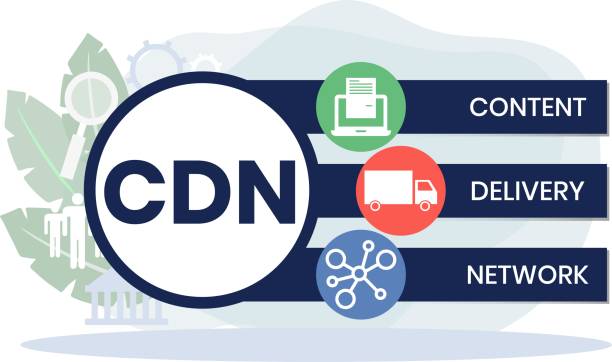
What Is a Content Delivery Network (CDN)? How Web Content Reaches Users

A Content Delivery Network (CDN) is a system of distributed servers that deliver web content to users based on their geographic location. By optimizing the delivery of web pages, images, videos, and other resources, CDNs significantly enhance the performance and reliability of websites. Here’s a closer look at what a CDN is, how it works, and why it matters.

What Is a CDN?

A CDN is a network of servers strategically located across various geographic locations. The primary purpose of a CDN is to deliver content to users more efficiently and quickly by reducing the physical distance between the server and the user.

Key Components of a CDN

  • Edge Servers: These are servers located close to users, often in different cities or regions. They store cached versions of website content.
  • Origin Server: The original server where the website’s content is hosted. The CDN pulls content from this server to cache on edge servers.
  • Cache: A temporary storage area where copies of web content are kept for quick access.

How Does a CDN Work?

1. Content Replication

When a website is integrated with a CDN, the content (such as images, videos, JavaScript, and CSS files) is replicated across multiple edge servers. This process is known as caching.

2. User Request

When a user requests a webpage:

  • DNS Resolution: The user’s request is directed to a DNS resolver, which translates the domain name into an IP address.
  • Finding the Nearest Server: The DNS resolver queries the CDN’s DNS, which identifies the nearest edge server based on the user’s geographic location.

3. Content Delivery

  • Serving Content: The edge server closest to the user delivers the cached content. If the content is not available or has expired, the edge server requests the content from the origin server, caches it, and then serves it to the user.
  • Reduced Latency: By serving content from a nearby location, CDNs significantly reduce latency, leading to faster load times.

4. Dynamic Content Handling

For dynamic content (e.g., personalized user data), CDNs can still enhance performance by using techniques such as:

  • Dynamic Site Acceleration (DSA): Optimizing the delivery of dynamic content by using various techniques like TCP optimization.
  • API Caching: Caching API responses to improve the performance of web applications.

Benefits of Using a CDN

1. Improved Performance

  • Faster Load Times: By reducing the distance between users and content, CDNs minimize latency, leading to quicker page load times.

2. Scalability

  • Handling Traffic Spikes: CDNs can efficiently manage large volumes of traffic, making them ideal for websites that experience sudden spikes in traffic, such as during product launches or major events.

3. Enhanced Reliability

  • Redundancy and Failover: If one edge server fails, requests can be automatically rerouted to another server, ensuring uninterrupted service.

4. Reduced Bandwidth Costs

  • Optimized Content Delivery: By caching content and reducing the need for repeated requests to the origin server, CDNs help lower bandwidth costs for website owners.

5. Improved Security

  • DDoS Protection: Many CDNs provide additional security features, such as DDoS protection and Web Application Firewalls (WAF), to safeguard websites from attacks.

Conclusion

Content Delivery Networks are essential for delivering web content quickly and reliably to users around the globe. By caching content on strategically located edge servers, CDNs enhance performance, reduce latency, and improve the overall user experience. For businesses and website owners looking to optimize their online presence, leveraging a CDN is a crucial step in ensuring fast, secure, and scalable content delivery.

How Internet Exchange Points (IXPs) Work and Why They Matte

Internet Exchange Points (IXPs) play a crucial role in the architecture of the internet. They facilitate the exchange of internet traffic between different networks, enhancing connectivity, improving performance, and reducing costs. Here’s a detailed overview of how IXPs work and their significance.

What is an Internet Exchange Point (IXP)?

An IXP is a physical infrastructure that allows multiple Internet Service Providers (ISPs) and networks to connect and exchange traffic directly. This interconnection can significantly enhance the efficiency and speed of data transfer.

How IXPs Work

1. Physical Infrastructure

  • Data Centers: IXPs are typically hosted in data centers equipped with high-capacity switches and routers. These facilities provide the necessary hardware to facilitate interconnections between networks.

2. Peering

  • Direct Connection: IXPs enable networks (ISPs, content providers, etc.) to connect directly, bypassing third-party networks. This direct peering reduces latency and improves the speed of data transmission.
  • Cost Savings: By exchanging traffic directly, networks can reduce their reliance on transit providers, leading to lower costs for data transfer.

3. Routing

  • BGP (Border Gateway Protocol): IXPs use BGP, a standardized exterior gateway protocol, to manage how data is routed between interconnected networks. Each network announces its routes to the IXP, allowing for efficient and optimal routing.

4. Traffic Exchange

  • Data Flow: When a user requests data (e.g., loading a website), the request is routed through the IXP if both the user’s ISP and the destination network are connected to the same IXP. This reduces the distance data must travel, leading to faster load times.

5. Redundancy and Reliability

  • Multiple Connections: IXPs typically allow multiple networks to connect, providing redundancy. If one link fails, traffic can be rerouted through another connection, enhancing overall network reliability.

Why IXPs Matter

1. Improved Performance

  • Reduced Latency: By enabling direct connections between networks, IXPs decrease the number of hops data must take, resulting in faster response times and improved user experiences.

2. Cost Efficiency

  • Lower Transit Costs: Networks can save on transit fees by exchanging traffic at an IXP instead of paying for data transfer through multiple intermediary networks.

3. Enhanced Network Resilience

  • Fault Tolerance: IXPs provide alternative routing paths, making networks more resilient to outages and failures.

4. Encouraging Local Content

  • Local Traffic Exchange: IXPs foster the growth of local content providers by making it easier for them to connect with ISPs. This can lead to increased access to local services and content, benefiting users.

5. Boosting Economic Development

  • Infrastructure Growth: IXPs can stimulate the development of local internet infrastructure, encouraging investment in technology and increasing internet accessibility.

6. Global Connectivity

  • Interconnected Networks: IXPs contribute to the global internet ecosystem by connecting local networks with international ones, enhancing global data exchange.

Conclusion

Internet Exchange Points are vital components of the internet, enabling efficient traffic exchange, improving performance, and reducing costs for networks. They not only enhance connectivity and resilience but also promote local content and economic development. As the demand for internet services continues to grow, the role of IXPs will become increasingly important in shaping the future of the internet. Understanding their function and significance is essential for anyone involved in internet infrastructure, networking, or content delivery.

How the Domain Name System (DNS) Works: An Illustrated Explainer

The Domain Name System (DNS) is a fundamental component of the internet, acting as a directory that translates human-readable domain names into IP addresses. This process allows users to access websites using easy-to-remember names instead of complex numeric addresses. Here’s a detailed explainer on how DNS works.

1. Understanding the Basics

When you type a website address (URL) into your browser, the DNS translates that domain name into an IP address, which is the actual address of the server hosting the website. This process involves several steps:

Key Components:

  • Domain Name: The human-readable address (e.g., www.example.com).
  • IP Address: The numerical address (e.g., 192.0.2.1) used by computers to identify each other on the network.

2. The DNS Hierarchy

The DNS is structured in a hierarchical manner:

Root Level:

  • The top level of the DNS hierarchy is the root zone, represented by a dot (.) at the end of a URL. It contains information about top-level domains (TLDs).

Top-Level Domains (TLDs):

  • These are the last part of the domain name, such as .com, .org, .net, and country code TLDs like .uk or .ca.

Second-Level Domains (SLDs):

  • The part of the domain name that comes before the TLD (e.g., “example” in www.example.com).

Subdomains:

  • Additional divisions of a domain name (e.g., “blog” in blog.example.com).

3. How DNS Resolution Works

Step 1: User Request

  1. Type in URL: The user enters a website’s URL into the web browser.

Step 2: Cache Check

  1. Local Cache: The browser first checks its local cache to see if it has recently resolved the domain. If found, it uses the cached IP address to connect to the website.

Step 3: DNS Resolver

  1. DNS Resolver: If the IP address is not cached, the request is sent to a DNS resolver (usually provided by the ISP). The resolver is responsible for finding the IP address associated with the domain name.

Step 4: Root Nameserver

  1. Root Nameserver Query: The DNS resolver queries a root nameserver, which responds with the address of the appropriate TLD nameserver based on the domain’s TLD.

Step 5: TLD Nameserver

  1. TLD Nameserver Query: The resolver then queries the TLD nameserver, which provides the IP address of the authoritative nameserver for the domain.

Step 6: Authoritative Nameserver

  1. Authoritative Nameserver Query: The resolver queries the authoritative nameserver, which contains the DNS records for the domain. This server responds with the correct IP address.

Step 7: Return to User

  1. Response to User: The DNS resolver sends the IP address back to the user’s browser.

Step 8: Website Access

  1. Connect to Website: The browser uses the IP address to connect to the web server, allowing the user to access the website.

4. DNS Records Explained

DNS records are entries in the DNS that provide information about a domain. Common types include:

  • A Record: Maps a domain name to an IPv4 address.
  • AAAA Record: Maps a domain name to an IPv6 address.
  • CNAME Record: Allows a domain to be an alias for another domain.
  • MX Record: Specifies mail servers for handling email for the domain.
  • TXT Record: Provides text information for various purposes, such as verification.

5. Conclusion

The Domain Name System is essential for navigating the internet, translating domain names into IP addresses and facilitating web browsing. Understanding how DNS works helps users appreciate the complexity behind seemingly simple tasks like entering a website address. By grasping the DNS process, you can better understand internet functionality and the importance of maintaining domain and DNS health for website accessibility.

Domain Name Glossary: Explaining gTLDs, ccTLDs, and DNS Jargon

Understanding domain names is essential for anyone looking to establish an online presence. This glossary covers key terms related to domain names, including generic top-level domains (gTLDs), country code top-level domains (ccTLDs), and DNS terminology.

1. Domain Name

A human-readable address used to access websites on the internet, typically consisting of a name and a top-level domain (e.g., www.example.com).

2. Top-Level Domain (TLD)

The last segment of a domain name, following the final dot (e.g., .com, .org, .net). TLDs can be categorized into specific types.

3. Generic Top-Level Domain (gTLD)

A type of TLD that is not country-specific and can be used by anyone. Examples include .com, .org, and .info.

4. Country Code Top-Level Domain (ccTLD)

A TLD that is specific to a country or territory, typically consisting of two letters (e.g., .uk for the United Kingdom, .ca for Canada).

5. Second-Level Domain (SLD)

The part of the domain name that comes before the TLD. In “example.com,” “example” is the SLD.

6. Subdomain

A domain that is part of a larger domain, often used to organize different sections of a website (e.g., blog.example.com).

7. Domain Registrar

A company that manages the reservation of domain names. Registrars are accredited by ICANN (Internet Corporation for Assigned Names and Numbers).

8. Domain Name System (DNS)

A hierarchical system that translates human-readable domain names into IP addresses, enabling browsers to locate and access websites.

9. DNS Records

Entries in the DNS that provide information about a domain, such as IP addresses and mail servers. Common types include A records, CNAME records, and MX records.

10. A Record

A DNS record that maps a domain name to an IPv4 address, allowing browsers to locate the server hosting the website.

11. AAAA Record

Similar to an A record, but it maps a domain name to an IPv6 address, accommodating the newer IP address format.

12. CNAME Record (Canonical Name Record)

A DNS record that allows a domain to be an alias for another domain, directing traffic to the target domain’s A record.

13. MX Record (Mail Exchange Record)

A DNS record that specifies the mail servers responsible for receiving email for a domain.

14. TXT Record

A DNS record that allows domain owners to include text information for various purposes, such as verification or policy definitions.

15. WHOIS

A protocol used to query databases that store registered users or assignees of a domain name, providing information such as ownership and registration details.

16. Domain Transfer

The process of moving a domain name registration from one registrar to another, often involving authorization codes and specific procedures.

17. Domain Name Expiration

The end of the registration period for a domain name, after which it must be renewed to maintain ownership.

18. Domain Lock

A security feature that prevents unauthorized transfers of a domain name, requiring the owner to unlock it before transferring.

19. Domain Forwarding

A technique that redirects visitors from one domain to another, often used for branding or traffic management.

20. Parked Domain

A domain name that is registered but not actively being used for a website, often displaying ads or holding content until a website is developed.

21. Domain Name System Security Extensions (DNSSEC)

A suite of extensions to DNS that adds an additional layer of security, helping to prevent attacks such as DNS spoofing.

22. Nameserver

A server that hosts DNS records and translates domain names into IP addresses, allowing browsers to locate the corresponding server.

23. Dynamic DNS

A service that automatically updates DNS records when an IP address changes, useful for users with dynamic IP addresses.

24. URL (Uniform Resource Locator)

The complete address used to access a resource on the internet, often including the protocol (e.g., https://), domain name, and path (e.g., /page).

25. Domain Name System Hierarchy

The structure of the DNS, organized in a tree-like format with the root domain at the top, followed by TLDs, SLDs, and subdomains.

26. Redirection

The process of forwarding users from one URL to another, often used for managing changes in website structure or domain names.

27. ICANN (Internet Corporation for Assigned Names and Numbers)

The organization responsible for coordinating the global domain name system and IP address allocation.

28. Domain Privacy Protection

A service that hides a domain registrant’s personal information from public WHOIS databases, enhancing privacy and security.

29. Domain Auction

A marketplace where domain names can be bought and sold, often featuring premium or expired domains.

30. Expired Domain

A domain name that has not been renewed by its owner and is available for registration or auction.

Conclusion

This glossary provides a foundational understanding of essential domain name terminology. Familiarity with these terms is crucial for anyone looking to establish and manage an online presence effectively. By grasping the nuances of domain names and DNS, businesses and individuals can better navigate the complexities of the internet.