Home Blog Page 23

Dedicated Server Pricing Explained: What Drives the Cost Up or Down

0

Look at dedicated server pricing across a handful of providers and the range is genuinely confusing at first glance, plans starting around a couple hundred dollars a month sitting on the same comparison page as options running into the thousands. Unlike shared hosting or even VPS pricing, where the jump between tiers is usually a modest, predictable step up, dedicated server pricing swings dramatically based on a specific set of hardware and service decisions. Once you understand what’s actually driving each part of that range, the pricing stops looking arbitrary and starts looking like exactly what it is, a direct reflection of the physical hardware and support level you’re buying.

You’re Paying for an Entire Physical Machine, Not a Slice of One

The starting point for understanding dedicated server cost is remembering what you’re actually renting: the entire physical computer, every component inside it, with nobody else sharing any part of it. This is fundamentally different from shared hosting or VPS pricing, where the cost of the physical hardware is split across many customers. With a dedicated server, the full cost of that specific machine’s components, the processor, the memory, the storage drives, sits entirely on your invoice, which is why the specific hardware configuration matters so much more here than it does when comparing VPS plans.

The CPU Is Usually the Single Biggest Cost Driver

Processor choice swings dedicated server pricing more than almost any other single factor, and the differences are substantial. An entry-level configuration built around a processor like an Intel Xeon-E3, offering four cores and eight threads, sits at the lower end of the pricing range because it’s older, more affordable server-grade hardware suited to moderate workloads. Moving up to a modern AMD EPYC processor with twenty-four cores and forty-eight threads represents a dramatically larger jump in raw processing capability, and the pricing reflects that directly, since you’re paying for genuinely more silicon, more computational throughput, and newer manufacturing technology. At the very top of the range, a processor like an AMD EPYC Turin with one hundred and twenty-eight cores and two hundred and fifty-six threads represents an entirely different class of machine, the kind of processing power built for the heaviest enterprise and high-performance computing workloads, and the price tag scales accordingly, since that level of silicon is genuinely expensive to manufacture and source.

RAM Amount and Type Add a Second, Separate Layer of Cost

Memory capacity is the second major lever, and it scales somewhat independently of CPU choice. A configuration with sixteen gigabytes of RAM suits lighter production workloads, while jumping to one hundred and twenty-eight gigabytes supports genuinely demanding, memory-intensive applications, large databases, high-traffic e-commerce platforms, or servers hosting many simultaneous accounts. At the highest tiers, RAM type itself becomes a factor too, DDR5 ECC memory, which both runs faster and includes error-correction capability that catches and fixes minor data corruption automatically, costs meaningfully more than standard memory, and that cost shows up directly in the pricing of the most premium configurations.

Storage Capacity, Type, and Redundancy All Factor In Separately

Storage pricing depends on three separate variables that each push cost in their own direction. Capacity is the most obvious, more total storage costs more, straightforwardly. Storage type matters just as much though, NVMe SSD storage, which delivers dramatically faster read and write speeds than older storage technology, costs more per gigabyte than slower alternatives, and nearly every properly specced dedicated server now uses it as standard specifically because the performance difference is too significant to compromise on. Redundancy configuration adds a further layer: storage set up in a RAID configuration, where data is mirrored across multiple physical drives so the server keeps running even if one drive fails, costs more than a single drive of the same total capacity, because you’re genuinely paying for the extra physical drives providing that protection, and that protection is what prevents a single hardware failure from meaning total data loss.

Network Bandwidth and Connection Speed Form Their Own Cost Tier

The speed and capacity of your server’s network connection is a separate pricing factor from everything above. Entry-level configurations typically include a connection in the range of a few hundred megabits per second, genuinely sufficient for most production websites and applications. Higher tiers step up to a full gigabit connection, and the most premium configurations offer multiple gigabits of guaranteed, unmetered bandwidth, which matters specifically for high-traffic publishers, video or media-heavy platforms, or any application transferring large volumes of data continuously, where a lower-tier connection would become the actual bottleneck regardless of how powerful the underlying processor and RAM are.

Management Level Is the Service Factor That Changes the Price Beyond Hardware

Alongside pure hardware, how much ongoing management is included meaningfully affects price, and this is where two servers with similar specs can carry noticeably different costs. A semi-managed configuration includes the core essentials, the control panel preinstalled, security patching at the operating system level, and support for hardware issues, while leaving more of the application-level configuration and troubleshooting to you. A fully managed configuration extends further into actively monitoring server health, proactively managing updates across more of the software stack, and providing deeper, more hands-on support when something needs attention, which costs more precisely because it requires more ongoing staff time from the provider to deliver properly, not because of anything different about the physical hardware itself.

Setup Fees Reflect Real Labour, Not Just Markup

Nearly every dedicated server comes with a one-time setup fee separate from the monthly cost, and this tends to scale with the complexity of the configuration, from around forty dollars on an entry-level machine up to several hundred or more on the most powerful configurations. This isn’t an arbitrary add-on, it reflects the genuine labour involved in physically provisioning a brand new, complex server, installing and configuring the operating system and control panel, and testing the hardware thoroughly before it goes live, work that takes meaningfully longer on a ninety-six-core enterprise configuration than on an entry-level four-core machine.

Putting the Full Picture Together With Real Numbers

Tremhost’s cPanel Dedicated Server lineup illustrates this entire scaling pattern clearly across six tiers. The entry-level Dedicated 1 configuration, built around a four-core Intel Xeon-E3 processor with sixteen gigabytes of RAM and nine hundred gigabytes of NVMe storage in a RAID setup, starts at one hundred and eighty dollars a month with a forty dollar setup fee, semi-managed. Moving up through the range, Dedicated 2 and Dedicated 3 step up to twenty-four-core and twelve-core processors respectively with considerably more RAM, priced at three hundred and twenty and four hundred and eighty dollars a month. Dedicated 4 crosses into fully managed territory with a twenty-four-core EPYC processor, one hundred and twenty-eight gigabytes of RAM, and a full gigabit connection at eight hundred and eighty dollars a month. At the top of the range, Dedicated 5 and Dedicated 6 move into genuinely enterprise-grade territory, ninety-six and one hundred and twenty-eight core EPYC processors respectively, DDR5 ECC memory on the top tier, and guaranteed five-gigabit connections, priced at three thousand two hundred and four thousand eight hundred dollars a month, reflecting hardware built for the heaviest production workloads rather than typical business use. Every tier, regardless of price, includes the same baseline of unlimited cPanel accounts, full root access, a dedicated IP with custom firewall capability, and always-on DDoS mitigation, which is worth checking for specifically on any dedicated server quote, since some providers charge extra for features that should reasonably be standard at this price point.

How to Actually Evaluate a Dedicated Server Quote

Rather than comparing dedicated server prices as a single number, it’s worth breaking any quote down into these same components, CPU generation and core count, RAM amount and type, storage capacity, type, and redundancy, network connection speed, and management level, and checking each one against your actual workload’s real requirements. A business running a handful of client WordPress sites has fundamentally different needs than a SaaS company running a memory-intensive database, and the right dedicated server configuration, and its corresponding price, should reflect that specific workload rather than defaulting to whichever tier sits in the middle of a provider’s lineup.

5 Signs It’s Time to Upgrade From VPS to a Dedicated Server

0

A VPS serves the vast majority of growing websites and applications comfortably for years, which is exactly why jumping straight to a dedicated server too early is such a common and costly mistake, paying for an entire physical machine when a properly specced VPS would have done the job just as well. But there’s a genuine point where a VPS, even a generously resourced one, stops being the right fit, and the signs are specific enough to check against rather than guess at. Here’s what actually indicates you’ve outgrown VPS hosting, as opposed to simply needing a bigger VPS plan.

1. You’re Consistently Maxing Out Resources Even on Your Top VPS Tier

The first and clearest sign isn’t that your site feels occasionally slow, it’s that you’ve already moved up through VPS tiers and you’re still consistently running at or near full CPU and RAM capacity, even on the highest-specced VPS plan available. This is an important distinction, because a VPS feeling sluggish once is often solvable by simply upgrading to the next tier up, which is a quick, low-disruption change. It’s a genuinely different situation when you’re already on the largest VPS tier a provider offers and still hitting resource ceilings during normal operation, not just during rare traffic spikes. At that point, there’s no further VPS upgrade path left to try, and a dedicated server’s full, unshared hardware becomes the only way to get meaningfully more headroom.

2. Your Workload Needs Guaranteed, Zero-Contention Performance

A VPS gives you dedicated resources through virtualisation, which is genuinely reliable for the overwhelming majority of use cases. But a dedicated server removes virtualisation from the equation entirely, meaning there’s no layer of abstraction between your workload and the physical hardware at all. This distinction matters specifically for workloads where even minimal, theoretical resource contention is unacceptable, a financial application with strict performance guarantees, a high-transaction database where consistent millisecond-level response times genuinely matter to the business, or a compliance requirement that specifically mandates dedicated, non-virtualised hardware rather than an isolated virtual machine. If your business has this kind of requirement explicitly written into a contract or a compliance framework, that’s a clear, unambiguous sign pointing toward a dedicated server rather than a performance guess.

3. You’re Running Consistently High-Traffic, Transaction-Heavy Operations

There’s a meaningful difference between a site that occasionally spikes in traffic and one that sustains consistently high transaction volume as its normal operating state. A high-volume e-commerce platform processing thousands of orders daily, a busy SaaS application with a large, consistently active user base, or a media site with constant high traffic rather than occasional spikes, all represent workloads where the performance ceiling of even a well-specced VPS can become a genuine, ongoing constraint rather than an occasional inconvenience. The test here is consistency: if your resource demand is a sustained daily reality rather than an occasional peak you could reasonably plan around, that’s a stronger signal toward dedicated infrastructure than a VPS upgrade.

4. Compliance or Security Requirements Specifically Demand It

Certain industries and certain clients have genuine, specific requirements around data isolation that go beyond what a securely configured VPS can satisfy, not because VPS isolation is weak, but because some compliance frameworks and some client contracts specifically mandate dedicated, non-shared physical hardware as a hard requirement rather than a preference. If you’re handling sensitive data under a regulatory framework that explicitly requires this, or working with an enterprise client whose own security policy mandates it as a condition of the contract, that’s not a performance decision at all, it’s a compliance one, and it overrides whatever a VPS could otherwise comfortably handle from a pure resource standpoint.

5. The Cost Math Has Genuinely Flipped in Favour of a Dedicated Server

This is the sign that catches people off guard, because it runs counter to the usual assumption that a dedicated server is simply the more expensive option by default. Once your actual resource needs reach a certain point, running multiple large VPS instances, or one VPS consistently scaled to its maximum tier, the combined cost can, in some cases, end up higher than a single dedicated server delivering more total resources outright. This is worth genuinely calculating rather than assuming, by comparing your actual current VPS spend, including any additional instances you’ve had to add to handle load, against the cost of a dedicated server with comparable or greater total capacity. If that comparison comes out in the dedicated server’s favour, that’s a concrete, numbers-based reason to make the move, independent of any of the performance or compliance signals above.

What These Signs Have in Common

Notice that none of these signs is simply “my site feels slow” or “I think I should upgrade.” Each one is a specific, checkable condition: maxed-out resources on your top VPS tier, an explicit guaranteed-performance or compliance requirement, sustained rather than occasional high transaction volume, or cost math that’s genuinely flipped in the dedicated server’s favour. That specificity matters, because the single most common mistake in this decision isn’t staying on a VPS too long, it’s jumping to a dedicated server prematurely based on a vague sense of “we’re growing” rather than any of these concrete indicators, and paying a significantly higher monthly cost for capacity that a properly specced VPS tier would have handled just as well.

The Practical Next Step

If you’re genuinely unsure which category you fall into, the most useful first step is checking your actual VPS resource usage over the past few months, most control panels make this straightforward, rather than relying on a general feeling that things seem slower than they used to. If that data shows you’re consistently near capacity on your current tier, the next step is trying one tier up before assuming a full dedicated server migration is necessary, since for a meaningful share of businesses that reach this point, a higher VPS tier, like moving up through Tremhost’s KVM lineup to a plan with more RAM and cores, solves the actual problem without the cost and reduced flexibility a dedicated server migration involves. A genuine move to cPanel Dedicated Server hosting is worth making once that data, or one of the explicit compliance or cost signals above, actually points there, rather than before.

DDoS Protection on VPS Hosting: What It Covers and What It Doesn’t

0

“DDoS protection included” is one of those phrases that shows up on nearly every VPS and dedicated hosting pricing page, usually as a single reassuring bullet point sitting alongside storage and bandwidth numbers. Almost nobody actually explains what it covers, how it works, or, just as importantly, what it genuinely can’t do. Given that DDoS attacks are one of the more common and disruptive things that can happen to a server, it’s worth actually understanding what you’re getting before assuming a single bullet point means your server is fully protected against anything that might come its way.

What a DDoS Attack Actually Is

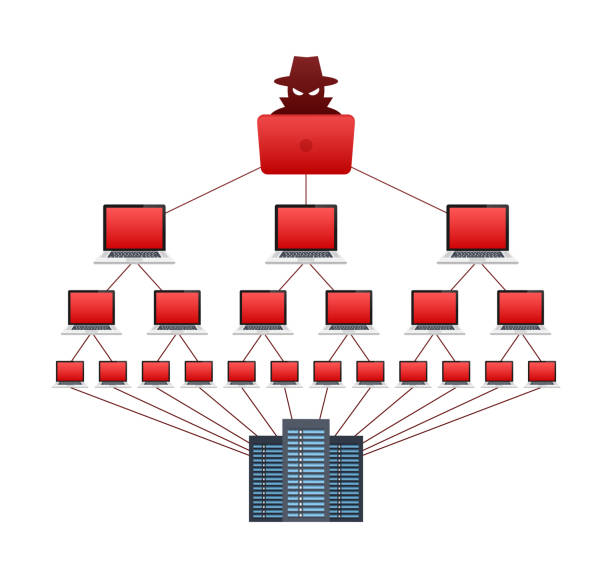
DDoS stands for distributed denial-of-service, and the name describes exactly what it does. An attacker directs a flood of traffic at your server from many different sources simultaneously, often thousands or even millions of compromised devices working together, called a botnet, with the goal of overwhelming your server’s capacity to respond. Your server, faced with far more requests than it can realistically process, either slows to a crawl for legitimate visitors or stops responding entirely, effectively taking your website or application offline for anyone trying to reach it.

The “distributed” part matters specifically because it’s what makes these attacks hard to simply block at the front door. A single attacker sending excessive traffic from one location is relatively straightforward to identify and block. A distributed attack spreads that traffic across thousands of different sources, often devices whose real owners have no idea they’re involved, making it far harder to distinguish malicious traffic from genuine visitors using simple, static blocking rules.

What Provider-Level DDoS Protection Actually Does

When a hosting provider advertises DDoS protection, they’re typically referring to network-level mitigation that sits in front of your server, monitoring incoming traffic patterns and filtering out malicious requests before they ever reach your actual server resources. This generally works by establishing a baseline of what normal traffic to your server looks like, and then automatically detecting and filtering traffic that deviates from that pattern in ways consistent with an attack, sudden massive spikes in connection attempts, traffic originating from patterns associated with known botnets, or requests that don’t behave the way genuine browser traffic typically does.

This kind of protection genuinely matters and does real, measurable work, because without it, your server would have to absorb the full force of an attack directly, using up its own limited CPU and bandwidth just trying to process the flood of malicious requests, which is exactly what takes a server offline. Provider-level mitigation handles the bulk of this filtering upstream, before it ever becomes your server’s problem, which is a meaningful layer of defence that would be genuinely difficult and expensive to replicate on your own.

Where the Coverage Typically Stops

This is the part that rarely gets mentioned alongside the reassuring bullet point, and it’s worth understanding clearly. Standard DDoS protection included with most VPS and hosting plans is generally built to handle common, automated, high-volume attacks, the kind launched by widely available attack tools against a broad range of targets rather than a specifically determined attacker targeting your server in particular. It’s genuinely effective against this category of attack, which represents the large majority of what most websites will ever actually encounter.

What it’s typically not built to fully withstand is a sophisticated, sustained, large-scale attack specifically targeting your infrastructure, the kind large enterprises occasionally face, which can require specialised, significantly more expensive mitigation services operating at a completely different scale. It’s also worth knowing that standard DDoS protection generally defends against network and infrastructure-level attacks, flooding your server with traffic, but doesn’t defend against application-level vulnerabilities, a poorly secured login page, an unpatched piece of software, a SQL injection vulnerability in your own code, which are different categories of threat requiring different kinds of protection entirely, like a web application firewall rather than DDoS mitigation specifically.

Why This Distinction Actually Matters to You

Understanding this gap matters because it shapes what you should and shouldn’t assume is covered. If your business has previously been the specific target of a sustained, sophisticated attack, rather than just general automated traffic, it’s worth having a direct conversation with your provider about what their standard protection actually covers at that scale, rather than assuming the bullet point on the pricing page means unlimited protection against anything, including attacks well beyond what a typical small or medium-sized website would ever face. For the overwhelming majority of websites and applications, though, standard provider-level DDoS protection genuinely does cover the realistic threat landscape, automated, opportunistic attacks rather than a determined, well-resourced attacker specifically targeting your infrastructure, which is a scenario most websites, honestly, will never actually encounter.

It’s also worth remembering that DDoS protection is only one layer of a genuinely secure server setup, not the whole picture. A server with solid DDoS mitigation but an outdated, unpatched software stack is still vulnerable, just to a different category of attack entirely. This is why DDoS protection tends to be bundled alongside other security measures on a well-built managed hosting plan rather than offered as a single standalone feature.

What to Actually Look For

When evaluating DDoS protection on a hosting plan, it’s worth checking whether it’s genuinely built into the network infrastructure itself, filtering traffic before it reaches your server, rather than a software-based solution running on the server itself, which can still be overwhelmed by sufficiently large traffic volume since it’s competing for the same limited resources it’s meant to be protecting. It’s also worth checking whether protection is active by default or something you need to separately configure or request, since a protection feature that exists but isn’t actually switched on for your account provides no real benefit at all. Tremhost’s VPS and Managed VPS plans include network-level DDoS protection as standard across every tier, active by default rather than as an opt-in add-on, specifically so the baseline, most common category of attack is handled automatically without requiring you to configure anything yourself, alongside the firewall and malware monitoring that cover the application-level threats DDoS protection alone was never designed to catch.

Unmanaged VPS Hosting: Is It Worth the Savings If You’re Not a Sysadmin?

0

Scroll through any VPS pricing page and you’ll notice unmanaged plans sitting there with a noticeably lower price tag than their managed equivalents, sometimes by a significant margin. For anyone trying to keep costs down, that gap is genuinely tempting. But the price difference exists for a specific reason, and understanding exactly what you’re taking on in exchange for that lower monthly cost is essential before deciding whether unmanaged hosting is actually a smart saving or a decision you’ll regret the first time something goes wrong at an inconvenient hour.

What “Unmanaged” Actually Means, Stripped of Marketing Language

An unmanaged VPS gives you a blank virtual server with an operating system installed and essentially nothing else configured. You get full root access, meaning complete administrative control over the machine, and from that point forward, genuinely everything is your responsibility. Installing and configuring the software stack your site or application needs. Applying security updates and operating system patches on an ongoing basis, not just once at setup. Configuring a firewall correctly. Setting up and monitoring backups. Diagnosing and fixing problems when something breaks, whether that’s a misconfigured service, a security vulnerability, or the server simply running out of resources at the wrong moment.

A managed VPS handles all of this on your behalf, or at minimum provides genuine support to help you through it, with the provider taking responsibility for the underlying server health, security patching, and troubleshooting, while you focus on your actual website or application rather than the infrastructure underneath it. The price gap between the two exists because managed hosting genuinely costs the provider more to deliver, real support staff monitoring and maintaining servers takes real ongoing resources, and that cost gets reflected in what you pay.

What Managing a Server Actually Involves, Honestly

It’s worth being specific about what “you’re responsible for everything” actually means in practice, because it’s easy to underestimate until you’re the one dealing with it. Security is the area with the highest stakes: an unpatched server is a genuinely common way sites get compromised, and applying security updates isn’t a one-time task, it’s an ongoing responsibility for as long as the server is running, since new vulnerabilities are discovered continuously across every piece of server software. Firewall configuration is a related task that’s easy to get wrong in ways that aren’t obvious until it’s too late, either leaving genuine security gaps open or, in the opposite direction, accidentally blocking legitimate traffic and taking your own site offline without realising why.

Software configuration goes well beyond simply installing something once. A web server, a database, PHP or another runtime, all need to be configured correctly for your specific workload, not just installed with default settings, since defaults are rarely tuned for real-world performance or security. And when something does go wrong, a service crashes, a site suddenly goes offline, performance degrades without an obvious cause, you’re the one diagnosing it from scratch, often by digging through server logs and configuration files under time pressure, with no support team to call for help beyond generic hardware-level issues the provider might still cover.

Who Unmanaged VPS Hosting Genuinely Makes Sense For

None of this means unmanaged hosting is a bad choice, it’s the right choice for a specific type of buyer. If you’re a developer or systems administrator who’s comfortable with the command line, understands server security fundamentals, and actually wants full control over exactly how your server is configured, without a provider’s default setup getting in the way, unmanaged hosting isn’t a risk, it’s precisely what you’re looking for. The lower price reflects a genuinely fair trade in this scenario, since you’re not paying for support and management services you don’t need or want, and having full, unrestricted control lets you configure the server exactly to your project’s specific requirements rather than working within a managed provider’s standard setup.

It’s also a reasonable choice for a low-stakes learning project or a personal experiment where downtime or a security incident wouldn’t have serious consequences, since it’s a genuinely good way to build real server administration skills in an environment where mistakes are a learning opportunity rather than a business emergency.

Who Should Think Twice Before Choosing Unmanaged

The calculation changes considerably for anyone running an actual business, a client project, or anything where downtime or a security breach carries a real cost, financial, reputational, or both. If you don’t already know how to configure a firewall properly, apply security patches on a regular schedule, or troubleshoot a server issue without external guidance, an unmanaged VPS isn’t really saving you money, it’s transferring that cost from your monthly hosting bill onto your own time, stress, and risk exposure instead. That trade can look fine right up until the first serious problem occurs, at which point the time spent troubleshooting alone, or the cost of hiring a freelancer to fix a security incident after the fact, often outweighs whatever was saved on the monthly hosting price.

It’s also worth being honest that a genuinely compromised or poorly secured server doesn’t just cost you time to fix, it can mean data loss, a site being blacklisted by search engines or email providers, or a client losing trust in your business if it’s their site that goes down. These are real, tangible costs that a slightly higher managed hosting bill is specifically designed to prevent.

A Straightforward Way to Decide

The honest question to ask yourself isn’t “can I save money with unmanaged hosting,” it’s “do I currently have the skills, or the time to build them, to genuinely take on server security, maintenance, and troubleshooting as an ongoing responsibility.” If the answer is yes, and you have the technical background to back it up, unmanaged hosting is a legitimate, cost-effective choice that gives you full control without paying for services you won’t use. If the answer is no, or you’re not fully sure, a managed VPS is very likely worth the extra cost, not as an unnecessary upsell, but as a genuine transfer of risk and responsibility away from you and onto a team whose actual job is handling exactly the problems that unmanaged hosting leaves entirely in your hands. Tremhost’s Managed VPS plans are built around this exact tradeoff, giving you the same dedicated KVM resources and NVMe storage as the unmanaged tier, with the security patching, monitoring, and support layer included, specifically for anyone who wants VPS-level performance and control without taking on full server administration as an unpaid second job.

How to Choose VPS Specs: RAM, CPU Cores, and NVMe Storage Explained for Beginners

0

Signing up for your first VPS usually means staring at a pricing table full of numbers that don’t mean much if you’ve never had to think about server hardware before. Four gigabytes of RAM. Four CPU cores. Sixty gigabytes of NVMe storage. Thirty-two terabytes of traffic. It’s presented as though everyone already understands what each of these numbers actually controls, and picking the wrong tier either means overpaying for capacity you’ll never use, or under-buying and running into performance problems a few months in. None of this requires a technical background to understand properly, it just requires someone to actually explain what each spec does, in plain terms, before you have to guess.

RAM: Your Server’s Short-Term Working Memory

RAM, short for random access memory, is best thought of as your server’s short-term working space, the memory it uses to actively run your website or application while it’s being used. Every time a visitor loads a page on your site, or your application processes a request, the server pulls the relevant data into RAM to work with it quickly, rather than reading everything fresh from slower storage every single time. The more RAM your server has, the more it can hold in that fast, active working space at once, which directly affects how many visitors or processes your server can handle simultaneously before things start slowing down.

Running out of available RAM is one of the most common causes of a server becoming sluggish or unresponsive under load, because when RAM fills up, the server has to start relying more heavily on slower storage to compensate, which noticeably degrades performance. As a rough guide for a beginner, four gigabytes of RAM comfortably runs a single WordPress site with moderate traffic, a small application in development, or a handful of lighter services running together. Eight to sixteen gigabytes suits a growing WooCommerce store, several WordPress sites running on the same server, or an application handling a meaningful and growing number of simultaneous users. Anything beyond that starts entering territory needed for database-heavy applications, multiple resource-intensive sites running together, or genuinely high-traffic production workloads.

CPU Cores: How Many Tasks Your Server Can Actually Juggle at Once

A CPU core is, in simple terms, one of the processing units doing the actual computational work on your server, running calculations, executing code, handling requests. A server with more cores can genuinely do more things at the exact same time, rather than working through tasks purely one after another, which matters enormously for how a server behaves under real-world concurrent load, multiple visitors browsing your site simultaneously, several background processes running together, or an application juggling many requests at once.

For beginners, it helps to separate two different questions that often get confused: how fast is a single task completed, and how many tasks can be handled simultaneously. Core count is mainly about the second question. A basic WordPress site or a small application in early development typically runs fine on two to four cores. A site with real, sustained traffic, or an application processing multiple concurrent user requests regularly, benefits meaningfully from four to six cores. Database-heavy workloads, sites running many simultaneous processes, or applications under genuinely high concurrent load are where higher core counts, eight and above, start making a measurable, noticeable difference.

NVMe Storage: Not Just Space, But Speed

This is the spec most beginners misunderstand entirely, because storage gets presented purely as a size number, sixty gigabytes, one hundred and sixty gigabytes, when the type of storage matters just as much as, and often more than, how much of it you have. NVMe is a modern storage technology that reads and writes data dramatically faster than older SSD storage, and far faster again than traditional spinning hard drives, which some budget hosting still quietly uses to cut costs. This speed difference isn’t an abstract technical detail, it shows up directly in how quickly your database responds to queries, how fast your website loads under real traffic, and how responsive any application running on the server feels to actual users.

For most beginner and growing projects, the storage capacity itself, whether that’s sixty gigabytes or one hundred and sixty, matters less than simply confirming the provider is actually using NVMe storage rather than an older, slower standard, since a smaller amount of genuinely fast NVMe storage will outperform a much larger amount of older SSD storage for the vast majority of real website and application workloads. Capacity only becomes the binding constraint once you’re storing large media libraries, extensive log files, or genuinely large databases, at which point it’s worth calculating your actual storage needs directly rather than guessing at a round number.

Bandwidth: The Data Allowance Most Beginners Overlook Until It Matters

Bandwidth, sometimes called traffic or data transfer, is the total amount of data your server is allowed to send out to visitors each month. Every time someone loads a page, downloads a file, or streams content from your server, that transfer counts against your monthly allowance. For most typical websites, this number ends up being generous enough that it’s rarely the limiting factor, but it becomes genuinely relevant for anyone hosting a lot of large media files, video content, or a high-traffic site with substantial monthly visitor numbers, where it’s worth doing a rough calculation of expected monthly visitors multiplied by average page size to confirm your plan’s allowance comfortably covers realistic usage rather than assuming it will.

A Practical Starting Point for Common Project Types

Rather than guessing at specs in isolation, it helps to match them to what you’re actually building. A personal project, a small WordPress site, or an application still in development is comfortably covered by an entry-level tier, something in the range of four gigabytes of RAM and four CPU cores, paired with NVMe storage rather than older disk types, which is exactly the specification of an entry-level plan like Tremhost’s KVM 2 tier. A growing business site, an active WooCommerce store, or a small agency running a handful of client projects on shared infrastructure typically needs a step up, somewhere around sixteen gigabytes of RAM and six cores, matching a mid-tier option like KVM 5 Pro. Genuinely resource-intensive workloads, a database under consistently heavy load, a machine learning process, or an application handling significant concurrent traffic, are where it’s worth moving to a higher tier entirely, in the range of forty-eight gigabytes of RAM and twelve cores, which is where a plan like KVM 7 becomes the appropriate starting point rather than an oversized choice.

The Simplest Way to Avoid Over- or Under-Buying

If you’re genuinely unsure where your project fits, it’s worth starting one tier below where you assume you’ll need, rather than the reverse, because moving up to a bigger VPS plan later is typically a quick, low-disruption upgrade, while paying for unused capacity for months while you figure out your actual usage pattern is money that’s simply gone. Check your actual usage once your project has been running for a few weeks, most VPS control panels show real-time RAM, CPU, and storage usage, and let that real data, rather than an initial guess, tell you whether it’s genuinely time to upgrade or whether your starting tier was the right call all along.

VPS vs Dedicated Server vs Cloud Hosting: Which Do You Actually Need?

0

Once a website or application genuinely outgrows shared hosting, the next decision gets confusing fast, because VPS, dedicated servers, and cloud hosting all get marketed with a lot of overlapping language, “scalable,” “reliable,” “powerful,” without much clarity on what actually separates them under the hood. All three give you significantly more control and resources than shared hosting, and all three can genuinely host the same website. What differs between them is how the underlying hardware is structured, and that structural difference has real consequences for cost, performance consistency, and how you’ll scale as your needs change.

Starting From the Physical Hardware

The clearest way to understand all three is to start from the physical server itself, the actual computer sitting in a data centre. A VPS takes one physical server and divides it into multiple isolated virtual machines using virtualisation software, most commonly KVM, so that each virtual machine gets a dedicated, guaranteed slice of that physical server’s RAM and CPU, with its own operating system and full root access, even though it’s technically sharing physical hardware with other virtual machines. A dedicated server skips the division entirely, you’re renting the entire physical machine, every core, every gigabyte of RAM, every bit of storage, with nobody else’s workload running on the same hardware at all. Cloud hosting takes a different approach altogether, rather than living on one physical server, your resources are distributed dynamically across a network of many interconnected physical servers, which is the architectural choice that gives cloud hosting its most distinctive capability, the ability to scale resources up or down on demand without migrating to different hardware.

VPS: Dedicated Resources Without the Full Cost of a Physical Machine

A VPS gives you genuine isolation, your RAM and CPU allocation isn’t shared or contended with other virtual machines on the same physical server, and you get full root access to configure the server however your project needs. This makes it functionally very similar to having your own dedicated machine for most practical purposes, while costing meaningfully less, because the underlying physical hardware cost is split across every virtual machine running on it. The tradeoff is that you’re still sharing physical infrastructure at the hardware level, meaning your performance ceiling is bound by what a slice of that physical server can deliver, and if the underlying physical hardware itself fails, your virtual machine is affected along with everyone else on it, though a quality provider mitigates this with redundant hardware and rapid failover.

A VPS is the right fit for the largest share of businesses and developers reading this, a growing website or application that’s outgrown shared hosting, a SaaS product in active development, an agency needing isolated environments for multiple client projects, or anyone who needs root access and a custom software stack without yet needing the raw performance ceiling of an entire physical machine to themselves.

Dedicated Servers: The Entire Machine, No Sharing at All

A dedicated server removes the sharing element completely. Every resource on that physical machine, every CPU core, every gigabyte of RAM, every bit of storage bandwidth, is exclusively yours, with no other tenant’s activity able to affect your performance in any way. This delivers the highest possible performance ceiling and the most predictable resource availability of any hosting type, since there’s no virtualisation layer between you and the hardware and no other workload competing for the same physical resources.

That level of exclusivity comes at a real cost, both financially and in terms of flexibility. Dedicated servers are the most expensive option of the three by a significant margin, since you’re paying for an entire physical machine rather than a slice of one. Scaling up also means something different here: on a VPS or cloud platform, scaling usually means adjusting your allocation, often with minimal downtime. On a dedicated server, scaling beyond your current machine’s physical limits typically means migrating to an entirely different physical server, which is a more involved process. This makes dedicated servers the right choice specifically for workloads with consistently high, predictable resource demands, a high-traffic e-commerce platform processing thousands of daily transactions, a database-heavy application with constant, intensive read and write activity, or any business with strict compliance or data isolation requirements where sharing physical hardware with any other tenant, even in an isolated virtual machine, isn’t acceptable.

Cloud Hosting: Built Specifically for Elasticity

Cloud hosting’s defining feature isn’t raw power, it’s flexibility. Because your resources are distributed across a network of interconnected servers rather than tied to one physical machine, cloud infrastructure can scale up or down dynamically, often automatically, in response to real-time demand. This makes it particularly well suited to workloads with unpredictable or highly variable traffic, a retail site expecting a massive but temporary spike during a major sale event, an application with seasonal usage patterns, or a startup that genuinely doesn’t yet know what its resource needs will look like in six months and doesn’t want to commit to fixed infrastructure while that’s still unclear.

The tradeoff with cloud hosting is that this flexibility typically comes with more complex, and often less predictable, billing, since costs scale with actual resource consumption rather than a fixed monthly fee, which can make budgeting harder for a business that prefers to know exactly what its hosting bill will look like each month. Cloud platforms also generally require more hands-on configuration and cloud-specific knowledge to use efficiently, which is part of why managed cloud services and specialist cloud consultants exist as their own business category.

A Straightforward Way to Decide

If your resource needs are relatively steady and predictable, you know roughly how much traffic and load your site or application handles month to month, and you want a fixed, predictable cost with genuine root access and dedicated resources, a VPS is very likely the right fit and represents the best balance of cost, control, and performance for the largest share of growing websites and applications. If your workload demands the absolute maximum performance ceiling available, involves strict data isolation requirements, or runs consistently intensive processes like a high-transaction database or a resource-heavy application that never really has quiet periods, a dedicated server is worth the additional cost. And if your traffic is genuinely unpredictable or highly seasonal, and the ability to scale resources dynamically matters more to your business than having a fixed, simple monthly bill, cloud hosting’s elasticity is built specifically for that scenario.

It’s worth being honest that most growing businesses and developers overestimate which of these three they actually need, reaching for the biggest, most impressive-sounding option rather than the one that actually matches their real traffic pattern. A steadily growing WordPress site or a SaaS product in active development rarely needs the full exclusivity of a dedicated server or the billing complexity of a true elastic cloud platform, a properly specced VPS, like Tremhost’s KVM lineup running full virtualisation with dedicated RAM and CPU cores on NVMe storage, covers the actual resource needs of that stage far more efficiently, and considerably more affordably, than jumping straight to either of the more specialised, more expensive alternatives.

Best VPS Hosting Providers of 2026

0

VPS hosting comparisons tend to fall into one of two traps. Either they’re written by an affiliate chasing commission and quietly steer every recommendation toward whichever provider pays the best referral fee, or they list fifteen providers with near-identical bullet points and leave you no closer to actually knowing which one fits your specific project. What actually matters when choosing a VPS provider is matching the provider’s real strengths to what you’re building, because “best” here genuinely depends on whether you’re a solo developer testing a side project, an agency deploying client infrastructure, or a business that needs predictable performance without becoming a part-time systems administrator.

What Actually Separates One VPS Provider From Another

Before comparing names, it helps to know what’s actually worth comparing. Raw specs, RAM, CPU cores, storage, are the easiest thing to compare and the least useful on their own, because two providers advertising identical specs can perform very differently depending on the underlying virtualisation technology and whether your neighbours on the same physical hardware are genuinely isolated from your resources or just nominally separated. Storage type matters more than the gigabyte number attached to it, since NVMe SSD storage delivers meaningfully faster read and write speeds than older SSD or spinning disk storage, which shows up directly in database performance and application responsiveness. Support quality is the factor most comparisons underweight, since a cheap VPS with no real human support behind it can turn a straightforward technical hiccup into hours of lost time, particularly for anyone who isn’t comfortable troubleshooting a server issue entirely alone. And billing predictability matters more than people expect going in, since a provider’s advertised hourly or monthly rate doesn’t always reflect what a fully configured, production-ready server actually costs once bandwidth, backups, and additional IP addresses are added on top.

The Developer-Friendly Cloud Platforms

DigitalOcean has built its reputation specifically on approachability, with a clean dashboard, strong documentation, and a straightforward path from “I have an idea” to “I have a deployed application” that’s made it a favourite among developers and startups who want cloud infrastructure without a steep learning curve. Vultr occupies similar territory but leans harder into global reach and flexible billing, with data centre locations spread widely enough to matter for anyone deploying close to a specific user base, plus hourly billing that’s genuinely useful for short-term testing or temporary environments rather than committing to a full month upfront. Linode, now operating under Akamai’s infrastructure, has carved out a reputation for stable, predictable performance and pricing that doesn’t shift around unexpectedly, which appeals to anyone running long-term production workloads who values consistency over flashy extras.

These three are solid, genuinely well-built platforms, and it’s easy to see why they show up at the top of nearly every VPS comparison. Where they can fall short is for anyone who wants dedicated human support rather than a ticket queue and a knowledge base, or anyone whose actual workload doesn’t need the extensive managed-service ecosystem these platforms have built up around their core VPS offering.

The Budget and Raw-Performance Options

Hetzner has long been known for offering exceptional raw compute value, strong performance specs at prices that undercut most of the market, though it’s worth knowing that Hetzner raised prices meaningfully in 2026 due to rising memory hardware costs, a reminder that even the most consistently cheap providers aren’t immune to the underlying economics of running physical infrastructure. Contabo occupies similar territory, popular specifically with resource-intensive projects that need a lot of RAM and storage on a tight budget, though typically with less polish around support and management tooling than the bigger platforms offer. Hostinger has pushed further into this space recently too, bundling AI-assisted management tools into its VPS offering to make it more approachable for less technical buyers who still want VPS-level resources.

These budget options are genuinely good value for anyone whose priority is squeezing the most raw specs out of every dollar, but that value proposition typically comes with a tradeoff in support depth and account management polish, worth genuinely weighing rather than assuming the cheapest number on the page is automatically the best deal once your actual needs are factored in.

The Enterprise-Scale Cloud Platforms

At the top end sit providers like Kamatera, Scaleway, and OVHcloud, built for businesses running genuinely large-scale, highly customisable cloud infrastructure with global deployment needs. These platforms offer extensive configuration options and enterprise-grade scalability, but they’re generally solving a different problem than most individual developers, small agencies, or growing businesses actually have, and the complexity that comes with that scale can be genuine overkill for a project that just needs a solid, dedicated VPS running reliably.

Where a Straightforward, Human-Supported VPS Fits In

There’s a real space between “cheap and bare-bones” and “enterprise cloud platform with more configuration options than you’ll ever use” that a lot of comparisons skip past, VPS hosting that gives you genuinely dedicated resources on modern infrastructure, without either sacrificing support quality to hit a rock-bottom price or forcing you to learn an enterprise cloud console to spin up a single server. Tremhost’s VPS hosting is built for exactly this space, running full KVM virtualisation, meaning the RAM and CPU cores listed on your plan are genuinely yours and not shared with other tenants, on NVMe SSD storage across every tier, with plans starting at twelve dollars a month for four gigabytes of RAM and four cores, scaling up to forty-eight gigabytes and twelve cores on the higher tier for database-heavy or enterprise workloads. Every plan includes a 99.9% uptime SLA and, notably given how many providers on this list route support through a ticket queue, 24/7 human support rather than a chatbot, which matters considerably the first time something actually goes wrong on a production server at an inconvenient hour.

How to Actually Choose Between These

If you’re a developer or a startup that wants the smoothest possible path from idea to deployed application, with strong documentation and a gentle learning curve, DigitalOcean or Vultr are well worth starting with. If predictable, stable infrastructure for a long-running production workload matters more to you than flashy extras, Linode is worth serious consideration. If your priority is squeezing maximum raw specs out of a tight budget and you’re comfortable managing more of the technical side yourself, Hetzner or Contabo deliver strong value. If you’re operating at genuine enterprise scale with complex, multi-region deployment needs, Kamatera or OVHcloud are built for that complexity. And if what you actually want is dedicated, NVMe-backed resources with a straightforward setup and real people to talk to when something breaks, without paying enterprise prices for infrastructure you won’t fully use, a KVM VPS from a provider like Tremhost is a genuinely competitive option worth putting on your shortlist alongside the bigger names.

How Much Profit Can You Realistically Make Reselling cPanel Hosting?

0

Search around for reseller hosting content and you’ll find no shortage of posts promising it’s a path to passive income and financial freedom, usually without a single real number attached to back that up. The truth is both less dramatic and more useful than that: reseller hosting can be a genuinely solid, steady source of recurring revenue, but the actual profit depends entirely on your wholesale cost, your retail pricing, and how many accounts you can realistically fill, not on vague promises. So instead of hype, here’s the actual math, worked through with real numbers, so you can see for yourself what this business model can and can’t realistically do.

The Basic Economics of Reselling

Reseller hosting works on a simple wholesale-to-retail model. You pay a fixed monthly cost for a pool of resources, a set amount of storage, bandwidth, and a maximum number of individual hosting accounts you’re permitted to create. You then divide that pool into smaller accounts and sell each one to an individual customer at whatever price you choose. Your profit, before accounting for your own time and any additional costs like a domain for your business or payment processing fees, is simply the total you collect from your customers minus the fixed wholesale fee you’re paying for the pool itself.

The key thing that makes this model attractive is that your cost is fixed regardless of how many of your allotted accounts you actually fill. Whether you sell two accounts or twenty on a plan that permits twenty, you’re still paying the same wholesale fee, which means your profit margin improves directly as you fill more of your capacity, right up until you need to upgrade to a bigger pool.

Working Through an Entry-Level Example

Take an entry-level reseller plan costing seven dollars a month, offering twenty-five gigabytes of total storage and twenty-five gigabytes of bandwidth to divide across your customer accounts. A realistic small business hosting account, enough for a brochure site with a handful of email addresses, might reasonably use somewhere around two to three gigabytes of that pool, meaning a plan like this could comfortably support roughly eight to ten small client accounts before you’d need to upgrade to a bigger tier.

If you price your individual accounts at a modest eight dollars a month, a genuinely competitive rate for small business hosting, filling that entry-level pool with eight customers brings in sixty-four dollars a month against a seven dollar wholesale cost, a gross profit of fifty-seven dollars a month before any other business expenses. That’s not a life-changing number on its own, but it’s worth noticing what it represents: recurring revenue from a single low-cost wholesale plan, growing directly with how many accounts you actually fill, not a one-off payment that requires you to find a brand new customer every single month just to maintain the same income.

Scaling the Math to a Mid-Tier Plan

The economics improve meaningfully as you move up to plans built for a larger client base. A mid-tier reseller plan costing nineteen dollars a month with one hundred gigabytes of storage and a full terabyte of bandwidth can comfortably support somewhere in the range of thirty to forty small business accounts at the same rough two to three gigabyte usage estimate per client, depending on how mixed your client sizes actually are.

At that scale, pricing accounts at the same eight dollars a month, thirty-five filled accounts brings in two hundred and eighty dollars a month against a nineteen dollar wholesale cost, a gross profit of two hundred and sixty-one dollars a month. This is also the tier where free WHMCS billing software typically becomes included on plans like Tremhost’s Reseller 5, which matters more than it might seem, since manually invoicing thirty-five separate clients every month becomes a genuine time cost of its own, one that eats into the profit margin you’ve just built even though it doesn’t show up in the raw dollar math.

Why Your Actual Margin Depends on More Than Just the Numbers Above

These examples use round numbers to illustrate the mechanics clearly, but a handful of real-world factors will move your actual results up or down. Client mix matters considerably, since not every account will use the same modest amount of storage; a client running a WooCommerce store with a growing product catalogue will consume noticeably more of your pool than a static brochure site, which means your realistic account capacity is really an average across a mixed client base rather than a fixed number you can count on precisely.

Churn is the factor that gets overlooked most often in profit projections. Clients cancel, switch providers, or shut down their businesses, and a reseller business with high churn needs to constantly replace lost accounts just to maintain the same revenue, let alone grow it. This is exactly why the relationship-based approach to finding clients, existing web design clients, referrals from happy customers, tends to produce lower churn than cold outreach, since clients who came to you through a personal relationship are generally stickier than ones acquired through a one-off ad.

It’s also worth factoring in your own pricing discipline. Undercutting the market too aggressively to win clients quickly compresses your margin in exactly the scenario above; the difference between pricing accounts at six dollars versus ten dollars a month, across thirty-five clients, is a swing of one hundred and forty dollars a month in gross profit, which is a meaningful gap for what’s ultimately the same amount of work managing the same number of accounts.

What This Actually Adds Up To Over Time

None of this is a get-rich-quick calculation, and it’s worth being upfront about that. What it is, genuinely, is a legitimate recurring revenue stream that compounds as you fill more accounts and move up through larger, more efficient wholesale tiers. A web designer who’s already building sites for small business clients and simply adds hosting to each project, rather than sending clients elsewhere, can build a meaningful secondary income stream over a year or two purely by not leaving that revenue on the table for someone else to collect. It won’t replace a full-time income on its own at a small scale, but as a genuinely low-effort addition to an existing service business, one that requires essentially no extra work once an account is set up and running, the math above shows it’s a real, calculable business, not just a marketing promise with no numbers behind it.

The Honest Takeaway

If you’re evaluating whether reseller hosting is worth doing, run the actual numbers for your own situation rather than trusting a generic promise of passive income. Take the wholesale cost of the plan you’re considering, estimate realistically how many accounts you can fill based on your actual client base or target market, and price your accounts against what your market will genuinely pay, not against the lowest number you can find advertised elsewhere. That calculation, done honestly with your own real numbers, will tell you far more about whether this is worth your time than any income screenshot on a sales page ever could.

Reseller Hosting vs VPS Reseller: Which Should You Choose to Start Selling Hosting?

0

Once someone decides they want to start selling hosting under their own brand, they run into two options that sound almost identical on the surface, cPanel reseller hosting and VPS reseller hosting, and the marketing pages for both tend to use nearly the same language: your brand, your prices, your customers, we stay invisible. That similarity in how they’re marketed hides a real, fundamental difference in what you’re actually selling, who’s actually going to buy it, and how much technical sophistication your business needs to support it. Choosing between them isn’t really about which one is “better.” It’s about which type of customer you’re actually trying to reach.

The Core Difference, in One Sentence

A cPanel reseller sells shared website hosting accounts, individual slices of a shared server, each running cPanel, aimed at people who want their website hosted without touching anything technical. A VPS reseller sells full virtual private servers, isolated virtual machines with root access, aimed at a more technical buyer who wants to run their own software stack, configure their own environment, and manage their own server rather than clicking through a control panel someone else designed. Both are wholesale infrastructure models where you buy a pool of resources and resell it under your own name. The difference is entirely in what that resource pool becomes once you slice it up and sell it.

Who Actually Buys From a cPanel Reseller

The customer buying shared hosting through a reseller is, almost without exception, someone who wants a working website without needing to understand servers at all. This is a small business owner who needs a brochure site and a few email addresses, a blogger, a freelancer building a portfolio, or a local organisation that just needs their website to exist and stay online. They’ll log into cPanel occasionally to check an email account or install WordPress through a one-click installer, and that’s typically the extent of their technical interaction with the hosting itself. They’re paying for convenience and simplicity, and the fact that a real server sits underneath any of this is completely invisible and irrelevant to them.

Who Actually Buys From a VPS Reseller

The customer buying a VPS is a fundamentally different kind of buyer, someone who specifically needs root access and full control over their environment. This includes developers running custom application stacks that a standard cPanel environment can’t accommodate, agencies deploying client projects that need Docker, specific database engines, or custom server configurations, SaaS founders who need dedicated, isolated infrastructure for compliance or performance reasons, and niche communities like game server hosts, where predictable dedicated resources and low latency actually matter to the end product. This buyer generally already knows what an operating system is, is comfortable with a command line, and is choosing your VPS reseller business specifically because they don’t want to be boxed into a shared, managed environment.

What This Means for the Support You’ll Actually Provide

This difference in customer sophistication has a direct, practical effect on what running each type of reseller business actually feels like day to day. cPanel reseller customers will need more hand-holding on average, questions about how to set up an email account, how to point a domain, how to install WordPress, because they’re often not technical themselves and are relying on you to translate the technical side into something they can follow. VPS reseller customers, by contrast, typically need less basic hand-holding, since they’re managing their own server environment, but the questions that do come up tend to be more technical in nature, and it helps considerably if you or someone on your team can speak that language when a customer needs guidance on something more complex than “how do I reset my password.”

Comparing the Actual Numbers

The wholesale cost and revenue potential differ meaningfully between the two models as well. A cPanel reseller plan aimed at hosting small shared accounts tends to start at a lower monthly cost, in the range of seven to ten dollars a month for an entry tier offering twenty-five to thirty gigabytes of storage, which you then divide into individual small hosting accounts and sell at whatever margin makes sense for your market.

VPS reseller pools work with fundamentally bigger numbers because each individual product you’re reselling is a full virtual machine rather than a small slice of shared storage. An entry-level VPS reseller pool might include something like six total CPU cores, six gigabytes of RAM, sixty gigabytes of disk space, and twelve terabytes of bandwidth for around forty-five dollars a month, which you then divide into a small number of individual VPS instances, commonly two or three at that entry tier, and resell at a considerably higher price point than an individual shared hosting account, since a VPS customer expects to pay meaningfully more for dedicated resources and root access. The revenue ceiling scales accordingly too: a mid-tier VPS reseller pool with ten virtual machines’ worth of resources can realistically support several hundred dollars a month in resold revenue, and a larger pool scales into the thousands, reflecting the fact that individual VPS customers pay considerably more per account than individual shared hosting customers do.

Which One Should You Actually Start With

The honest answer depends entirely on who you already have access to, rather than which model sounds more impressive. If you’re a web designer or freelancer whose existing and prospective clients are small business owners who just need a working website and don’t know or care what a server is, cPanel reseller hosting is the correct starting point, full stop. Trying to sell those same clients a VPS would be solving a problem they don’t have and don’t understand, and you’d struggle to find buyers for a product your actual audience has no use for.

If, on the other hand, your existing network leans technical, you work with developers, you’re embedded in a niche community like game server hosting, or you’re already fielding requests from clients who specifically want root access or a custom software environment, VPS reseller hosting is where the actual demand sits, and cPanel reseller hosting would be under-serving what those customers are actually asking for.

It’s also worth knowing that these two models aren’t mutually exclusive long-term. A number of successful reseller businesses start with cPanel reseller hosting, build a base of small business clients, and later add VPS reseller as a higher-margin upgrade path for the subset of clients who eventually outgrow shared hosting and need more control, effectively letting one business serve both ends of the market as it matures. Tremhost supports exactly this path, running cPanel reseller plans from seven dollars a month for anyone starting with small business clients, and VPS reseller pools from forty-five dollars a month for anyone whose audience, now or later, needs full virtual machines rather than shared accounts.

The Real Question to Ask Yourself

Before comparing plans or pricing between the two, the question worth answering honestly is simply this: when you picture your first ten customers, are they people who just want a website to work without thinking about it, or people who specifically want control over their own server environment? That single answer points you toward the right model far more reliably than comparing feature lists, because the two products aren’t really competing for the same customer at all, they’re built for two different people with two different problems.

White Label Hosting Explained: How Agencies Resell Hosting Under Their Own Brand

0

Anyone researching reseller hosting runs into the term “white label” almost immediately, usually sitting in a bullet point list next to storage and bandwidth numbers, as if it needs no further explanation. It actually deserves more attention than that, because white labelling isn’t a minor add-on feature, it’s the single thing that determines whether reseller hosting is a genuine business you’re building under your own name, or just a slightly repackaged version of someone else’s hosting company with your logo pasted on top. Understanding exactly what it does, and more importantly what happens when a reseller plan doesn’t do it properly, is essential before signing up for anything.

What “White Label” Actually Means, From the Beginning

The term comes from manufacturing originally, a “white label” product is one made by one company but sold under a completely different company’s branding, with no indication to the end customer of who actually made it. Supermarket own-brand products are the classic real-world example: the same factory might produce the store’s own-brand cereal and a name-brand cereal on the same production line, but the packaging, the branding, and the customer’s entire experience of the product only ever shows the retailer’s name.

Applied to hosting, white labelling means that when your customer logs into their hosting control panel, checks their account details, receives an automated email about their account, or contacts support, everything they see carries your business name, your logo, and your branding, with no visible reference anywhere to the larger hosting company actually running the physical servers underneath. As far as your customer is concerned, they are your customer, hosted by you, full stop.

Why This Matters So Much More Than It Sounds Like It Should

It’s tempting to think of white labelling as a cosmetic nicety, a nice-to-have rather than something worth building a decision around. In practice, it’s the entire foundation of a reseller business’s credibility. If a customer logs into what’s supposed to be your hosting platform and sees another company’s name in the corner of the dashboard, in the URL of the login page, or in the signature of a support email, that’s an immediate credibility problem. It signals to your customer that you’re not actually the company providing their hosting, you’re a middleman, and once a customer starts wondering what else about the relationship isn’t quite what it appeared to be, trust becomes very hard to rebuild.

There’s also a very practical business risk sitting underneath this. If your branding isn’t fully present throughout the customer experience, there’s a real possibility your customer discovers the underlying provider directly, whether through a support email footer, a billing receipt, or simply searching for the login page URL, and realises they could theoretically go and buy the exact same hosting directly from that company, potentially at a lower price than they’re paying you. A properly white-labelled setup removes that risk almost entirely, because your customer has no practical way of even knowing there’s a bigger company behind the scenes to go looking for.

The Places Branding Actually Needs to Show Up

Genuine white labelling has to be consistent across every single touchpoint a customer might encounter, not just the obvious ones. The control panel login page itself needs to carry your branding, not a generic or third-party login screen. The URL customers use to access their account should ideally sit under your own domain rather than an obviously third-party address. Automated system emails, account creation confirmations, renewal reminders, password reset emails, need to be sent from your business name and email address, not the underlying provider’s. Support tickets and any live chat or help desk system need to appear to come from you specifically. And billing, invoices, receipts, payment confirmations, needs your business name on it, not a name your customer has never heard of.

It’s worth being specific about this when evaluating a reseller plan, because some providers advertise “white label” while only actually applying it to one or two of these touchpoints, the control panel itself, for example, while leaving system emails or billing showing the underlying company’s name. That’s effectively half a white label solution, and it’s worth asking directly, before signing up, whether branding is genuinely applied across every one of these areas or just the most visible one.

What Free WHMCS Billing Software Adds to the Picture

For anyone serious about running this as an actual business rather than hosting a handful of sites informally, billing software becomes important fast. WHMCS is the industry-standard software reseller hosting businesses use to automate the parts of running a hosting business that become genuinely time-consuming at scale, generating invoices, processing recurring payments, sending renewal reminders, and letting customers manage their own billing through a self-service portal, all under your own branding rather than looking like a third-party tool bolted onto your business.

Some reseller providers charge extra for WHMCS as a separate licence cost, which can add a meaningful recurring expense on top of your hosting plan itself. Others include it as standard once you reach a certain plan tier, which matters a lot for margin once you’re managing enough clients that manual invoicing has become a real time drain. Tremhost’s reseller plans include full white labelling across the control panel, system emails, and billing from the entry-level tier, with free WHMCS included automatically from the Reseller 5 plan onward, specifically so a growing reseller business doesn’t hit a point where proper branded billing suddenly becomes an extra cost decision rather than something already built into the plan they’re on.

How to Actually Verify White Labelling Before You Commit

Rather than taking “white label included” at face value on a pricing page, it’s worth asking a provider directly, before signing up, to confirm branding coverage across each of the specific touchpoints outlined above: the login panel, the account URL, system emails, support communication, and billing. A provider confident in their white label offering will answer this specifically and without hesitation. Vague or partial answers are usually a sign that the white labelling is more limited than the marketing copy implies, and it’s a far better place to find that out during a pre-sale question than months into running client accounts on a platform that quietly shows your provider’s name in places you never checked.

The Bottom Line

White labelling is what actually makes reseller hosting a business you’re building rather than a service you’re quietly reselling with a logo swapped out. It deserves more scrutiny than a single bullet point on a pricing page, and the only real way to know you’re getting proper coverage is to check, specifically and directly, across every place your customer might encounter your provider’s name instead of yours.