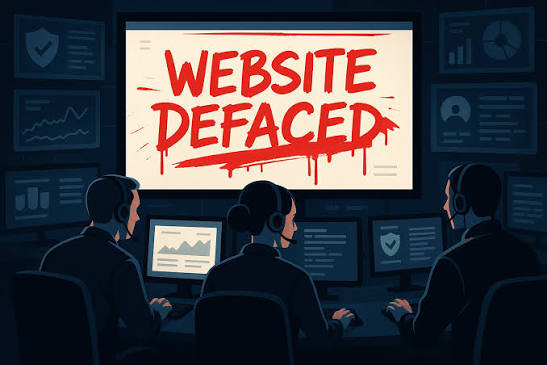

Imagine opening your company’s website one morning and discovering that your homepage has been replaced with a strange message. Your logo is gone, your usual content has disappeared, or visitors are being redirected to an unfamiliar website.
This is known as website defacement. It occurs when someone changes a website’s content without authorisation, often to embarrass an organisation, spread a message, damage its reputation or demonstrate that its security has been compromised.
For businesses, the consequences can extend beyond an unattractive homepage. Customers may lose confidence, search engines may flag suspicious pages, and the incident may indicate that an attacker has gained access to website files, administrator accounts or other systems.
Understanding why website defacement happens—and how to respond correctly—can help businesses reduce disruption and recover more safely.
What Is Website Defacement?
Website defacement is an unauthorised alteration of a website’s visible content or presentation. An attacker may replace the homepage, insert unwanted messages, change images, add suspicious links or modify pages to display content the owner never approved.
Some incidents are immediately obvious. A homepage might display a political statement, an attacker’s nickname or a message claiming responsibility for the intrusion.
Other incidents are less noticeable. An attacker may alter selected pages, insert hidden links, add spam content or redirect certain visitors to another destination.
Defacement is often evidence of unauthorised access, but the exact cause varies. An attacker may have exploited a vulnerable plugin, stolen administrator credentials, compromised a hosting account or gained access through another weakness.
The visible change is therefore only part of the problem. Businesses need to determine how the change happened and whether other parts of the website were affected.
Why Do Hackers Deface Websites?
To Damage a Business’s Reputation
A company’s website is often the first place potential customers go to learn about its services. Replacing legitimate content with offensive or misleading material can damage trust, particularly when the website belongs to a professional services firm, financial organisation or public institution.
Even after the homepage is restored, customers may question whether the website is safe to use.
To Spread a Message
Some attackers deface websites to publish political, ideological or personal messages. Others do it to claim recognition within online communities.
The message may be the attacker’s main objective, but the method used to gain access can leave the website vulnerable to further attacks.
To Distribute Spam or Malicious Content
Not every defacement is designed to be immediately visible. Attackers may insert links, create unauthorised pages or modify content to support spam campaigns.
These changes can damage search visibility and may expose visitors to fraudulent or malicious destinations.
To Establish a Foothold for Further Attacks
An attacker who can modify website files may be able to do more than change a homepage. Depending on the access obtained, they may install backdoors, create unauthorised administrator accounts or alter other components.
This is why a website should not be considered clean simply because its original homepage has been restored.
How Does Website Defacement Happen?
There is no single route attackers use to deface websites. Several weaknesses can create opportunities.
Outdated software: Vulnerable content management systems, plugins and themes may provide an entry point when security updates are not applied.
Stolen passwords: Weak, reused or compromised administrator credentials can allow an attacker to log in without exploiting a software vulnerability.
Insecure hosting accounts: If an attacker gains access to a hosting control panel, file transfer account or server, they may be able to modify website files directly.
Compromised third-party components: A vulnerable extension or compromised integration may allow unauthorised code or content to be introduced.
Poor access control: Too many administrator accounts, excessive permissions and accounts belonging to former employees can increase exposure.
Identifying the actual entry point is essential. Fixing only the visible damage while leaving the original weakness in place may allow the attacker to return.
What to Do Immediately If Your Website Has Been Defaced
1. Confirm the Extent of the Incident
Check the affected pages and establish whether the changes are limited to the homepage or appear across the website.
Look for unfamiliar administrator accounts, unexpected redirects, altered files, suspicious database entries and unusual login activity. If the website uses a content management system, check whether unauthorised changes were made through its administration panel.
Avoid assuming that every visible change represents the full extent of the compromise.
2. Contact Your Hosting Provider or Security Team
Tell your hosting provider that the website may have been compromised. Provide the affected domain, the approximate time the changes were noticed and any available error messages or security alerts.
Your provider may be able to help review logs, restrict access, preserve evidence or identify suspicious activity within the hosting environment.
If the website supports important business operations, establish who is responsible for incident response and recovery before making major changes.
3. Preserve Evidence Before Overwriting Files
It may be tempting to immediately replace the homepage or restore a backup. However, doing so without preserving evidence can make it harder to determine how the attacker gained access.
Where practical, preserve relevant logs, copies of affected files and records of recent changes before performing destructive recovery operations. If the incident is serious, ask a qualified security professional to guide the process.
The objective is to retain enough information to investigate the entry point while safely containing the incident.
4. Contain Unauthorised Access
Depending on the incident, containment may involve restricting access to affected areas, disabling compromised accounts or temporarily limiting the website’s functionality.
Reset credentials that may have been exposed, including relevant administrator, hosting and file transfer accounts. Revoke active sessions where supported and enable multi-factor authentication.
Coordinate these changes carefully so that legitimate administrators retain the access required to recover the website.
5. Investigate and Remove the Cause
A proper recovery should identify how the attacker gained access and check for additional signs of compromise.
Review vulnerable software, suspicious files, unexpected administrator accounts, scheduled tasks and other persistence mechanisms that may allow the attacker to return.
Update or remove vulnerable components, correct access-control weaknesses and eliminate unauthorised changes. If the attacker accessed other systems through the compromised website, those systems may need separate investigation.
6. Restore the Website Safely
A verified-clean backup can be useful when website files or database content have been damaged. However, restoring a backup is not a substitute for investigating the compromise.
If the backup contains the original vulnerability, malicious code or compromised credentials, the attack may recur.
For this reason, recovery should include addressing the entry point, securing credentials and checking the restored website before returning it to normal operation.
Tremhost explains this issue in its guide, Why Restoring a Backup Doesn’t Fix a Hacked Website.
Can Cloudflare Prevent Website Defacement?
Cloudflare can help protect websites by filtering certain malicious traffic before it reaches the origin server. Depending on the plan and configuration, its security capabilities can help mitigate attacks against web applications.
However, website defacement is not always caused by malicious traffic reaching a website through its public pages. An attacker may use stolen credentials, exploit a vulnerable plugin or gain direct access to the origin server.
If the attacker already has permission to modify website files, a traffic-filtering service alone may not prevent every unauthorised change.
Cloudflare should therefore be treated as one layer of a broader security strategy rather than a guarantee against defacement.
Businesses should combine suitable traffic protection with secure administrator access, software updates, reliable backups, origin-server protection and a clear recovery process.
You can explore Tremhost’s Cloudflare-based website security services to understand the available protection options.
How to Reduce the Risk of Future Defacement
Preventing every possible attack is unrealistic, but several practical measures can reduce exposure.
Keep your content management system, plugins and themes updated. Remove software you no longer use, and avoid installing extensions from untrusted sources.
Protect administrator accounts with unique passwords and multi-factor authentication. Review account permissions regularly, especially when employees or external developers leave a project.
Use a hosting environment with appropriate access controls and monitor important website files for unexpected changes. Maintain backups outside the primary hosting account and test that they can be restored.
Where appropriate, configure a web application firewall and protect the origin server so that the intended security layer cannot easily be bypassed.
Finally, document who should be contacted if the website is compromised. A clear incident-response process can help prevent rushed decisions that destroy evidence or allow the attacker to return.
How Tremhost Can Help
Tremhost provides website security services designed to help businesses strengthen protection and respond to security problems.
Armor Guard provides Cloudflare Pro-based website protection, while Armor Shield offers a higher-tier managed security option. For businesses facing an urgent website compromise, Armor SOS is the relevant service to investigate.
The appropriate service depends on the nature of the incident and the assistance required. Before purchasing, confirm the current scope, response arrangements and whether investigation, malware cleanup and recovery work are included.
Website defacement should not be treated as a cosmetic problem alone. The visible damage may be a warning that an attacker has gained access to something more important.
Conclusion
Website defacement can disrupt business operations, damage customer confidence and reveal deeper security weaknesses.
If your website has been altered without permission, investigate the incident rather than simply replacing the affected page. Preserve evidence, contain access, identify the entry point and recover only after addressing the underlying problem.
A website that looks normal again is not necessarily a website that is secure. The real goal is to restore trusted operations and reduce the chance of the same attacker returning.