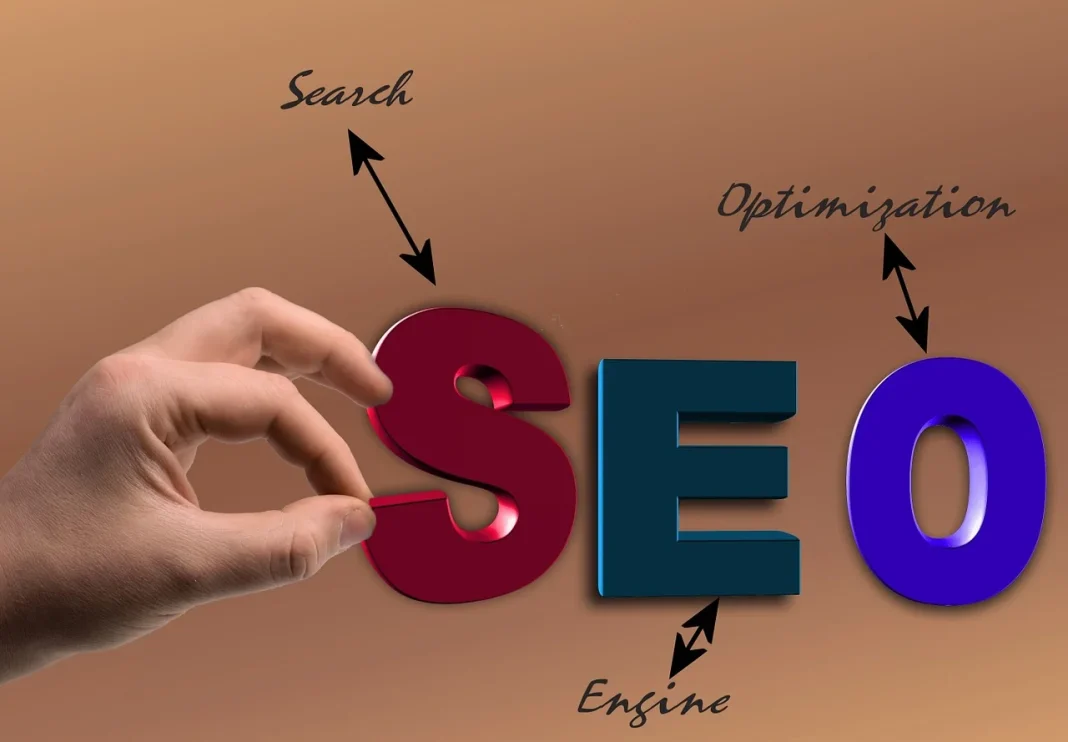

Every day, 8.5 billion searches happen on Google. Behind each one is a person looking for an answer, a product, a service, or a solution. SEO — Search Engine Optimization — is the practice of making sure your website shows up when the right people are searching for what you offer.
Done well, SEO is the most cost-effective marketing channel available. Unlike paid ads, which stop the moment your budget runs out, a well-optimized page can bring in free traffic for years. The problem is that most SEO content is written for people who already understand SEO — dense with jargon, light on practical steps, and frustrating for anyone starting from zero.
This guide is different. It is written for complete beginners, structured as a genuine step-by-step process, and focused entirely on what actually moves the needle in 2026 — not tactics that worked five years ago and have since been penalized by Google updates.
Follow this guide in order. By the end, you will understand SEO well enough to start optimizing your own website today.
How Search Engines Actually Work
Before you can optimize for search engines, you need a basic understanding of what they are doing and why. Google is not magic — it is a very sophisticated system with a very simple goal: give the searcher the most useful, relevant, accurate answer to their query as quickly as possible.
Google does this in three stages.
Crawling
Google uses automated programs called crawlers (also called spiders or bots) that continuously browse the internet, following links from page to page. When a crawler visits your website, it reads your content and follows every internal and external link it finds. This is how Google discovers new pages. If a page has no links pointing to it from anywhere, crawlers may never find it.
Indexing
After crawling a page, Google decides whether to add it to its index — the massive database of all pages Google knows about and considers for search results. Not every page gets indexed. Google skips pages with thin or duplicate content, pages blocked by technical settings, and pages it deems low quality. A page that isn’t indexed cannot rank for anything, ever.
Ranking
When someone performs a search, Google’s algorithm evaluates every indexed page it believes is relevant to that query and ranks them in order of usefulness. This ranking decision is based on hundreds of factors — but the most important ones are relevance (does this page actually answer the query?), authority (do other trusted websites link to this page?), and experience (is this page fast, mobile-friendly, and easy to use?).
SEO is the process of improving your website across all three of these stages so that more of your pages get crawled, indexed, and ranked highly for the searches your audience is performing.
Step 1: Keyword Research — Finding What People Are Actually Searching For
Keyword research is the foundation of every SEO strategy. It tells you what words and phrases your target audience types into Google, how often they search for them, and how difficult it would be to rank for each one. Without keyword research, you are writing content and hoping people find it. With it, you are writing content you know people are already looking for.
Understanding Keyword Types
Short-tail keywords are broad, high-volume searches — “accounting software,” “running shoes,” “invest money.” These terms get searched hundreds of thousands of times per month but are extraordinarily competitive. A new website has virtually no chance of ranking for them against established sites that have been building authority for years.
Long-tail keywords are more specific, lower-volume searches — “best accounting software for freelance graphic designers,” “running shoes for flat feet under $100,” “how to invest $1,000 in index funds.” These get searched far less often individually, but there are vastly more of them, they are far easier to rank for, and — critically — the people searching them are further along in their decision-making process. Long-tail keywords convert better.
As a beginner, long-tail keywords are where you should spend most of your energy.
How to Find the Right Keywords
You do not need expensive tools to start. Here are four methods that work for free or nearly free:
Google Autocomplete. Start typing a search query into Google and pay attention to the suggestions that appear. These are real searches people are performing. Type “how to start a” and note everything Google suggests. Those suggestions are keyword goldmines — real queries with real search volume.
People Also Ask. Perform any search on Google and scroll down to the “People Also Ask” box. Every question in that box is a real search query that Google has decided is related to your topic. Each one is a potential article or section heading for your content.
Google Search Console. If your website is already live, Google Search Console (free) shows you exactly what queries people are already using to find your site — even if you’re ranking on page 5. These are your most important keywords because you already have some relevance for them, and pushing from page 5 to page 1 is far easier than ranking for a brand new keyword from scratch.
Keyword research tools. Free options include Google Keyword Planner (designed for ads but useful for SEO volume data), Ubersuggest (limited free tier), and AnswerThePublic (visualizes question-based searches around any topic). Paid tools like Ahrefs, Semrush, and Moz provide far more data and are worth the investment once you’re serious about SEO — but are not necessary to start.
What to Look For in a Keyword
When evaluating a keyword, consider three things: search volume (how many people search for it per month), keyword difficulty (how hard it is to rank for it), and relevance (how closely it matches what your page is actually about). The sweet spot for beginners is keywords with moderate search volume (100–1,000 searches per month), low-to-medium difficulty, and high relevance to your content.
Step 2: Understanding Search Intent — The Most Overlooked Factor in SEO
Search intent is the reason behind a search query. It is the single most important concept in modern SEO, and it is the factor beginners most often overlook. You can have the most technically perfect page on the internet — fast, well-structured, loaded with keywords — and still rank nowhere if your content doesn’t match what the searcher actually wants.
The Four Types of Search Intent
Informational intent: The person wants to learn something. “How does compound interest work,” “what is a VPN,” “symptoms of iron deficiency.” The searcher is not ready to buy — they want an answer. Content for informational intent should be comprehensive, educational, and well-structured. Blog posts, guides, and how-to articles serve this intent.
Navigational intent: The person is looking for a specific website or page. “Facebook login,” “Tremhost blog,” “QuickBooks pricing page.” There is very little SEO opportunity here unless the navigational search is for your own brand.
Commercial investigation intent: The person is researching before making a decision. “Best accounting software for freelancers,” “Xero vs QuickBooks,” “FreshBooks review.” These searches have high commercial value — the searcher is close to a decision and actively comparing options. Comparison articles, reviews, and best-of lists serve this intent and are among the highest-converting content types in SEO.
Transactional intent: The person is ready to buy or take action. “Buy QuickBooks subscription,” “FreshBooks free trial,” “sign up for Xero.” These searches need landing pages optimized for conversion, not long informational articles.
How to Use This Practically
Before writing any piece of content, search for your target keyword yourself and look at what is currently ranking on page one. If the top 10 results are all listicles (“10 Best Tools for X”), Google has determined that list format matches the intent for that query. Writing a long narrative essay targeting that keyword will not rank, regardless of its quality. Match your content format to what Google is already rewarding for that specific search.
Step 3: On-Page SEO — Optimizing Each Page the Right Way
On-page SEO refers to everything you control on your own website — how you structure your content, how you use keywords, how you write your titles and descriptions, and how you interlink your pages. It is the most directly actionable part of SEO and the area where beginners can make the most rapid improvements.
Title Tags
The title tag is the clickable headline that appears in Google search results. It is the single most important on-page SEO element. Every page on your website should have a unique title tag that includes your primary keyword, ideally near the beginning, and is between 50–60 characters long. Keep it descriptive and compelling — your title tag is also your first opportunity to earn a click over a competing result.
Good example: Best Accounting Software for Freelancers in 2026 (Honest Reviews)
Poor example: Home | My Website
Meta Descriptions
The meta description is the short paragraph that appears below your title in search results. Google does not use it as a direct ranking factor, but it significantly affects click-through rate — which does affect your rankings indirectly. Write a meta description of 150–160 characters that summarizes what the page offers and gives the searcher a reason to click. Include your keyword naturally.
Heading Structure (H1, H2, H3)
Every page should have exactly one H1 heading — your main page title — that includes your primary keyword. Use H2 headings for major sections, and H3 headings for subsections within those. This hierarchy helps Google understand the structure of your content and helps readers navigate it. It is not about stuffing keywords into every heading — it is about logical, readable organization.
URL Structure
Your page URL should be short, descriptive, and include your primary keyword. Avoid URLs with numbers, random strings, or dates unless the date is essential to the content.
Good: yoursite.com/best-accounting-software-freelancers
Poor: yoursite.com/page?id=447&cat=3
Keyword Placement
Your primary keyword should appear in your title tag, H1, first paragraph of the page, at least one H2 subheading, and naturally throughout the body content. “Naturally” is the operative word — write for humans first, then check that your keyword appears in the right places. Keyword stuffing (repeating your keyword unnaturally every few sentences) not only reads terribly but actively harms your rankings.
Image Optimization
Every image on your page should have a descriptive alt text — a short description of what the image shows. Alt text helps visually impaired users understand your content and helps Google index your images for image search. It is also a small but legitimate on-page signal. Name your image files descriptively before uploading them: “freshbooks-dashboard-screenshot.jpg” is better than “IMG_4471.jpg.”
Internal Linking
Linking from one page on your website to another is one of the most underutilized on-page SEO tactics. Internal links help Google discover and crawl your pages, distribute authority across your site, and keep visitors engaged longer. Whenever you write a new piece of content, link to 2–4 relevant pages elsewhere on your site. And go back to older posts and add links to your newer content.
Step 4: Creating Content That Google Wants to Rank
Content is the substance of SEO. You can have perfect technical optimization and strong links, but without genuinely useful content, none of it matters. Google’s core mission is to serve users the best possible answer — and the algorithm has become sophisticated enough to identify and reward content that actually delivers on that promise.
What Makes Content Rank in 2026
Depth and completeness. Google’s Helpful Content system rewards content that comprehensively covers a topic. If someone reads your page and still has unanswered questions that a competitor’s page answers, your ranking will reflect that. Aim to write the most complete, useful resource on your topic — the one that makes it unnecessary to search again.
Original insight. Content that only summarizes what other sites already say has little reason to rank. Google increasingly rewards first-hand experience, original data, unique perspectives, and expert knowledge that cannot be found by scraping other websites. If you have personal experience with a topic, show it. If you have original data or case studies, publish them.
Readability. A technically comprehensive article that reads like a legal brief will not rank well because visitors will leave quickly, signaling to Google that your content did not satisfy them. Write in short paragraphs. Use subheadings every 300–400 words. Use plain language. Break up long sections with lists, tables, or examples.
Content freshness. For topics where the information changes over time — software comparisons, financial advice, technology guides — Google favors recently updated content. Updating your most important pages annually, refreshing statistics and examples, and noting the update date visibly on the page can meaningfully improve rankings for time-sensitive topics.
Content Length: How Long Should a Page Be?
There is no universal correct answer — the right length is whatever is necessary to fully address the topic. That said, as a practical guideline, comprehensive guides covering complex topics tend to perform best at 2,000–4,000 words. Shorter, more focused posts on narrow topics can rank well at 800–1,500 words. Longer is not automatically better — padding a post with irrelevant information to hit a word count actively hurts rankings.
Step 5: Technical SEO — The Foundation Everything Else Sits On
Technical SEO refers to everything that affects how search engines crawl, index, and render your website — separate from your actual content. Think of it as the foundation: if the foundation is broken, nothing built on top of it will stand properly.
Page Speed
Google has made page speed an official ranking factor, and for good reason: slow pages create bad experiences and users leave. Test your website speed at Google PageSpeed Insights (free). A score above 70 on mobile is a reasonable baseline. The most common speed improvements for beginners are compressing images before uploading, using a caching plugin (if you’re on WordPress), and choosing a fast web host. A cheap shared hosting plan with poor performance can single-handedly undermine your entire SEO effort.
Mobile-Friendliness
Google indexes the mobile version of your website first — this is called mobile-first indexing. If your website is not responsive and usable on a smartphone, it will rank poorly regardless of everything else. Test your site at Google’s Mobile-Friendly Test tool. Modern website themes are almost always responsive by default, but always verify.
HTTPS
Your website should be served over HTTPS (the padlock icon in the browser address bar), not HTTP. HTTPS means your site has an SSL certificate installed, which encrypts data between your server and visitors. Google uses HTTPS as a ranking signal and browsers now actively warn users against visiting non-HTTPS sites. Most web hosts include free SSL certificates — if yours doesn’t, it is time to switch hosts.
Crawlability and Indexability
Check that your important pages are actually being indexed by Google. Open Google Search Console, go to the URL Inspection tool, and enter your key pages. If Google reports pages as “not indexed,” investigate why. Common causes include a “noindex” tag accidentally left on the page, a disallow rule in your robots.txt file blocking crawlers, or thin content that Google has decided is not worth indexing.
XML Sitemap
An XML sitemap is a file that lists all the pages on your website you want Google to index. Submit it to Google Search Console. Most website platforms (WordPress with Yoast SEO or Rank Math, Squarespace, Wix, Shopify) generate sitemaps automatically. Submitting your sitemap helps Google discover your content faster, which is particularly important for new websites.
Core Web Vitals
Core Web Vitals are Google’s set of specific technical metrics that measure the real-world experience of using your website — how fast it loads (LCP), how quickly it responds to interaction (INP), and how stable the layout is as it loads (CLS). You can see your Core Web Vitals scores in Google Search Console under “Experience.” Poor scores are a direct ranking disadvantage and a strong signal to prioritize technical improvements.
Step 6: Link Building — How to Earn Authority
When other websites link to yours, Google interprets each link as a vote of confidence — evidence that your content is valuable enough to reference. The quantity and quality of these backlinks is one of the most powerful ranking factors in SEO. A single link from a highly authoritative website (a major publication, a university, a government website) can be worth more than a hundred links from low-quality sites.
Why Link Building Is Hard — and Why That’s Okay
Legitimate link building takes time. Anyone promising you 500 backlinks for $50 is selling you links from low-quality or fake websites, which Google will either ignore or penalize you for. Sustainable link building is about creating content worth linking to and then making sure the right people know it exists.
Link Building Strategies That Work for Beginners
Create linkable assets. Certain types of content attract links naturally because other writers reference them: original research and statistics, comprehensive beginner guides (like this one), free tools and calculators, and data-driven case studies. When you publish a statistic that doesn’t exist anywhere else, people who write about that topic will link to you as their source.
Guest posting. Write articles for other websites in your niche and include a link back to your site. The key is to target websites with genuine audiences and good domain authority — not link farms that exist purely for SEO. A well-placed guest post on a relevant blog with real readers delivers both SEO value and direct referral traffic.
Digital PR. Getting mentioned and linked to by news publications, industry blogs, and authoritative websites is the most powerful form of link building. You earn these mentions by having something worth talking about — original data, a unique story, a product launch, an interesting point of view, or an expert comment on a trending topic. Tools like HARO (Help a Reporter Out) and Qwoted connect journalists with expert sources and can generate high-quality links from major publications.
Broken link building. Find pages on other websites in your niche that link to content that no longer exists (404 errors). Then contact the website owner and suggest replacing the broken link with a link to your relevant, working content. This provides genuine value to the other website owner — they fix a problem on their site — while earning you a backlink.
Competitor backlink analysis. Tools like Ahrefs and Semrush show you every website linking to your competitors. If a site links to three of your competitors but not to you, they are already interested in your topic — reach out and introduce your content as a resource worth linking to.
Step 7: Local SEO — For Businesses With a Physical Location or Regional Focus
If your business serves a specific city, region, or country, local SEO is essential. It is the practice of optimizing your online presence to appear in location-based searches — “web design company Harare,” “accounting software Zimbabwe,” “best restaurant Cape Town.” This section is particularly relevant for African businesses trying to capture local search traffic that international competitors are not targeting.
Google Business Profile
The single most important step in local SEO is claiming and fully optimizing your Google Business Profile (formerly Google My Business). This is the listing that appears in Google Maps and the local “pack” — the box of three local businesses that appears at the top of location-based search results. Fill in every field: business name, address, phone number, website, hours, services, photos, and business category. Businesses with complete profiles significantly outrank those with incomplete ones.
NAP Consistency
NAP stands for Name, Address, Phone Number. Your business name, address, and phone number should be identical across every platform where your business appears — your website, Google Business Profile, Facebook, directories, and any other listings. Inconsistencies confuse Google about which information is correct and reduce your local ranking.
Local Keywords
Include location-specific keywords naturally throughout your website content, title tags, and meta descriptions. “Web hosting company in Zimbabwe” is a different keyword from “web hosting company” — and far less competitive. Creating location-specific pages or blog content that addresses topics relevant to your local audience also signals strong local relevance to Google.
Reviews
Google reviews are a confirmed local ranking factor. Businesses with more positive reviews rank higher in local search results, full stop. Build a process for asking satisfied customers to leave a Google review. Respond to every review — positive and negative — professionally. The quantity, quality, and recency of your reviews all matter.
Step 8: Tracking Your Progress — The Tools You Actually Need
SEO without tracking is guesswork. These are the tools every beginner should have set up from day one — all free.
Google Search Console
The most important SEO tool available, and completely free. Search Console shows you exactly how your website is performing in Google search: which queries bring people to your site, which pages are ranking, how many clicks and impressions you’re getting, what your average position is, and what technical issues Google has found on your site. Set this up before anything else.
Google Analytics 4
While Search Console shows you how people find you, Google Analytics shows you what they do after they arrive — which pages they visit, how long they stay, where they come from, and where they exit. Understanding this behavior tells you which content is actually engaging your audience and which pages need improvement.
Google PageSpeed Insights
Enter any URL and get a detailed breakdown of its speed performance and Core Web Vitals on both mobile and desktop, with specific recommendations for improvement. Free, requires no account.
Ahrefs Webmaster Tools or Semrush Free Tier
Both Ahrefs and Semrush offer free tiers with limited but useful data — particularly for checking your backlink profile, seeing which keywords you rank for, and identifying technical SEO issues on your site. These become more valuable as your site grows and you need deeper competitive data.
How Long Does SEO Take? Setting Realistic Expectations
This is the question every beginner asks, and the honest answer is: longer than most people want to hear. SEO is not a switch you flip. It is a compounding investment that pays off significantly over time but requires patience in the short term.
For a brand new website with no existing authority, here is a realistic timeline:
- Months 1–3: Google is crawling and indexing your content. You may start seeing impressions in Search Console — your pages are appearing in search results — but very few clicks. Your rankings will be low, and traffic will be minimal. This is normal. Keep publishing.
- Months 3–6: If your content is genuinely good and you’re building some links, you should start seeing meaningful movement. Some pages will climb into the top 30–50 results. Traffic begins to grow, slowly.
- Months 6–12: The compounding effect begins. Pages that have been indexed for several months start earning authority and climbing into the top 10. Traffic can increase significantly in this period for sites that have published consistently good content.
- Year 2 and beyond: Established content continues to climb. New content ranks faster because your domain has built authority. This is when SEO starts delivering returns that far exceed any paid advertising investment.
The implication is clear: start now. Every month you delay is a month of compounding you lose. The best time to start SEO was when you launched your website. The second best time is today.
8 SEO Mistakes Beginners Make (And How to Avoid Them)
1. Targeting Keywords That Are Too Competitive
Trying to rank for “accounting software” as a new website is like entering a marathon having never run a mile. The sites on page one for broad, high-volume keywords have been building authority for years. Start with long-tail, low-competition keywords where you can actually rank and drive traffic while your domain authority grows.
2. Writing for Search Engines Instead of Humans
Stuffing keywords into every paragraph, writing unnatural sentences to include exact-match phrases, and prioritizing robots over readability is a strategy from 2010 that actively hurts modern rankings. Write genuinely useful content for real people. Google’s algorithms are sophisticated enough to understand context and meaning — they reward content that satisfies searchers, not content that games signals.
3. Ignoring Technical SEO
Many beginners focus entirely on content while their website loads slowly, isn’t mobile-friendly, or has pages that aren’t being indexed. A technically broken site puts a ceiling on how far your content can rank. Run a technical audit early and fix the fundamentals before investing heavily in content production.
4. Publishing Thin Content at Scale
Publishing 50 short, shallow articles on related topics is far less effective than publishing 10 comprehensive, genuinely useful resources. Google’s Helpful Content system explicitly devalues content that appears to be created primarily for search engines rather than humans. Quality compounds — a great article earns links, shares, and rankings for years. A thin article earns nothing.
5. Not Building Any Links
Many beginners focus exclusively on on-page SEO and content while ignoring link building. On-page optimization gets you to the starting line. Links win the race. Even a few high-quality backlinks from relevant, authoritative websites can dramatically accelerate your rankings. Make link building a regular part of your SEO activity, not an afterthought.
6. Changing Strategy Every Month
SEO results take time to materialize. Beginners who do not see immediate results often abandon their approach, pivot to a different strategy, change their keywords, or stop publishing — right before their initial efforts would have started paying off. Commit to a consistent strategy for at least six months before evaluating whether it is working.
7. Not Updating Old Content
SEO is not a publish-and-forget activity. Google favors fresh, accurate content — especially for topics where information changes. Go back to your best-performing pages every 6–12 months, update statistics, refresh examples, add new sections, and update the published date. This alone can dramatically improve rankings for your existing content.
8. Tracking Vanity Metrics
Raw traffic numbers feel satisfying but tell you very little on their own. Track metrics that connect to your actual business goals: organic traffic from Google specifically, keyword ranking positions for your target keywords, conversions from organic traffic (sign-ups, purchases, inquiries), and click-through rate from search results. These numbers tell you whether your SEO is actually working — not whether your total page views look impressive in a dashboard.
The Bottom Line
SEO is not complicated. It is the consistent application of a set of clear principles over a long enough period of time. Every step in this guide is something you can start today, without a budget, without an agency, and without a technical background.
Here is your starting action list. Do these this week:
- Set up Google Search Console and Google Analytics on your website.
- Run your homepage through Google PageSpeed Insights and fix the top two issues it identifies.
- Pick three long-tail keywords relevant to your business using Google Autocomplete and the People Also Ask box.
- Write one comprehensive, genuinely useful piece of content targeting your most important keyword — and optimize the title tag, H1, meta description, and URL correctly.
- Identify five websites in your niche you could reach out to for a guest post or backlink opportunity.
That is the whole starting point. SEO grows from those five steps repeated consistently over months and years. The sites that dominate search results are not doing anything magical — they started earlier, published more consistently, and built more authority over time. You can do exactly the same thing, starting now.